Announcing Life Tracker - A New Obsidian Plugin
Capturing and leveraging the data that matters shouldn't be that hard! Introducting the Life Tracker plugin for Obsidian

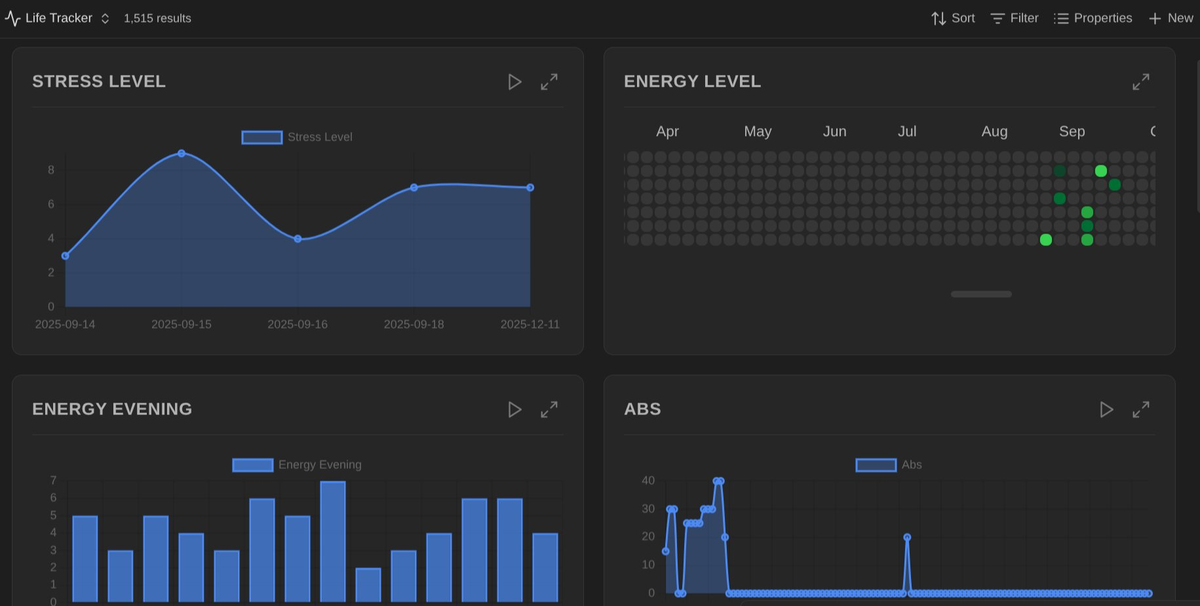
I’ve created something new: The Life Tracker plugin for Obsidian:
 dsebastien
Introduction
Life Tracking has been on my mind for quite a while, and I’ve already integrated various related properties in my daily notes (also in the Obsidian Starter Kit v3), but this remains tough to do consistently.
A Word About Life Tracking
Life Tracking is pretty rad when you think about it. You can track data points such as your physical health, sleep, nutrition, exercise, mental health, stress, habits, routines, addictions, … Whatever you want, need or care about.
And it’s not just for fun. It’s actually valuable and helpful during periodic reviews (gentle reminder, it’s almost time for your yearly review!). By looking back at the past and observing trends, you can understand your problems, potential relationships between different things, causes & effects, etc. It enables being more objective about your health and actions, grounding your future decisions in observable/tangible reality.
Challenges
The issue with life tracking, aka capturing information about your life is that it takes time. You need to think about it. You need to take time to capture the information, etc. The templates I have for daily notes are nice because they already include a structured set of properties for this. But capturing remains tedious and boring:
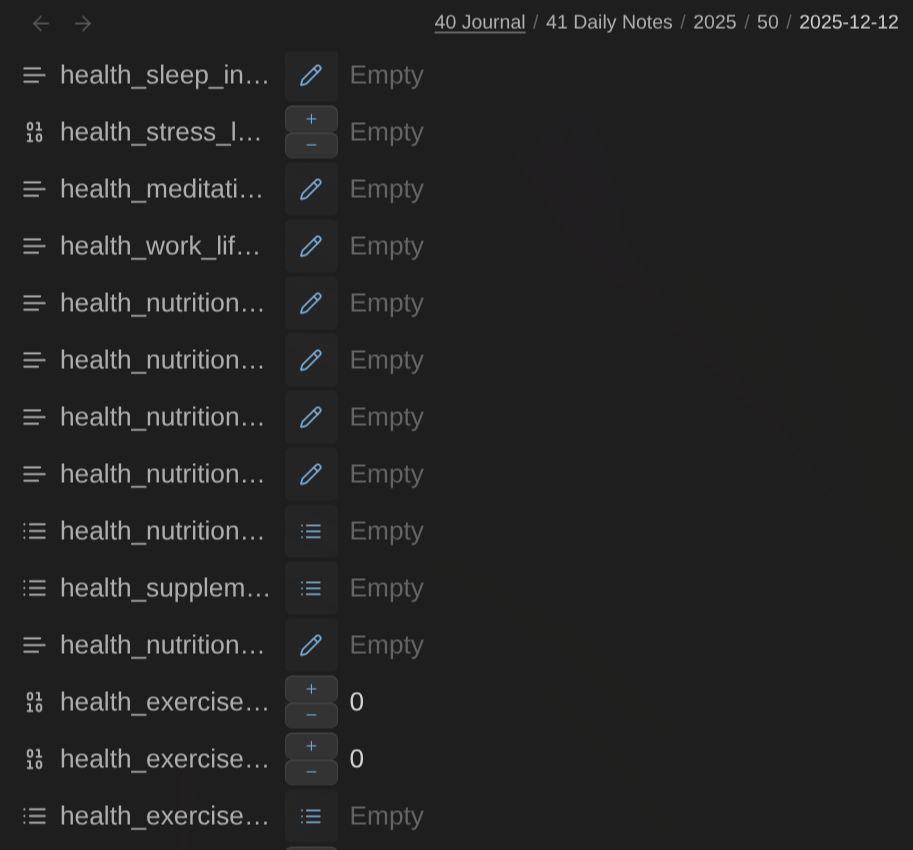
But I intend to fix that!
The other difficult part of life tracking is that visualizing the information is not that easy. First you need to be able to capture it, centralize it, correlate it and create visualizations. Specific tools have support for that, but they introduce more information silos in your knowledge management system, and I don’t want that.
Let’s take an example: I use a Garmin watch. It captures my exercise routines. Cool, the information is in Garmin connect. It’s integrated with Strava. Cool, the information is in Strava as well. But then what? It’s just one more app/system I rely on. And I don’t like that one bit. Specificity is great because by focusing on a narrow problem space they are able to go real deep on certain aspects. But do I really need that level of detail? Oftentimes the answer is no.
Long story short, Obsidian remains my go-to solution for centralizing my information and knowledge (cfr Why Obsidian is All You Need - From Simple Notes to Complete Productivity (Article)). So it makes sense for me to capture and centralize my life data in there as well. Except that I did not have solid means to visualize the information so far, nor means to easily capture it.
One of those problems is now fixed.
Life Tracker Plugin for Obsidian
I’ve created the Life Tracker plugin for Obsidian. It adds a new type of view for Obsidian Bases that automatically creates visualizations for each column included in the view:
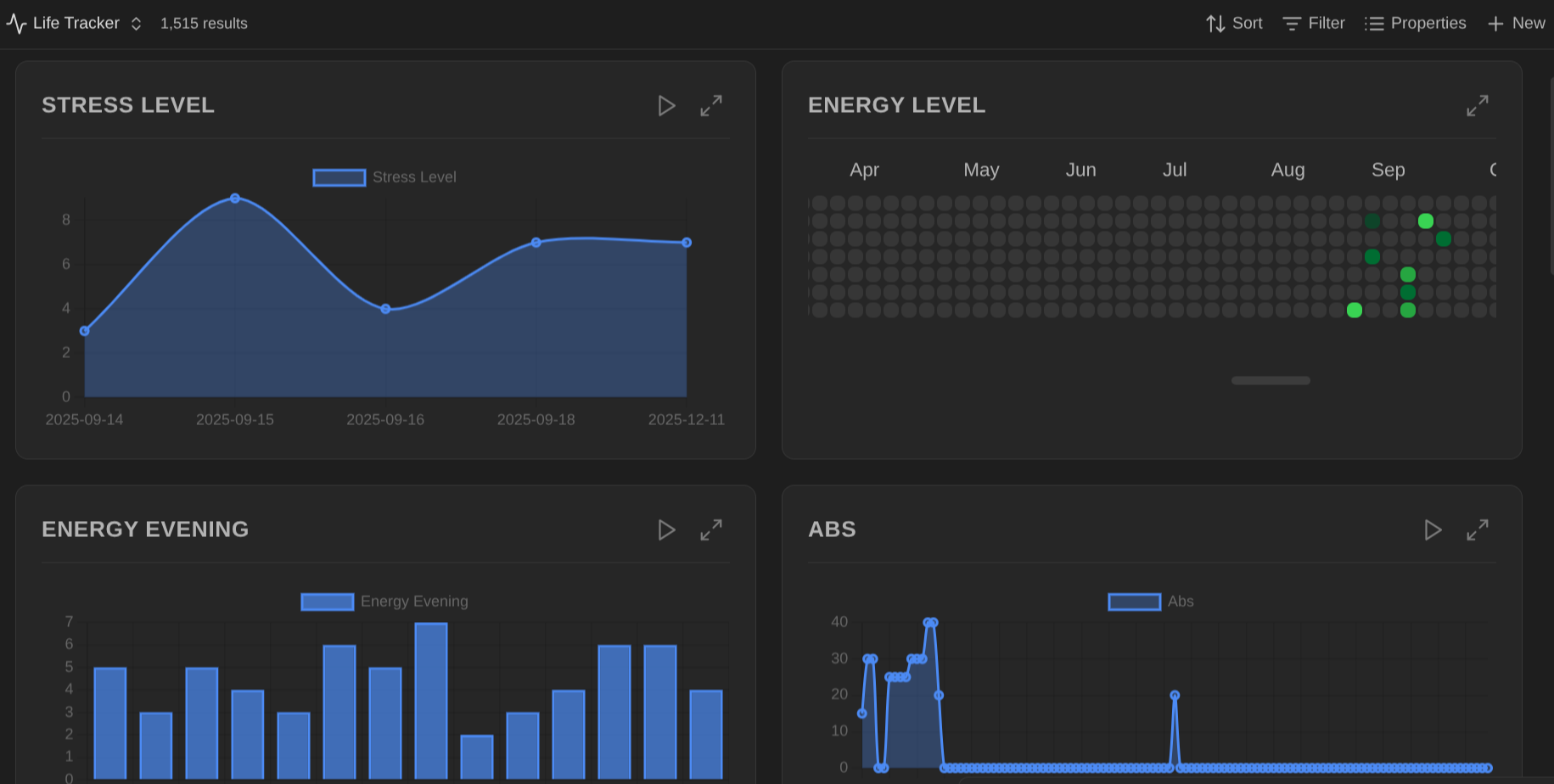
For each column, you can choose the type of visualization you want to use. The plugin currently supports 12 different graph/chart types.
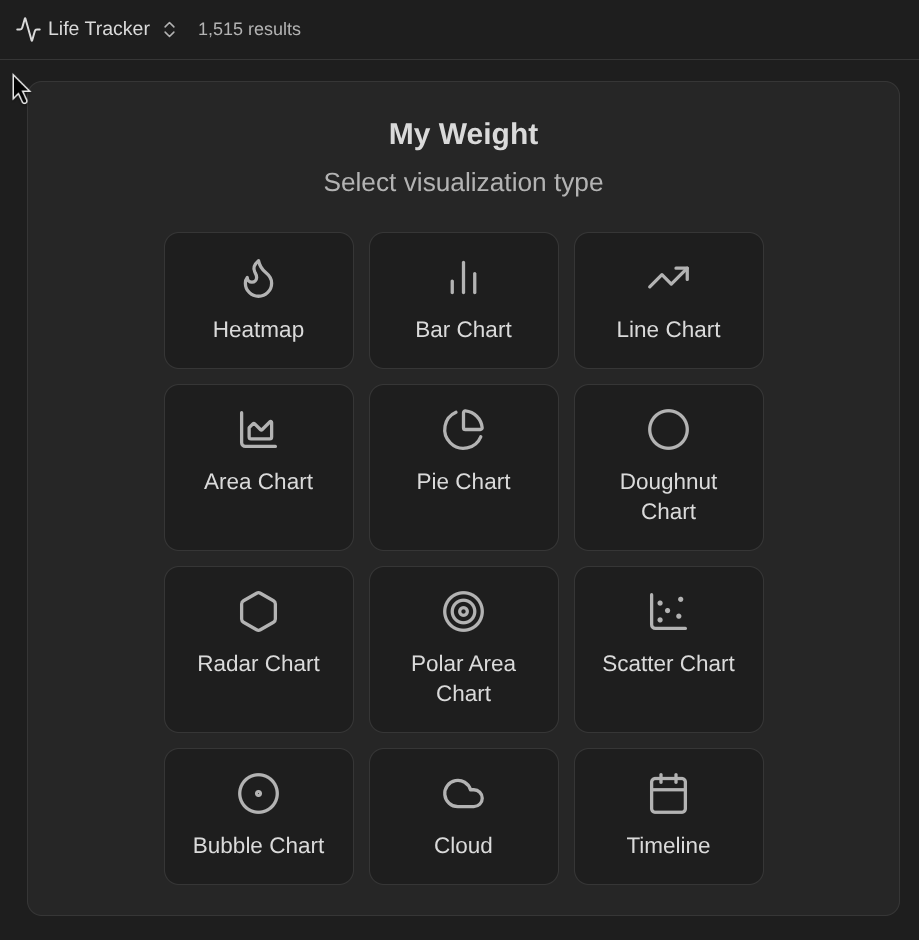
Currently supported: heatmap, Bar Chart, Line Chart, Area Chart, Pie Chart, Doughnut Chart, Radar Chart, Polar Area Chart, Scatter Chart, Bubble Chart, Tag Cloud, and Timeline.
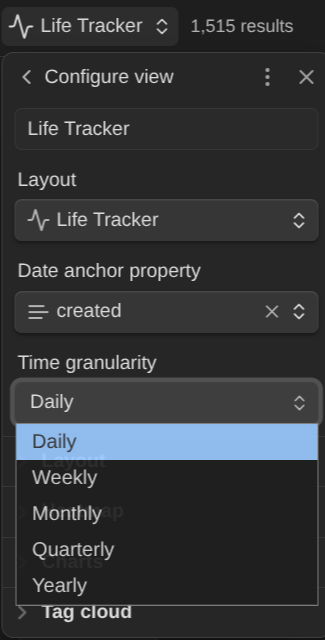
You can customize various aspects of the view & visualizations, including the time granularity and value ranges:
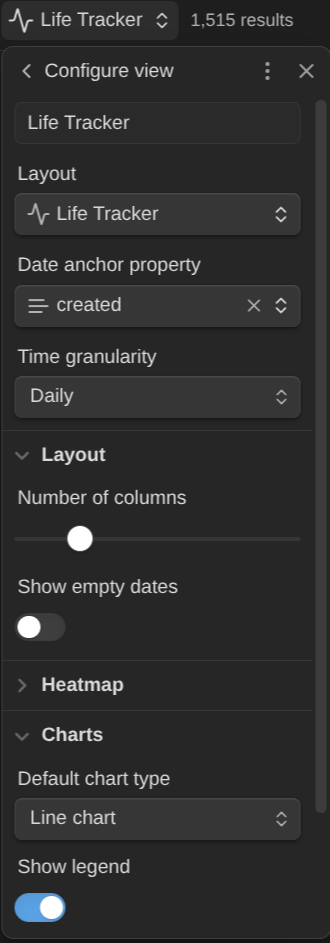
You can also configure other view settings:
Right-click any card to change visualization type, configure scale (auto-detect or preset ranges like 0-1, 0-5, 0-10, 0-100), maximize, or reset configuration.

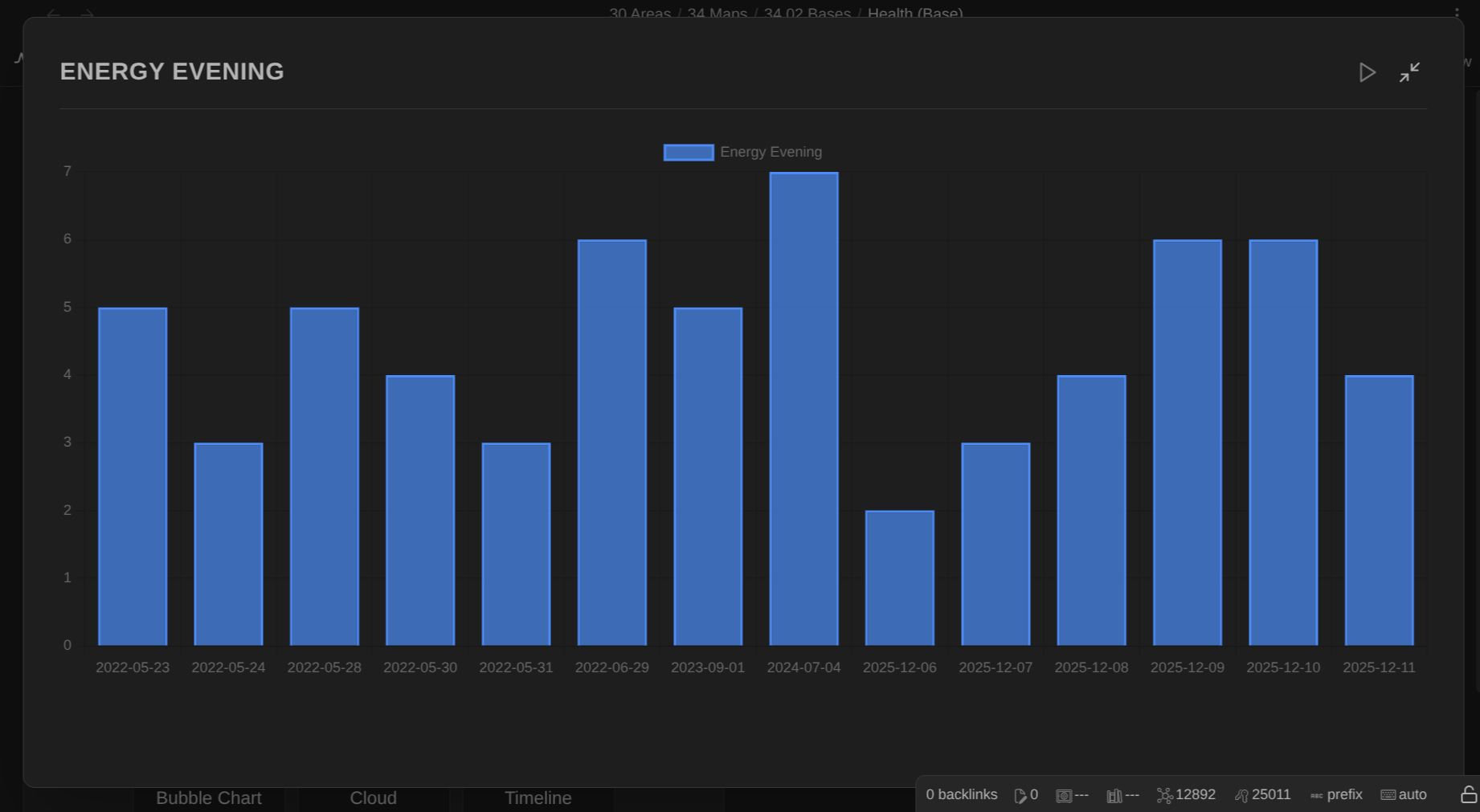
It's also possible to maximize a visualization to focus on it:
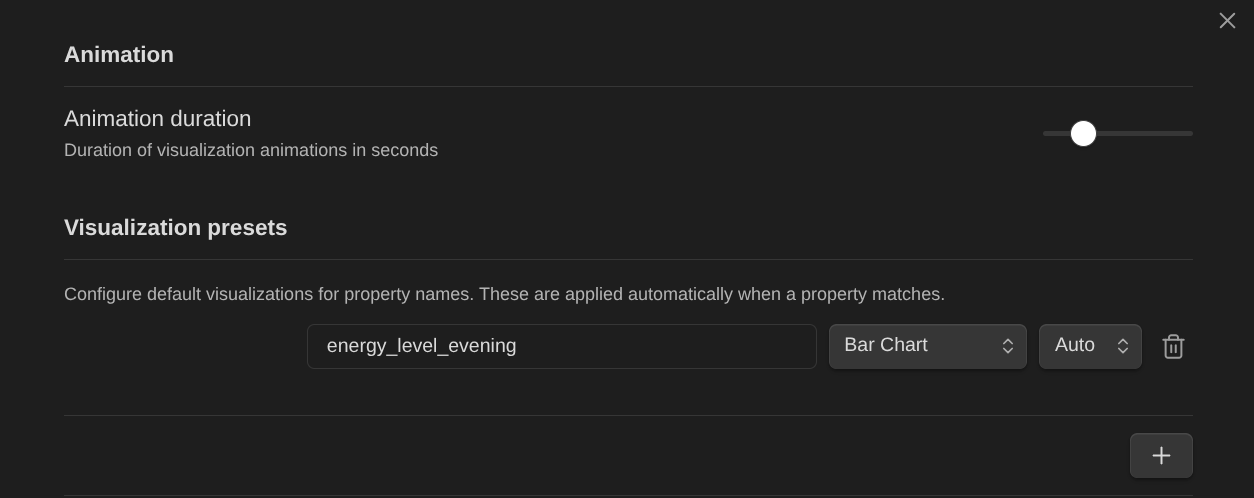
Finally, it's also possible to create visualization presets. When those properties are shown in a Life Tracker base view, the right type of chart will be used automatically:
Next Steps
I intend to make it easier to capture/update said data so that it becomes mostly effortless and so that the data becomes more useful. That’s the next target for this little experiment.
I just sent a PR to get it added to the official list of community plugins. So, for now, this plugin can only be installed manually
That's it for today!
References
Related
About Sébastien
I'm Sébastien Dubois, and I'm on a mission to help knowledge workers escape information overload. After 20+ years in IT and seeing too many brilliant minds drowning in digital chaos, I've decided to help people build systems that actually work. Through the Knowii Community, my courses, products & services and my Website, I share practical and battle-tested systems. You can follow me on X 🐦 and on BlueSky 🦋.
I am an author, founder, and coach. I write books and articles about Knowledge Work, Personal Knowledge Management, Note-taking, Lifelong Learning, Personal Organization, and Zen Productivity. I also craft lovely digital products.
If you want to follow my work, then become a member and join our community.
Ready to get to the next level?
If you're tired of information overwhelm and ready to build a reliable knowledge system:
- 🎯 Join Knowii and get access to my complete knowledge transformation system
- 📚 Take the Course and Master Knowledge Management
- 🚀 Start with a Rock-solid System: the Obsidian Starter Kit
- 🦉 Get Personal Coaching: Work with me 1-on-1
- 🛒 Check out my other products and services. These will give you a rock-solid starting point for your note-taking and Knowledge Management efforts