
Kanban Action Planner 1.7.0 - WBS mode, automation rules, and embedded boards

Canonical version: Kanban Action Planner 1.7.0 - WBS mode, automation rules, and embedded boards.
Two weeks ago, version 1.1.0 of the Kanban Action Planner shipped timeline mode. Versions 1.2.0 through 1.7.0 add a WBS mode, automation rules, embedded boards, a real estimates system, and a performance pass that touched almost every interaction.
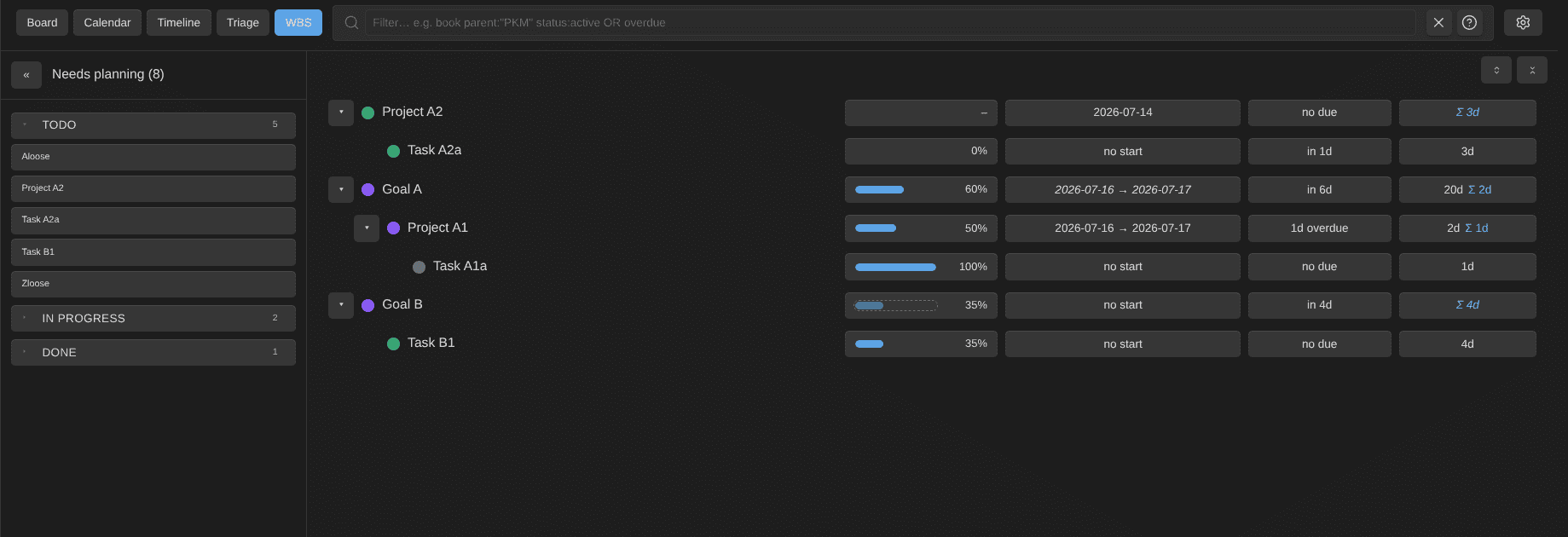
The biggest addition is WBS mode, a work breakdown structure for your plans. It renders goals, projects, and tasks as a tree, and it rolls estimates, progress, and dates up the hierarchy. A parent's own values win; whatever is missing derives from its children. A project without a progress number of its own shows the progress of its tasks.
The tree is fully editable in place. Drag a row onto another one to re-parent it. Change a status from the inline control. Click an estimate chip and type the new value right there, without opening a dialog. Click on the status circle and change it easily.
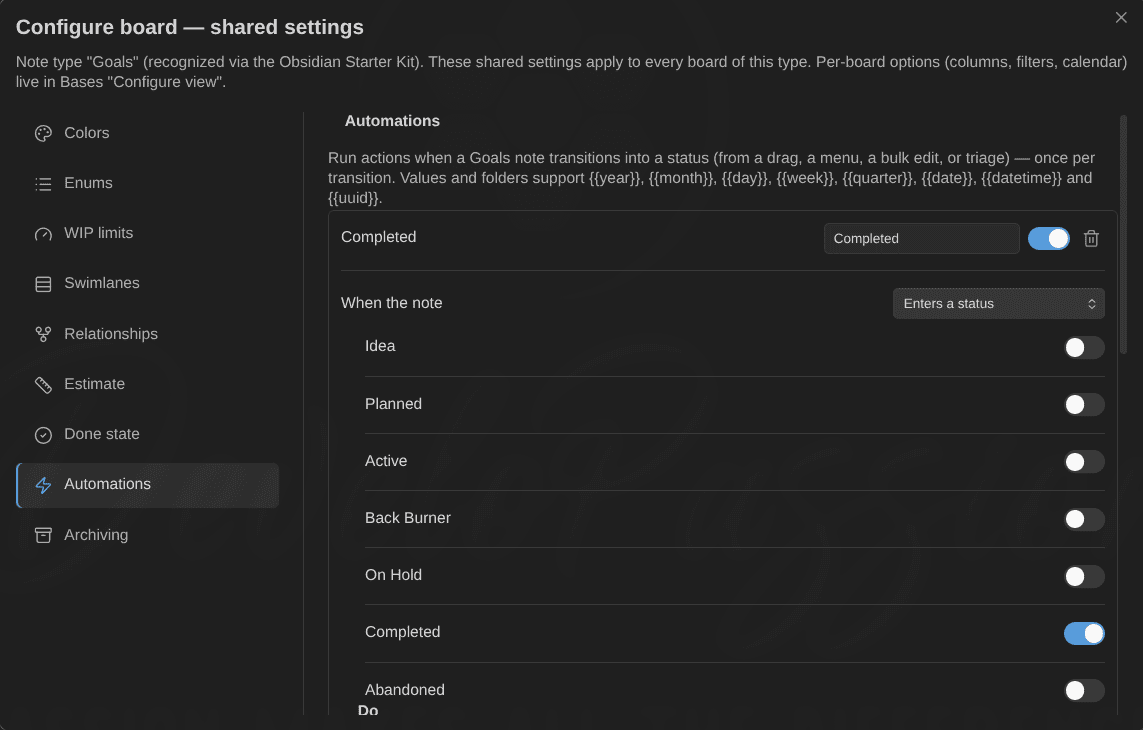
Automation rules update your notes automatically. Per note type, you define "when this happens, do that". Triggers: a note enters or leaves a status, reaches its done state, gets archived, or a property crosses a condition (progress ≥ 100, for example). Actions: set or remove properties (values support {{date}}-style placeholders), add or remove tags, or move the note to a folder. Mark a task Done and its progress jumps to 100, the due date clears, and date_completed is set to today. This works from any write path (drag, card menu, bulk edit, triage), exactly once per transition, with no cascading rules.
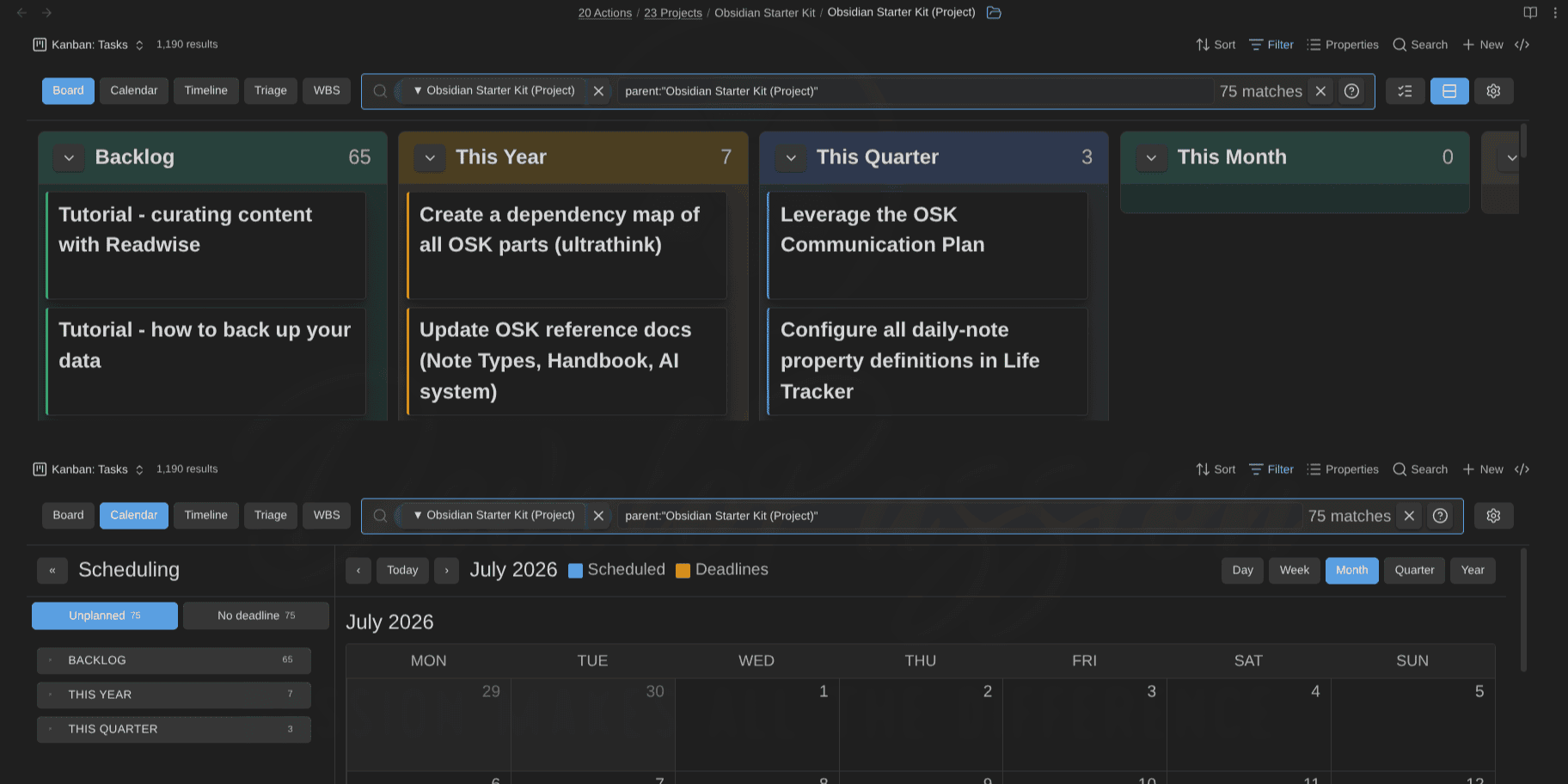
You can now also embed any view inside a regular note, several times if you want, each in a different mode. Use a standard embed link:
And the wikilink alias can override that one embed without touching the saved view:
I use this to put a project's board and its calendar straight into the project's note. Anything you change inside an embed (the mode, the filter, a collapsed panel) applies to that embed only and is forgotten when the note re-renders. Your saved views stay exactly as you left them.
Estimates improved too. Each note type now has its own estimate property and unit, days or minutes. The estimate field accepts any duration (2h, 90m, 0.5d, 1d 4h) and converts it for you. Every display uses the same compact format, and the WBS column keeps units aligned so the numbers stay comparable at a glance.
Closely related: done states. You define what "done" means for each note type, a property plus the values that count. A done note reads as 100% complete in progress rollups, even without a progress number, so a parent's progress goes up as its children are completed.
Also since 1.1.0:
- Every write is optimistic now: the card moves immediately, the frontmatter catches up, and a failed write rolls back. Scroll positions survive re-renders, and content-identical render passes are skipped entirely. As a result, the board no longer flickers.
- Drag cards between status groups in the scheduling panels of calendar, timeline, and WBS modes.
- Hover a card with Ctrl/Cmd to preview the note, now in calendar, timeline, and WBS modes too.
- Mixed boards resolve relationships per note type.
- The WBS stays usable on single-type, filtered, and flat views.
Everything still lives in your notes. Statuses, estimates, relationships and automation results are all stored as frontmatter, which any other tool can read.
References
- Documentation: https://dsebastien.github.io/obsidian-kanban-action-planner
- Releases: https://github.com/dsebastien/obsidian-kanban-action-planner/releases
- Community: https://community.obsidian.md/plugins/kanban-action-planner
Related
About Sébastien
Ready to get to the next level?
Found this valuable? Share it with someone who needs it.