
Showing Obsidian front matter using Dataview queries

In this article, I want to share a cool trick for Obsidian that a friend and I used to display the YAML front matter of a note as a table.
YAML front matter in Obsidian
In Obsidian, we can add YAML front matter to our notes. This enables us to add structure to our notes as metadata. This is very useful and enables various use cases (e.g., automation). I use the front matter extensively in my PKM system.
Here's an example:
I've added a number of keys to my contact notes. These enable me to build a super simple (and useful!) contact management system. It makes it super easy to find the information I need when I need it.
The "problem" is that the front matter is only visible in the edit mode, which is not ideal. Luckily, my friend Alexis helped me build a Dataview query that makes it possible to display the YAML front matter as an inline table.
 Sebastien Dubois
Dataview query to display the front matter of a note as a table
Here's the dataview query that we've built:
This query first retrieves the contents of the YAML front matter, excludes the "Tags" field (as those are accessible in other ways already), and renders those as a table. The result looks like this in the view mode:
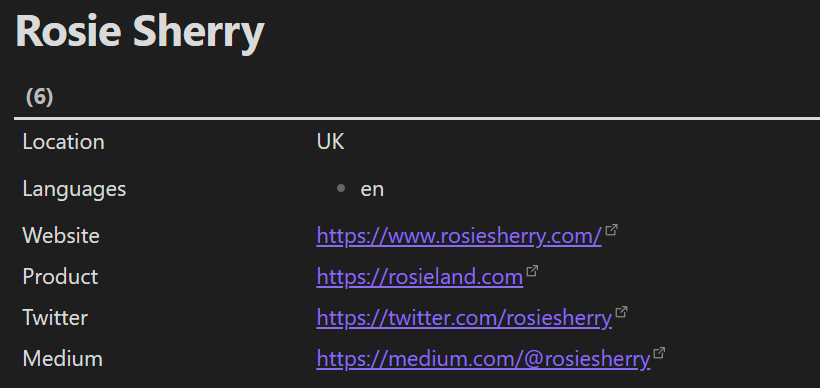
By the way, I've included this query in the "Person" template of my Obsidian Starter Kit.
 Knowledge Forge
Front matter is also what lets you filter and find notes later. I explain how to put it to work, along with names, search operators and Bases, in The Obsidian Search Handbook.
 Sébastien Dubois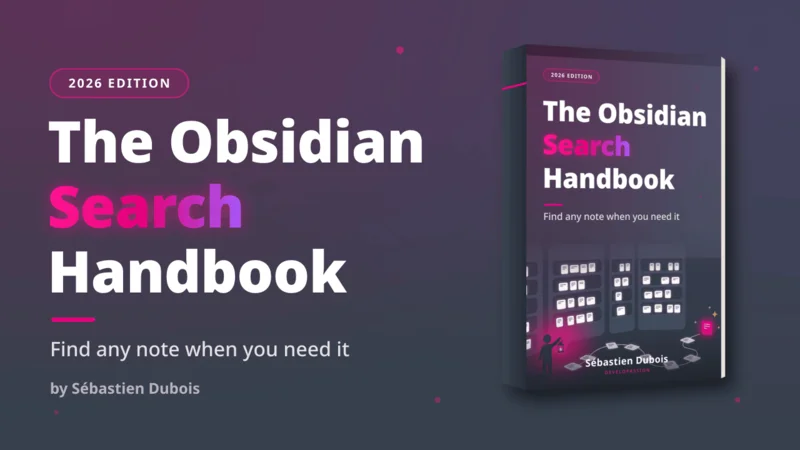
That's it for today! ✨
Go Further
Sébastien Dubois Sébastien Dubois
 Sébastien Dubois
Want to go deeper?
Sébastien Dubois
About Sébastien
Ready to get to the next level?
Found this valuable? Share it with someone who needs it.