
Music Practice plugin for Obsidian

Canonical version: Music Practice plugin for Obsidian.
An Obsidian plugin for learning an instrument in your notes: log practice in under a minute, run a practice timer, get a plan for the time you have, and let spaced review tell you what's slipping. Guitar and piano first, any instrument after.
Every chord, scale, technique, exercise and piece you learn is a note with a mastery level: Want to learn, Learning, Can play slowly, Can play at tempo, Rusty, Mastered. The plugin reads those notes, ranks what to practice next, plans the session, and writes back what you did: the session note, the items practiced, BPM, review results and the time spent. Every rule (levels, review intervals, score weights, plan split) is a setting with sensible defaults.
It works on its own, or with the Obsidian Starter Kit, which then provides the note types, folders, templates and statuses.
Status
Published in the Obsidian community directory (0.12.0, 2026-11-04). Install from Settings → Community plugins → Browse, search for "Music Practice".
- 0.1, practice engine (released): log practice, practice timer, practice plans, practice next, mastery with a rubric per kind, spaced review, skill tree (prerequisites, ready to learn), a public API for scripts and AI assistants.
- 0.2, notation (released): chord diagrams (guitar and piano), keyboards, fretboards and ChordPro chord charts from plain-text code blocks, drawn by the Music Notation library (also on Obsidian Publish); new chord notes get a voicing and a diagram.
- 0.3, layout (released): several diagrams side by side in one block, vertical or horizontal diagrams, left-handed diagrams (with defaults in the settings); adding a guitar chord shows its top voicings side by side to pick from.
- 0.4, chords and scales (released): chord and scale notes draw their own diagram from their properties, so nothing is written twice; chords typed in words or as frets, named for you; scale notes with positions (boxes, CAGED, three notes per string) and modes.
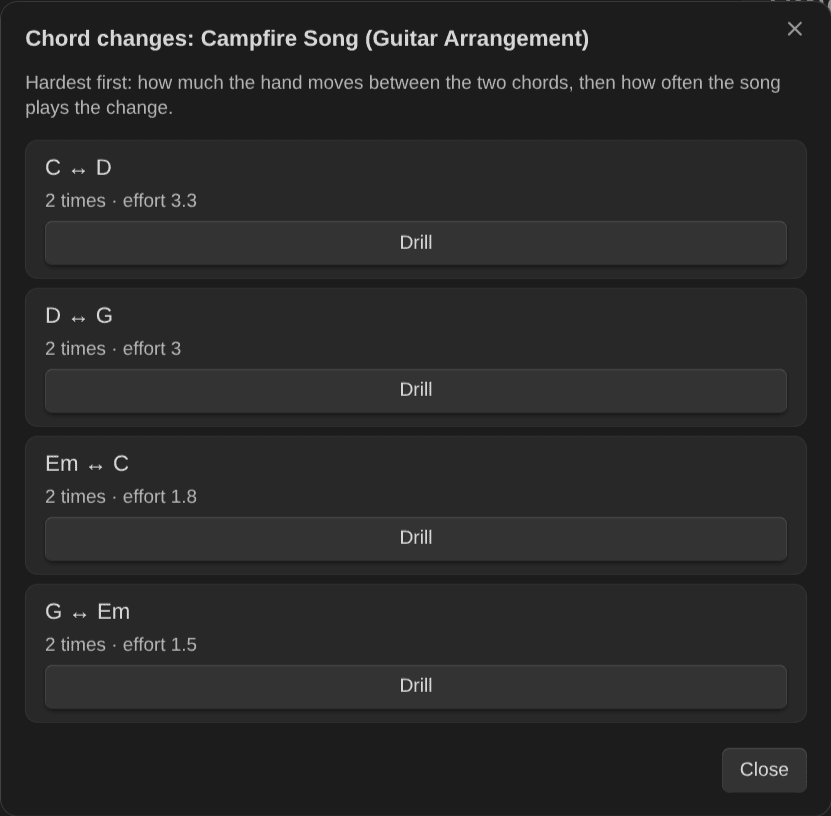
- 0.5, practice (released): a practice panel with the timer (now with pause), your session list and Log this session; a metronome with a speed trainer that steps up to your target tempo; chord change drills (changes per minute between two chords, kept on the pair's own note); undo the last log.
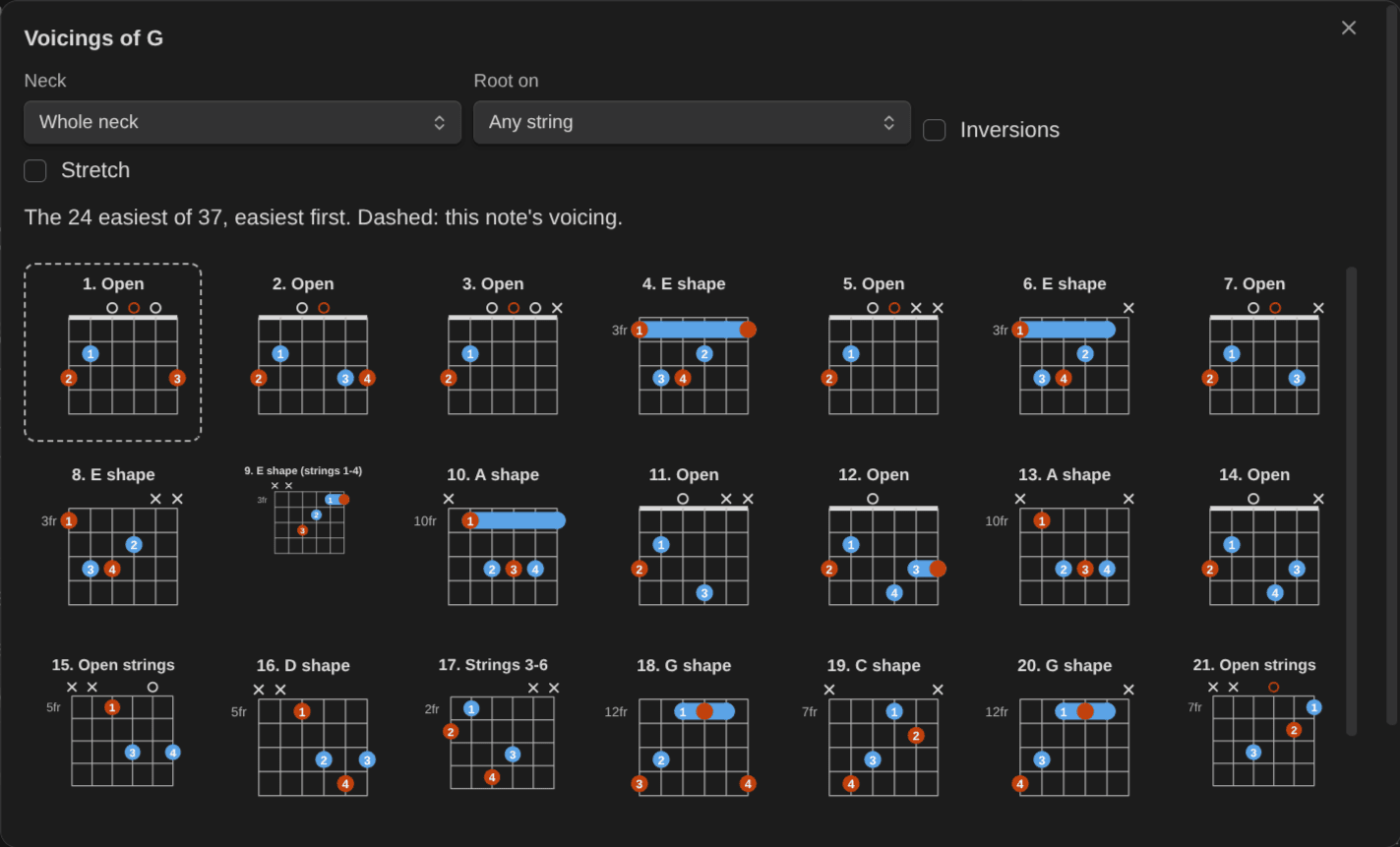
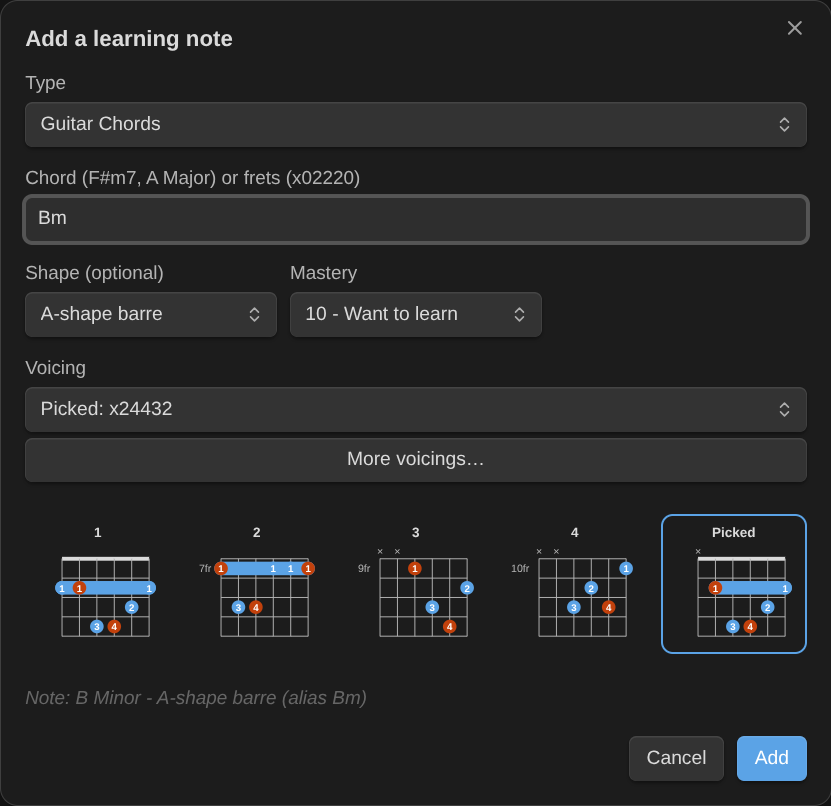
- 0.6, voicings (released): every way to play a chord, the easiest first, by neck area and root string; add a voicing as its own chord note (each shape its own mastery), or switch a note to another fingering of its shape; More voicings in Add a learning note; fingers worked out for typed frets.
- 0.7, tabs, scores, triads and transitions (released): tabs and scores with playback (play, slow down, loop, metronome, count-in), export to Guitar Pro, MIDI or paper; a play bar on every chord, keyboard and fretboard diagram; triads on string sets as their own notes; the easiest way from one chord to the next, and the smoothest voicings for a whole progression; imports from Guitar Pro, MusicXML, ChordPro, plain-text tabs and chord sheets. Everything is bundled, so it works offline, in popout windows too.
- 0.8, playable text tabs (released): a text tab becomes a tab you can play, plus fixes for imports and popout windows. 0.8.1 and 0.8.2 bring music-notation 0.6 and 0.7: the piano plays, and a diagram's sound menu redraws it for the other instrument.
- 0.9, strumming, progressions and the circle of fifths (released): three new blocks (
strum,progression,circle), notes that light up as they play, capo, arpeggios and piano voicings (from music-notation 0.8.0). - 0.10, the session holds the time (released): a practice log writes the session note and no time entry on the activity, whose minutes are recomputed from its sessions; text tabs draw as tablature; diagrams sound and look more like the real instrument (from music-notation 0.9.0).
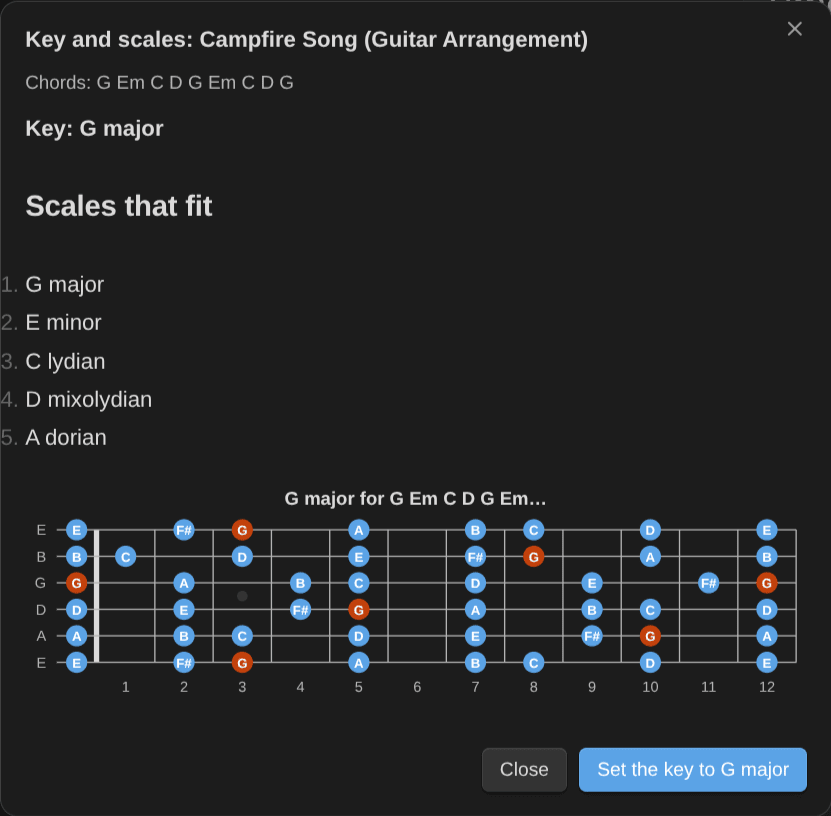
- 0.11, practice what the blocks draw (released): arpeggio and strumming pattern notes that draw themselves from their properties; the key and scales of a piece; chord change drills from a piece's chart, the hardest first; a metronome with a count-in, a beat flash and the piece's time signature; and shortcuts that start practice from outside Obsidian (
obsidian://music-practice?do=start-timer). From music-notation 0.10.0: voicing lists with one diagram per shape, first voicings you can strum, jazz grips, barres from frets alone, and text tabs that land in the right bars. - 0.12, practice in time (released): Practice this progression in time plays a song's chords one a bar as a backing loop, with a click, a count-in and the speed trainer, to drill the changes or solo over them, and Save BPM keeps the tempo you reached; Insert a tab exercise of this scale or arpeggio writes a position's run as a tab that plays in time (8ths, triplets or 16ths), and tab and score bars in a learning note get Save BPM too; fingerpicking patterns become learning notes, added from Add a learning note with a preview, and their empty
pickingblock draws the pattern from the note's properties (they need a learning note type with apicking_patternproperty; mine is Guitar Fingerpicking Patterns). From music-notation 0.11.0: progression blocks and ChordPro charts play in time, the chord that plays lit; a newpickingblock for fingerpicking patterns (PIMA letters, Travis, alternate bass); and a name for every voicing.
Progress is tracked in the GitHub milestones and issues.
Try it
The diagrams below are live. They're plain-text blocks in this note, drawn on this site by the same library the plugin uses. Press play under one!
A shuffle strum over a blues change (swing: yes swings the 8ths).
[E7]D DU UDU | [A7]D DU UDU
swing: yes
title: Shuffle strum
An A shape with a capo on fret 2. It sounds B.
A x02220 x01230
capo: 2
sounds: yes
The most common pop progression, written once as numerals and drawn in G.
I V vi IV
key: G
E minor on the circle of fifths: its chords, with the B of the harmonic minor marked as V.
key: E minor
The five CAGED shapes of an Am7 arpeggio, up the neck.
arpeggio: Am7
positions: all
columns: 3
One of those shapes on its own, the way an arpeggio note draws it: the G arpeggio in its E shape. In your vault, a note named G Major - E (Guitar Arpeggio) draws this from its properties.
arpeggio: G
shape: E
Want to write your own? The notation tutorial learns a whole song with these blocks.
Screenshots
Practice
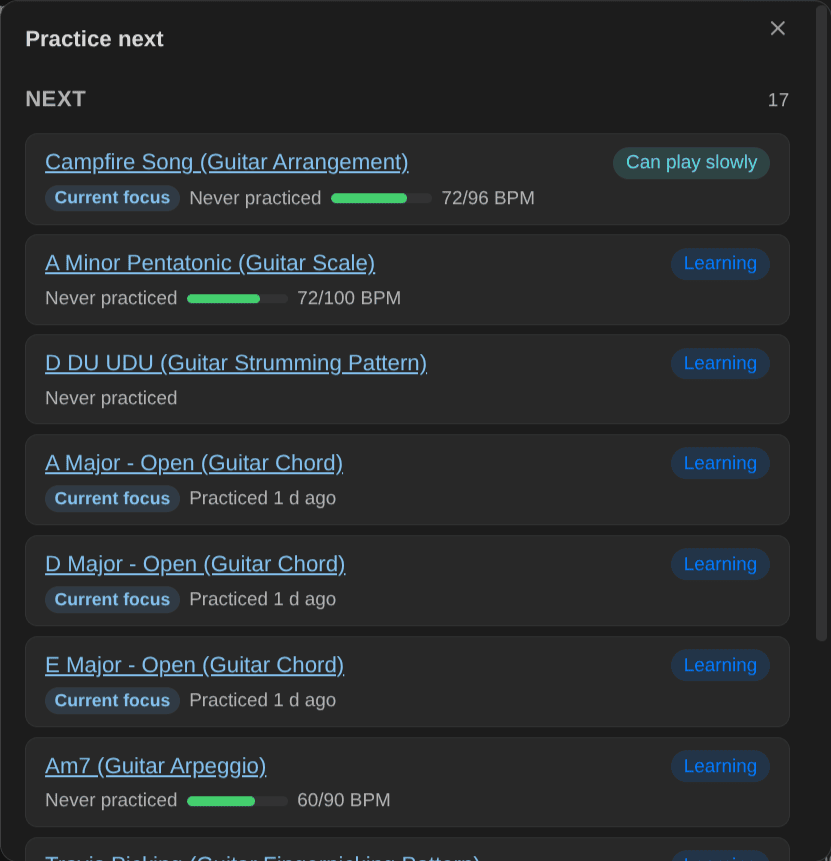
Practice next: what to work on now, due reviews first.
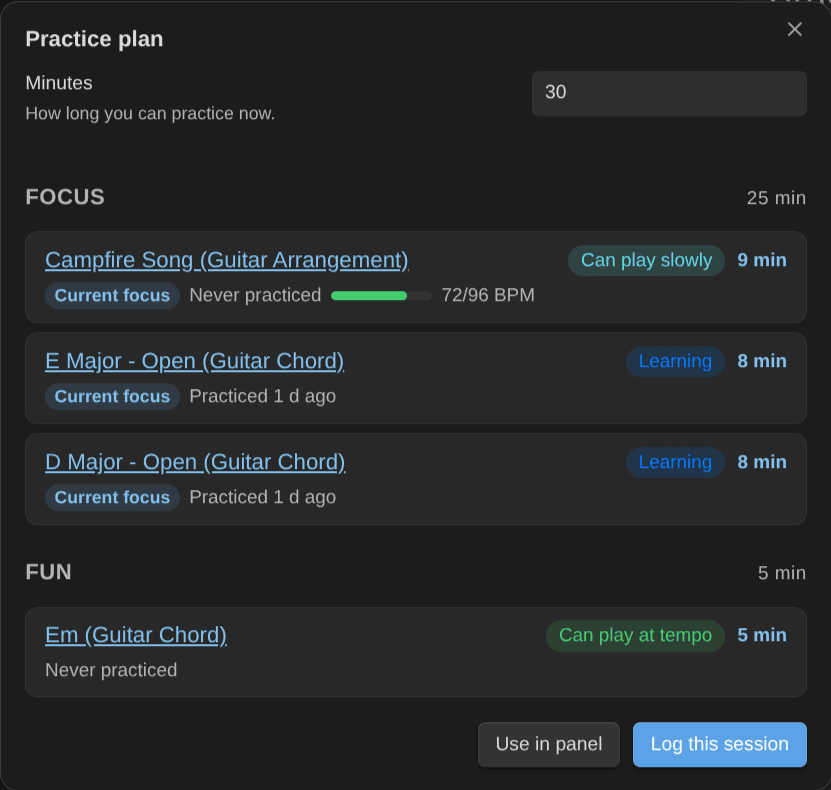
Practice plan: a plan for the minutes you have.
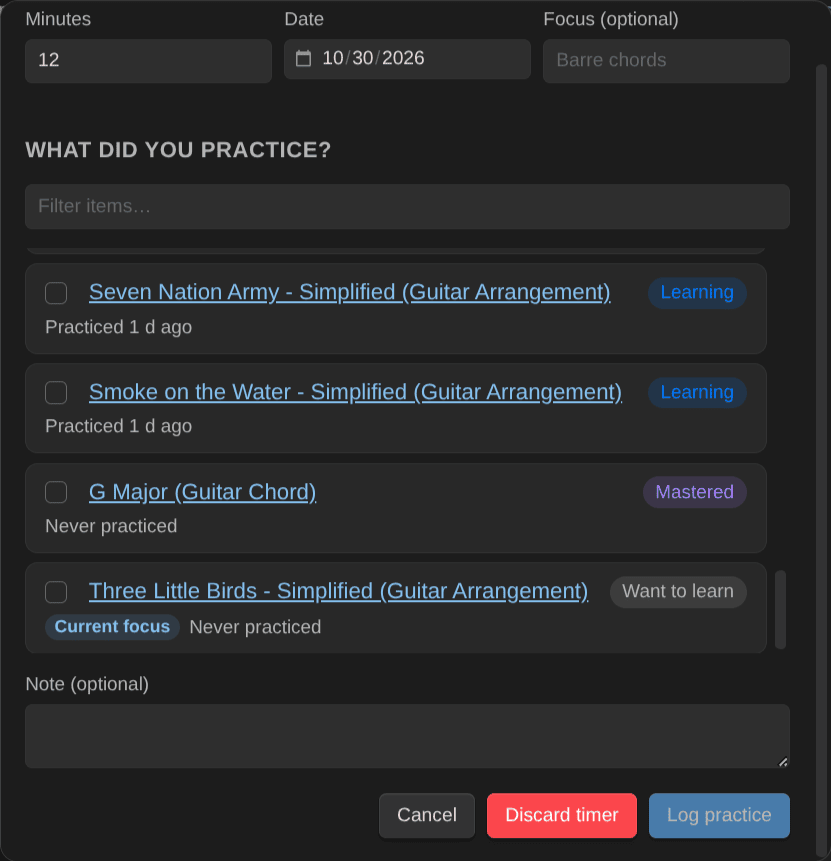
Log practice: the session note, items, BPM, review results and time, in one go.
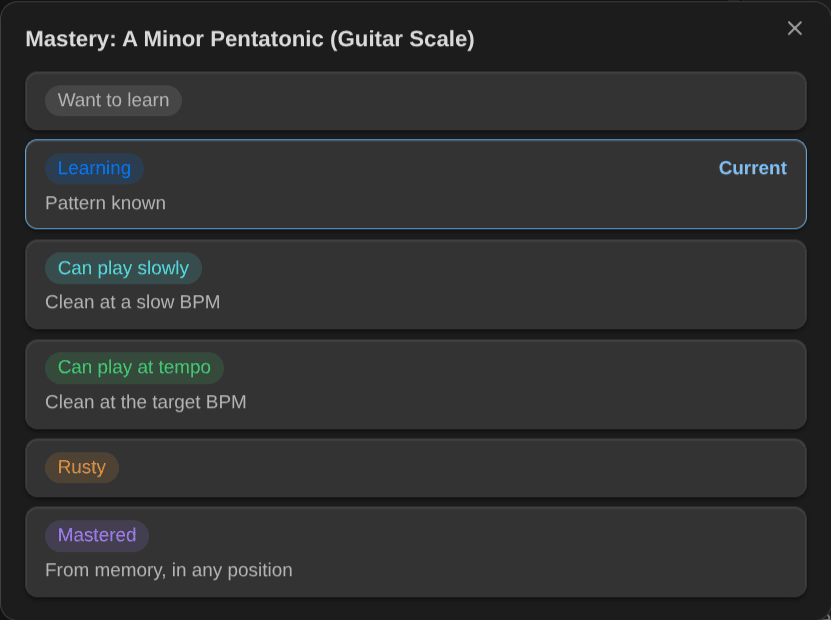
Change mastery: with the rubric for the item's kind.
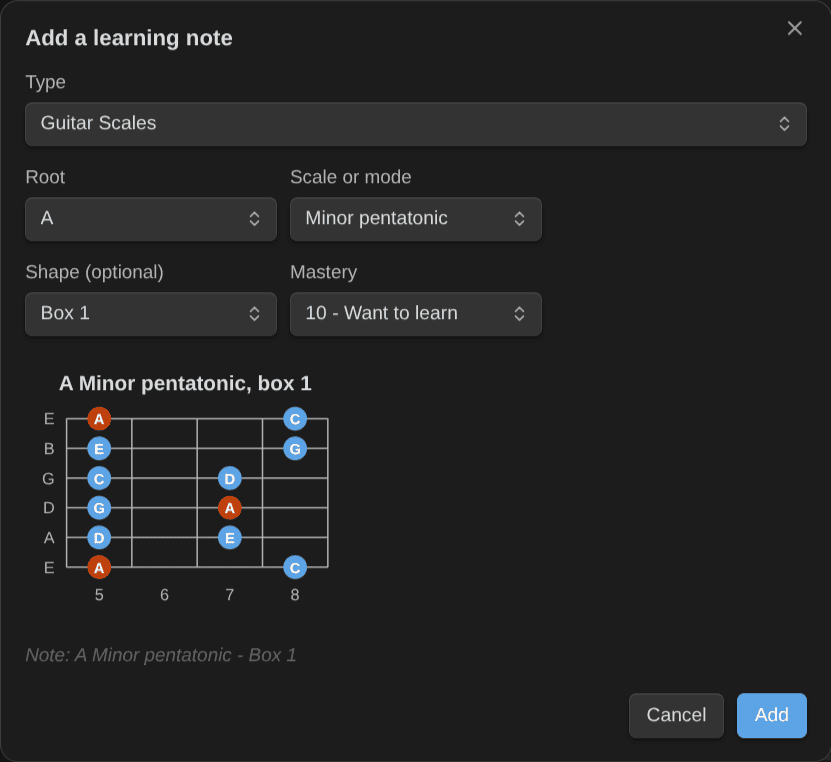
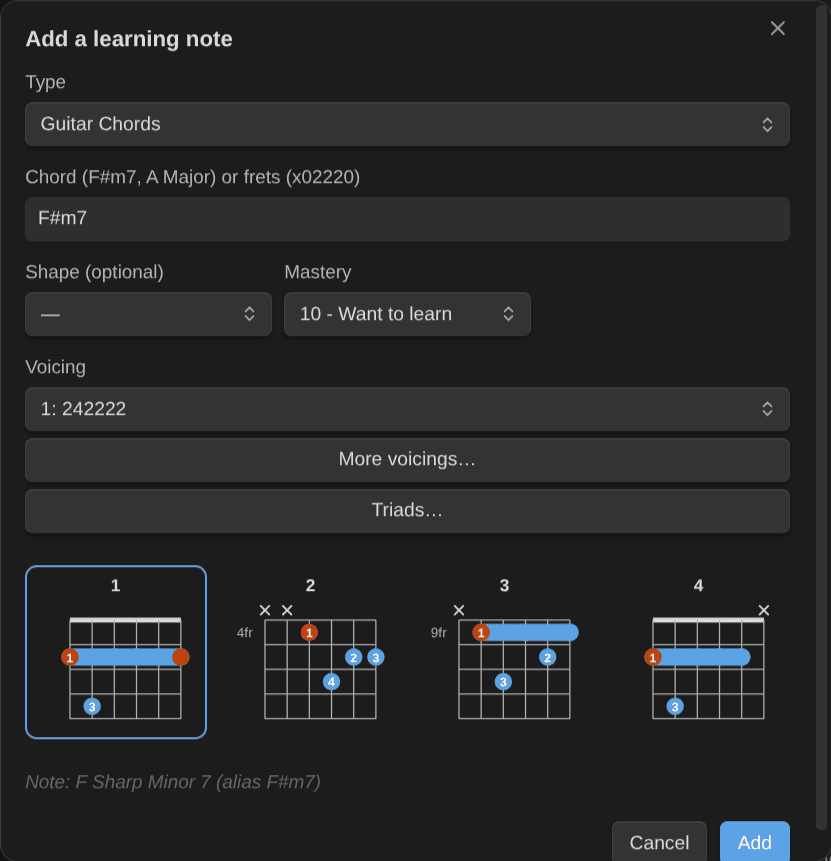
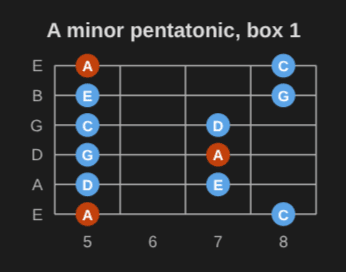
Add a learning note: a scale with its position drawn as you pick it (A minor pentatonic, box 1), or a chord from its symbol, with its top voicings side by side.
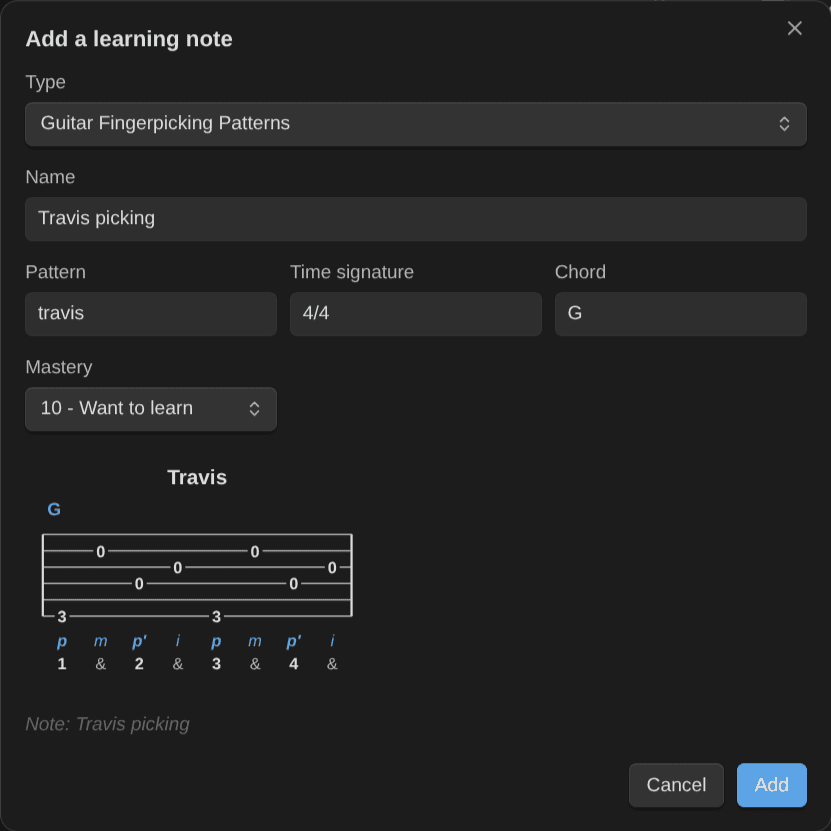
Add a fingerpicking pattern (0.12): the pattern, the time signature and the chord, with the tab it plays in the preview.
Practice panel: the timer, your session list and Log this session, next to your notes.
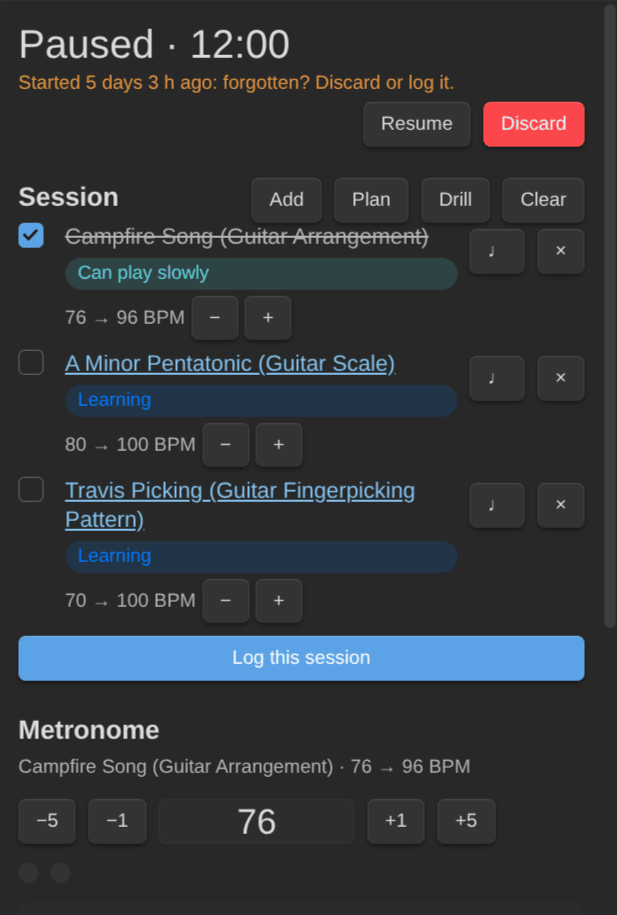
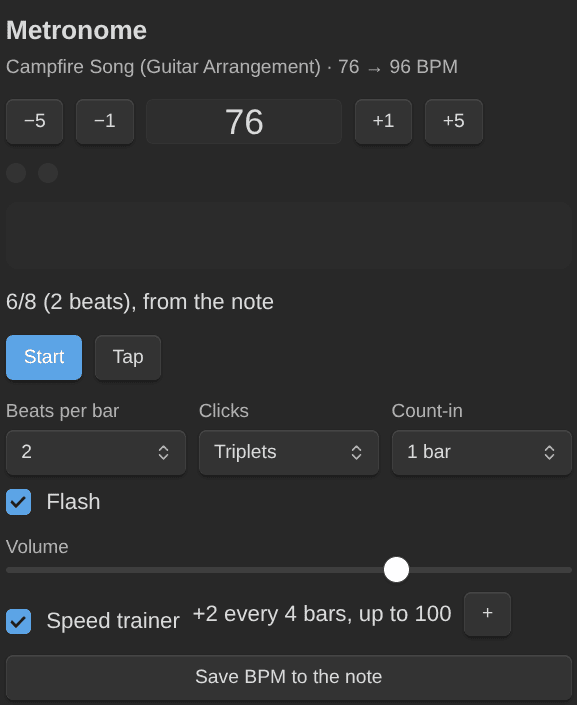
Metronome: with a count-in, a beat flash, the note's time signature, and a speed trainer that steps up to your target tempo.
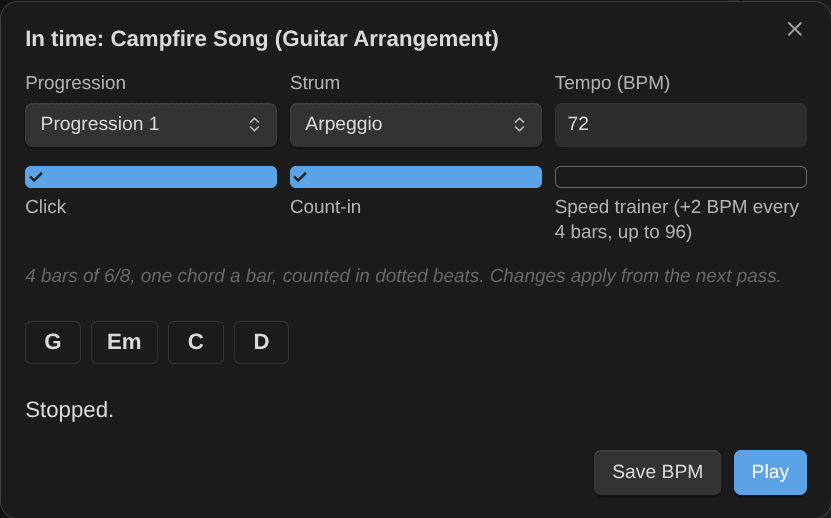
Progression in time (0.12): a song's chords as a backing loop, one a bar, with the strum you pick, a click, a count-in and the speed trainer. Save BPM keeps the tempo you reached.
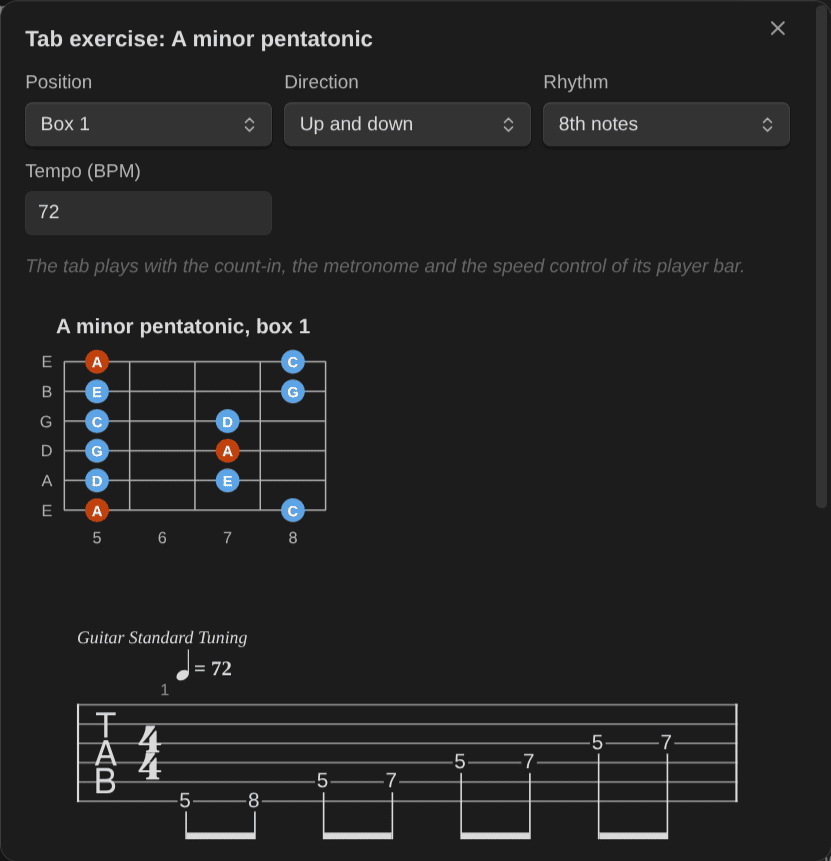
Tab exercise (0.12): a scale or arpeggio position as a tab that plays in time. Pick the direction, the rhythm and the tempo; the preview draws the position and its tab.
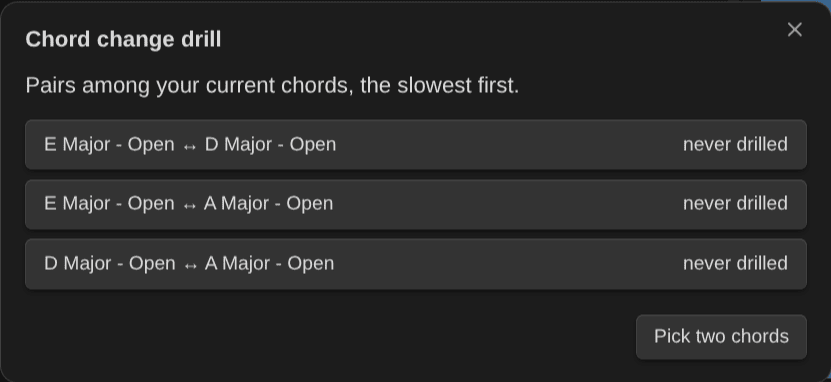
Chord change drill: pairs among your current chords, the slowest first; pick one for a minute of changes.
Chord changes of a piece (0.11): the changes in a song's chart, the hardest first (how far the hand moves, then how often the song plays it), each one a drill away.
Key and scales of a piece (0.11): the key of a song from its chords, the scales that fit, and the first one drawn on the neck.
Voicings of this chord: every way to play a chord (here G), the easiest first, each one named (Open, E shape, A shape…), by neck area and root string. Add one as its own note, or switch a note to another fingering of its shape.
More voicings in Add a learning note: the voicing you pick, with its shape, for the new note.
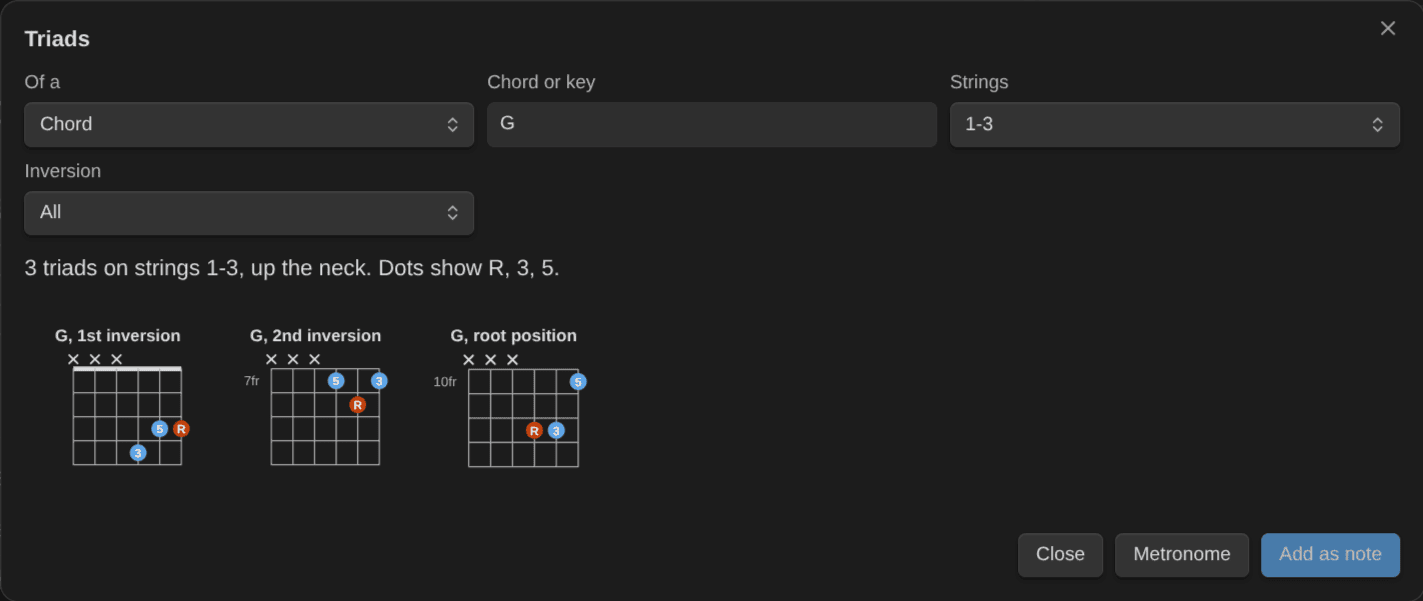
Triads (0.7): a chord's or a key's triads on a string set, with R, 3, 5 in the dots; each one can become its own note, after its root position.
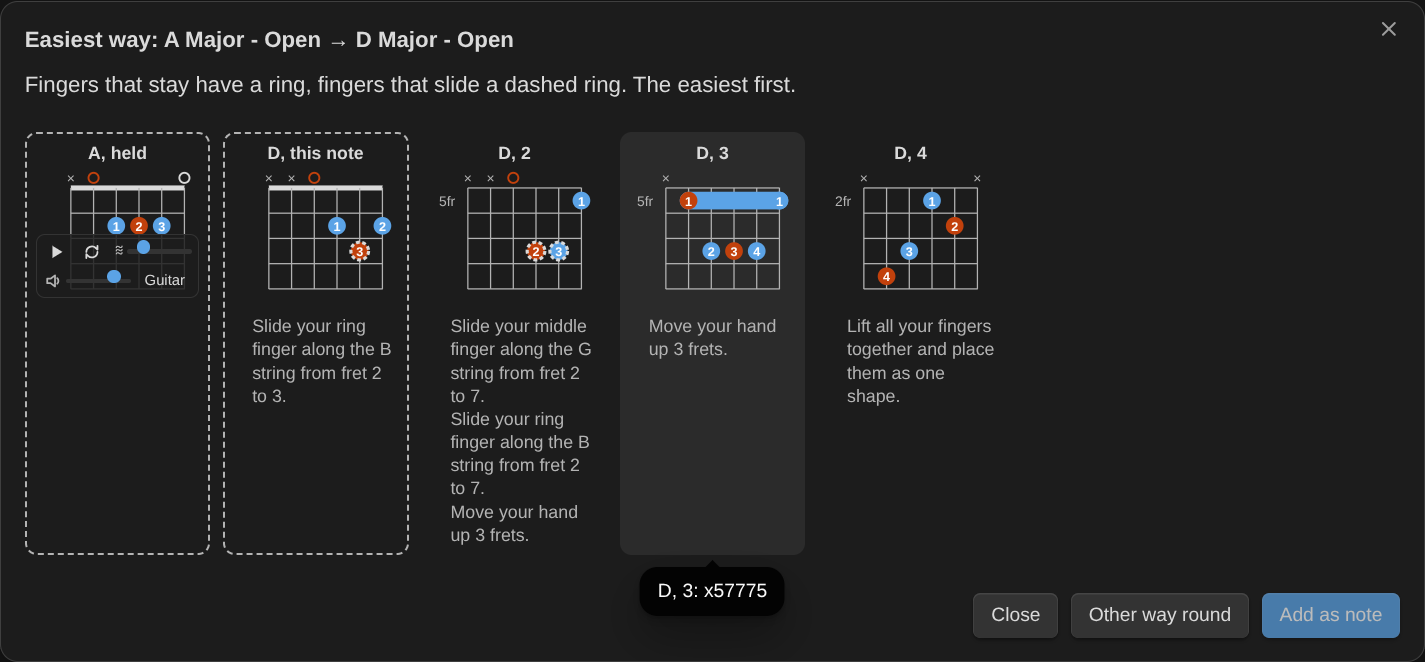
Easiest way between two chords (0.7): the voicings of the next chord that move the hand least, the fingers that stay or slide marked, with tips in plain words.
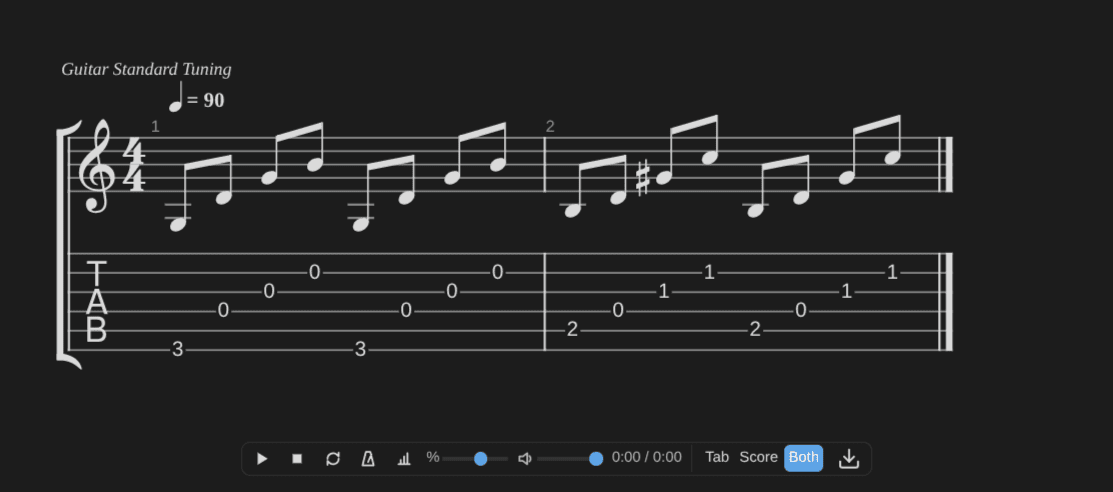
Tabs and scores (0.7): written as text or from a Guitar Pro or MusicXML file, with a player (slow down, loop, metronome) and export.
Notation
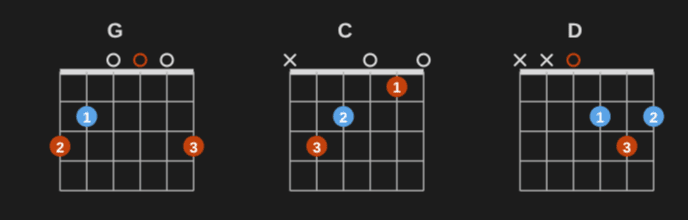
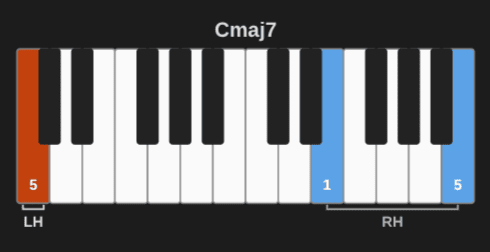
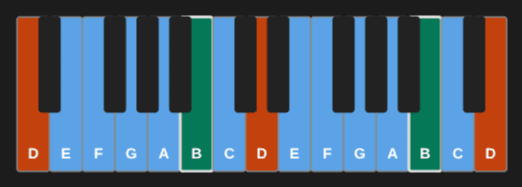
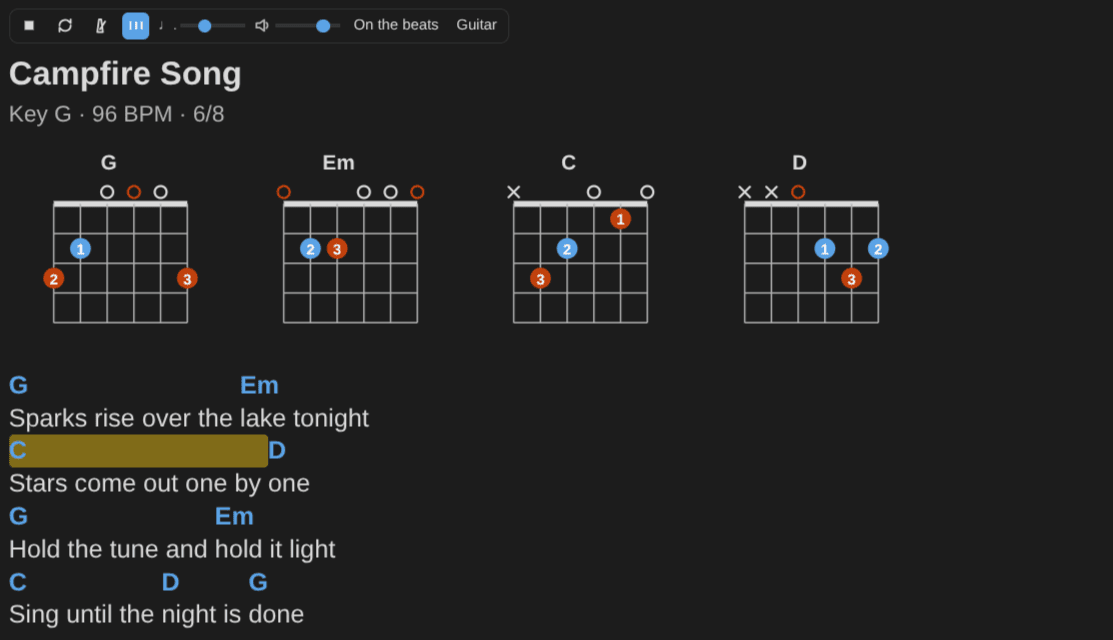
Drawn from plain-text code blocks: a row of guitar chords (G, C, D), a Cmaj7 shell on piano with both hands and the fingering, D dorian on a keyboard with its 6 marked, the first A minor pentatonic box, and a chord chart with its diagrams.
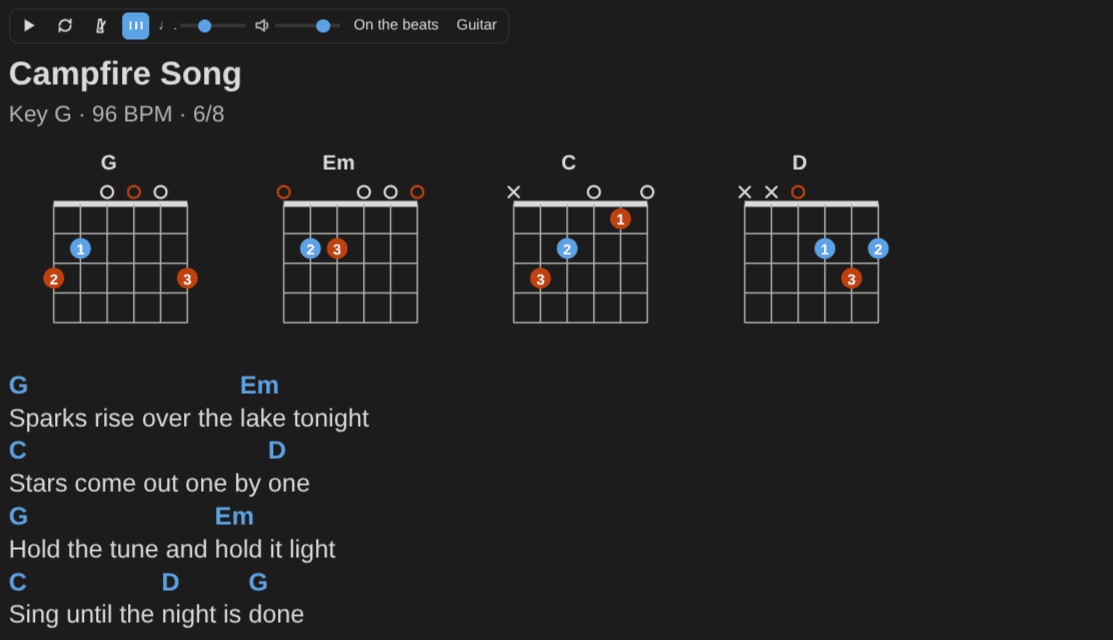
A chord chart playing in time (0.12): one chord a bar, the chord that plays lit.
References
- Community directory: https://community.obsidian.md/plugins/music-practice
- Documentation: https://dsebastien.github.io/obsidian-music-practice/
- Source code: https://github.com/dsebastien/obsidian-music-practice
- Roadmap: https://github.com/dsebastien/obsidian-music-practice/milestones
Related
- Music Notation library
- Guitar (MoC)
- Piano (MoC)
- Music Theory (MoC)
- Kanban Action Planner plugin for Obsidian
- Obsidian Starter Kit
About Sébastien
Ready to get to the next level?
Found this valuable? Share it with someone who needs it.