
Knowii Voice AI 0.8.0 - Drop a File, Get the Text

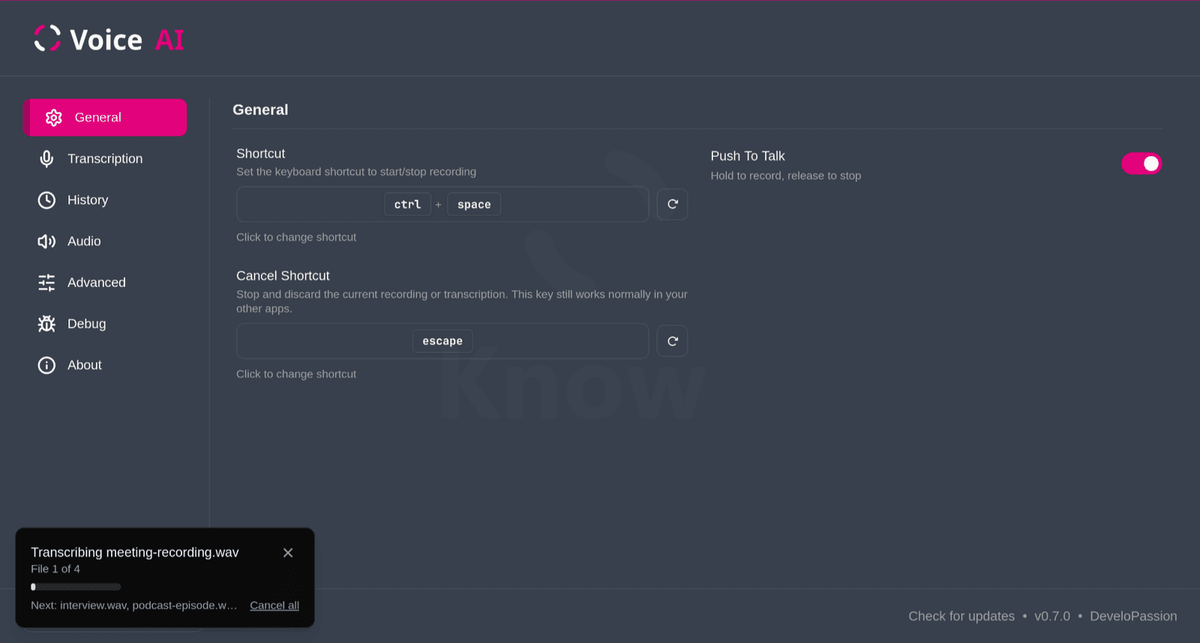
I've released Knowii Voice AI 0.8.0 today 🎉.
If you're new here: Knowii Voice AI is a privacy-first voice-to-text application that runs entirely on your computer. Press a shortcut, speak, release, and your words appear where your cursor is. In any application. No cloud, no subscription, no usage limits.
This release closes the biggest gap since launch. Until now, the app only handled what you said into your microphone, live. But most of the audio that actually matters at work already exists as files, sitting on your disk: meeting recordings, interviews, podcasts, screencasts, old videos nobody ever transcribed. That content was locked, and getting it out meant uploading it somewhere, paying per minute, and handing your conversations to a third party.
Not anymore. In this article, I want to walk you through what shipped.
Drop a File, Get the Text
Drag an audio or video file onto the Knowii Voice AI window and it gets transcribed into your history. No ffmpeg, no format conversion, no upload. Prefer the tray? Transcribe File... opens a file picker and works even when the main window is hidden.
Drop several files at once and they become a queue. A progress card shows which file is running and what's waiting behind it.
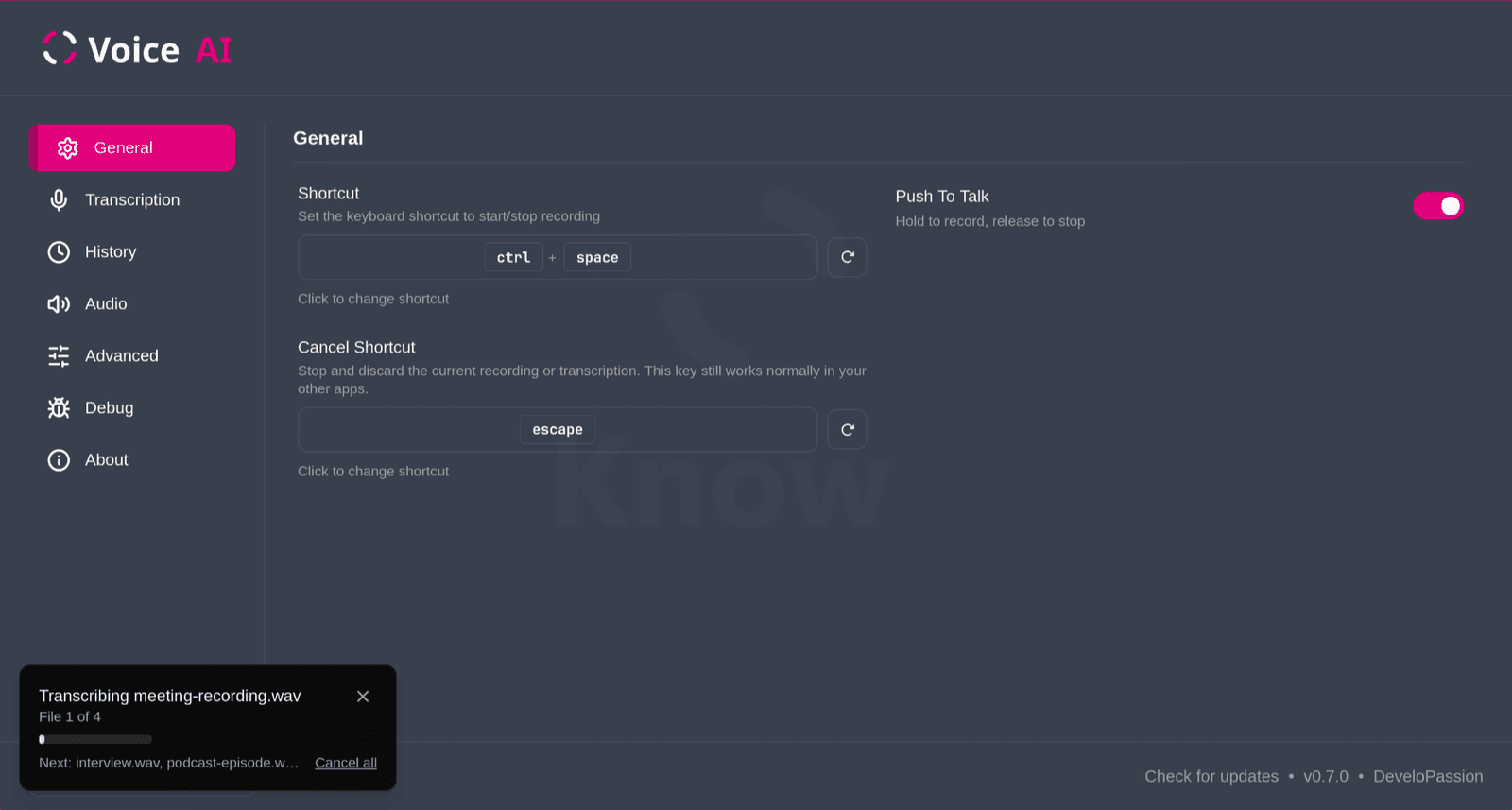
Changed your mind halfway through? The ✕ on the card skips the current file and moves on. Cancel all, the tray menu, or your cancel shortcut stop the whole job.
Long recordings needed real work under the hood. Knowii Voice AI cuts them into segments at pauses in the speech, never in the middle of a word. And because an hour of audio produces a LOT of text, history entries stay tidy behind a Show more toggle.
One important detail: file transcriptions never get pasted into whatever app you happen to have open, and they never trigger the recording overlay. They land in your history, period. 👉 File Transcription docs.
The transcribe CLI Now Ships With the App
Every installer now includes a standalone transcribe command. On deb and RPM installs it lands directly at /usr/bin/transcribe, ready to use.
What you get:
- Subtitles:
srtandvtt, straight out of a video file - Plain text and JSON, for whatever comes next in your pipeline
- Batch folders: point it at a directory and walk away
- Model management: the same models the app uses, downloaded and switched from the terminal
- Fully offline, like everything else in the app
The Transcribe CLI Tutorial takes you from zero to your first subtitle file.
Cleaner Transcriptions
AI models mangle the same words over and over: product names, acronyms, jargon from your field. Four new options in Settings → Transcription fix that:
- 🔤 Word Replacements: exact find-and-replace rules for terms that always come out wrong. Whole words only, capitalization ignored
- 🗣️ Phonetic Replacements: dictating in one language while using names from another? Map the transcribed sound to the right term. For example, "эн восемь эн" becomes "N8N"
- ✂️ Remove Filler Words (optional, off by default): strips "uh", "um", "hmm", and shortens stutters like "doc doc doc" to "doc". The list adapts to your transcription language, and you can supply your own
- 💬 Whisper Prompt (optional): give Whisper models a short hint about punctuation, capitalization, or vocabulary, e.g. "Add proper punctuation and capitalization"
There's also a new option to write spoken digit sequences as numbers. Say "one one two two" and get "1122". It only kicks in from 3 digits in a row, so normal sentences are never touched. Really handy for account numbers, phone numbers, and codes.
Drive the App From a Script
Two new commands control the running app:
knowii-voice-ai --toggle-transcriptionstarts recording, run it again to stop and transcribeknowii-voice-ai --cancelthrows away whatever is in progress
Wire them to a Waybar button, a window manager keybinding, or a shell script. Neither command pulls the window in front of what you're doing. The docs include Hyprland and Waybar examples.
Two new startup options came along too: --start-hidden boots straight to the system tray for that launch, and --no-tray starts without a tray icon at all.
Better Audio, Fewer Surprises
The recording pipeline got reworked. Knowii Voice AI now records at your microphone's natural quality and prepares the audio for the model itself. Cleaner input, better transcriptions:
- More microphones just work, including USB and Bluetooth mics that only support a single recording quality
- Nothing gets cut off at the end anymore, even when you stop recording quickly
- Recording starts faster, so less of your first word slips by
- Silence stays silent: tap your shortcut by accident and you now get nothing, instead of the model inventing a phrase out of thin air
- Smoother overlay on Linux, with noticeably less memory used during long sessions
When Things Go Wrong
A big part of this release went into not breaking. When something unexpected happens, the app recovers instead of freezing or crashing:
- ⏱️ A transcription that takes far too long no longer wedges the app. It recovers on its own, with a clear message
- 🎤 Unplugging a USB mic or switching a Bluetooth headset mid-recording no longer breaks anything. Reconnect, or pick another mic, and carry on
- 🚨 Clearer notifications when text can't be pasted, a model fails to load, a transcription fails, or the microphone can't be accessed
- 🧯 The app degrades gracefully in edge cases instead of shutting down, and a corrupted settings file gets salvaged automatically
- ✅ Every model download is verified against a known checksum. Interrupted downloads restart cleanly, truncated ones get retried from a mirror
- 🖥️ Fixed a startup crash on some older processors
Bug Fixes
- No more repeated digits with Parakeet models: "11768211" could come out as "1176821111111", especially with slowly spoken numbers. Fixed, regardless of the paste method
- Your clipboard survives: if it held an image or files, a clipboard-based paste used to wipe it. The transcription now replaces it as text instead. Copied text is still restored as before
- No accidental double recordings: pressing the shortcut while a previous transcription is still processing is now ignored, instead of silently splitting your dictation in two
- Mice and trackpads behave on Linux: wireless receivers that combine keyboard and pointer (hello Logitech) could stop moving while the app ran. Trackpad swipe gestures could break after a paste on Hyprland and Sway. Both fixed
Still 100% Local
Your recordings and your files never leave your machine. No upload, no per-minute pricing, no account. The transcriptions land in your local history and nowhere else, and the application logs never contain the words you dictated.
Speaking of logs, there's a new Application Logs section under Settings → Advanced. See recent activity and copy it to your clipboard in one click, so reporting a problem no longer means hunting for files on your disk.
Release Notes and Roadmap
Full release notes: https://docs.voice-ai.knowii.net/release-notes
The roadmap is up to date too, so you can see what's coming next: https://docs.voice-ai.knowii.net/roadmap
File transcription and the CLI were both requested by users, repeatedly. That's exactly how I want this product to evolve, so keep the feedback coming. You can reach me by e-mail or through the Knowii Community.
Get Knowii Voice AI
If you haven't tried it yet: Knowii Voice AI costs $49, one time. No subscription. Lifetime updates included, so everything on the roadmap is already part of your purchase. And there's a 30-day money-back guarantee, no questions asked.
Already a customer? The update is free, like every other one. Your app should offer it to you shortly.
 Knowledge Forge
Happy transcribing! 🎤
About Sébastien
Ready to get to the next level?
Found this valuable? Share it with someone who needs it.