
Put your whole life in one knowledge system with Obsidian Starter Kit v6

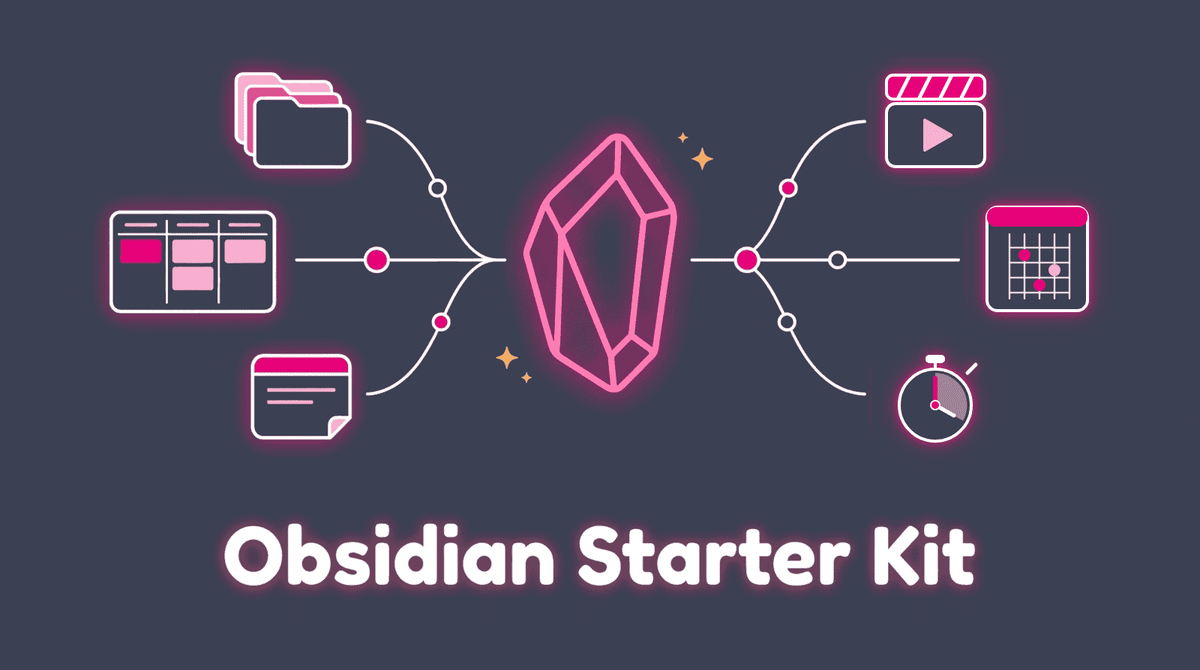
How many things are you carrying in your head right now?
The task you promised for this week. The idea you had in the shower. The book a friend recommended. The notes of that meeting you never filed. Each one is small. Together, they're heavy.
Now add AI to the picture. You open a chat, and it knows nothing about you. So you explain who you are, what you're working on and how you want things written. Again. And again.
Version 6 of the Obsidian Starter Kit is out, and it takes care of both. It's a knowledge system for your whole life: your notes and what you learn, your goals, projects and tasks, your journal, the people you know, what you create, and now what you watch, play, practice and train. Less in your head, more done by your AI.
In this article, I'll show you what the kit is, what it changes for you, what's new in v6, and how to get it (or update for free if you already own it).
TL;DR
- Your head gets lighter. Every kind of note has a type, a template and a place. Finished work files itself. Nothing to decide, nothing to remember
- Your whole life is in one place. Knowledge, actions, journal, people, creations, and since v6 your life outside work: media, music learning and a ton more!
- Your AI does the work. The structure that keeps your head clear is the same structure your AI reads. It knows you and your work, so it can do the work for you and your business. You decide what. Your AI handles how
- v6 improves all of it. Your movies, games and music practice move in and the foundation gets sturdier and faster
- Buy once, get every update. Owners get v6 for free, and there's a 30-day money-back guarantee
What is the Obsidian Starter Kit?
It's my own Obsidian vault, packaged so you can start from it.
I didn't design it to sell it. It's the system I run my business and my life from every day: writing, the community, plugin development, product launches, the lot. The same structure runs my vault, well past 30,000 notes. I've sold and improved the kit since 2022, and every time something proves itself in my daily work, it lands in the next release.
You open it, and everything is there: the structure, the note types, the templates, the plugins (already configured), the Bases, the buttons for what you do every day, the AI assistant system and a complete user guide. No weeks of setup. No "which plugin should I trust?".
"Starting as an absolute beginner, this kit allowed me to jump to what I feel is an intermediate level of Obsidian understanding and effective note taking in the span of 1-2 days." (Blake Holder)
What changes when you use it
The kit has three layers, and the order matters.
1. Your head gets lighter
The foundation is simple: everything has a place.
Every kind of note has a type, a tag, properties, a folder and a template. You pick the template, and the note names and files itself. You mark a task as done, and its completion date gets stamped. A week later, it moves to the archive on its own. Your daily note has buttons for the things you do every day.
Why does this matter? Because every decision you don't have to make, and everything you don't have to remember, leaves room in your head. That's what removes the mental overload.
2. Your whole life is in one place
On top of the foundation sit the systems for your life:
- Knowledge: from what you read to permanent notes (Zettelkasten, Dots, Maps of Content, LLM Wikis, ...)
- Actions: ideas, goals, plans, projects, activities and tasks, linked together, with Kanban boards, an ideal week and time budgets
- Journal: daily, weekly, monthly, quarterly and yearly notes that share one shape, with reviews and health tracking
- People and meetings: who you know, what you discussed, what you decided
- Creation: articles, newsletters, videos, books and products, from idea to shared/published content
- Identity: who you are, your values, your voice, your routines
Your goals and your to-do list finally talk to each other. And since v6, your life outside work fits in too (more on that below).
3. Your AI does the work
This is where it gets interesting.
An AI tool without context starts from zero at every prompt. The kit gives it that context once: who you are, what you're working on, how you work and how you write. This layer works BECAUSE of the first two. The structure that keeps your head clear is the same structure your AI reads.
So instead of writing a three-page prompt, you ask:
- "Brief me before my meeting with this client"
- "What's stuck in my pipeline?"
- "Help me draft this article from my notes"
- "Review this before I publish it"
And your AI answers from your goals, your projects, your notes and your voice. Claude Code, Codex, Gemini or a chat AI all work from the same notes. Switch tools, and your context stays.
Does that mean AI thinks for you? No. You can hand over the work, not the understanding. Your AI does the work. You choose what gets done, and you stay the one who understands it. That's the AI Augmentation Philosophy behind the kit.
And if you don't want AI at all? The first two layers work on their own. Your notes are plain Markdown files on your machine, with or without AI.
What's new in v6
Since v5, my vault grew past my work. My movie collection moved in (one board holds almost 5,000 cards), then my board games, my guitar practice and my runs. v6 brings all of that to you, and it makes the foundation under it sturdier.
Your life outside work moves in
- The Media Management System. A movie, a TV show, an anime, a manga, a comic, a video game, a board game or an album is a note like any other, next to your books. You see what you own, what you want, who borrowed your copy and which Kickstarter pledge is still on its way
- The Music Learning System. Every chord, scale, technique, exercise and song you learn on guitar or piano is a note with a mastery level, from "Want to learn" to "Mastered" (and "Rusty" when it slips). Your vault tells you what to practice next and what's due for review. The Music Practice plugin (community page) adds a timer, a metronome and playable notation, drawn by my Music Notation Library
- Session notes. Each practice, run, gym session or board game play gets its own note. Garmin workouts and a Strava export can become session notes too
Why put hobbies in the same place as work? Because one app per hobby means one more place to check, and one more part of your life your AI can't see.
The foundation gets sturdier
- Big boards, and boards on your phone. My movie board used to take 8 to 9 seconds to open. Now it takes under 3, and the Kanban boards work on phones and tablets
- Speed. Saving a change to a note type took about 40 seconds on my vault. Now it takes a fraction of a second
- French, and macOS. The OSK plugin's interface follows Obsidian's language, and
osk-cliships for Macs
The full list is in the release notes (there's a LOT).
Is it for you?
The kit is for you if:
- You're starting with Obsidian (or coming from another tool) and want a proven system instead of months of trial and error
- You carry too much in your head and want one place that holds it all
- You want an AI that knows you and your work, not a chatbot that starts from zero
- You want your hobbies in the same place as the rest of your life
It's NOT for you if you enjoy building everything from scratch, or if you already have a system you love. And I'm not here to argue about that.
Worried it's too much? You don't have to use everything on day one. Start simple: a daily note, a few projects, your first permanent notes. The rest is there when you need it.
"As someone who has bounced around trying to find the right Knowledge tool, I've realized many of my issues have been related to complexity. The structure, design and explanations in OSK have finally given me the foundation I needed. 100% worth it." (Michael Aaron)
Buy once, keep getting updates
When you buy the kit, you get every future version at no extra cost. v6 doesn't change that. The vault is yours: plain Markdown files on your machine, with or without AI, with or without me. Buyers also get the OSK space on the Knowii Community for the downloads, the updates and their questions.
Get it
👉 Get the Obsidian Starter Kit: https://store.dsebastien.net/osk
Every update is included, and if it's not for you, there's a 30-day money-back guarantee.
 Dwayne Appleby
Already own the kit? The update is free. Download v6 from your Gumroad library or the OSK space on the Knowii Community (https://learn.knowii.net explains both), back up your vault and follow the migration guide. You don't re-import the kit: the core update takes about 35 to 50 minutes, and the media, music and session systems are optional steps.
Conclusion
The Obsidian Starter Kit is the system I use every day to write, publish, build products, run a community, plan my weeks and, now, keep track of my collection, my guitar practice and my runs. v6 is that system as it runs today.
Everything has a place. Your whole life is in one place. And your AI knows you and your work.
Questions? Ask me in the Knowii Community.
That's it for today! ✨
About Sébastien
Ready to get to the next level?
Found this valuable? Share it with someone who needs it.