
Kanban Action Planner 1.8.0 - GTD contexts

Canonical version: Kanban Action Planner 1.8.0 - GTD contexts.
Last time, version 1.7.0 of the Kanban Action Planner brought WBS mode, automation rules, and embedded boards. 1.8.0 is smaller and about one idea I've wanted in there for a while: contexts.
In GTD, a context is where or how a task can actually happen: @work, @home, @errands, @calls, @deep-work. You use it as a filter when you have twenty minutes and want to see only the things you can do right now, where you are.
In this plugin, a context is just a list property on your notes. Call it contexts (the default) or point it at whatever property name you already use, in the settings. Then a note carries something like contexts: [@work, @deep-work] and the board knows about it.
The switcher
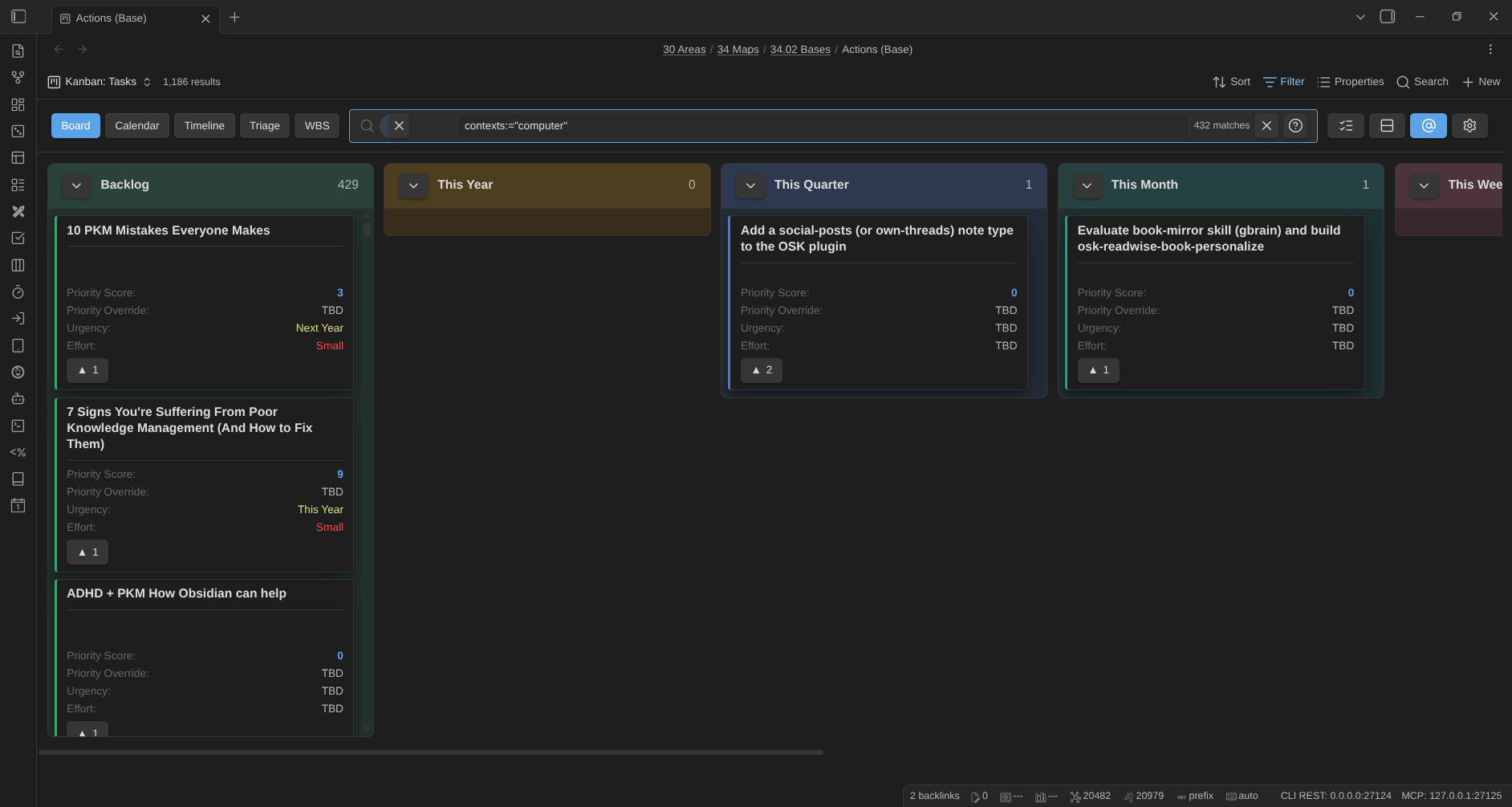
There's a new @ button in the toolbar, next to the mode buttons. Click it and you get a checklist of every context found on the current board. Pick any combination and the view narrows to cards that have any of them, so @work plus @errands shows both piles, not their intersection. The ones you picked show up as chips next to the filter box, and the button tells you how many are active.
It's saved with the view, it stacks with anything else you've typed into the filter, and because it's built on the same search box, it works everywhere: board, calendar, timeline, WBS, and triage. Switching contexts is now a single click instead of a query I have to remember how to type.
Tag a card without leaving the board
Right-click a card and there's a Contexts submenu now. Each known context is a checkbox (a card can have several), and New context… lets you add one that isn't on the board yet. Toggling one writes that single value into the note's contexts list, adding or removing it without touching the others. Like every other write in the plugin, it's optimistic: the card updates immediately and the frontmatter catches up.
Colors where you plan
Contexts also show up on the scheduling views. Each one gets a stable color. On the calendar, every chip shows a small colored dot; on the timeline, the bars and squares are tinted by the card's context. A little legend sits in the toolbar so you can read the color key, and clicking a context there pins or unpins it as a filter, same as the switcher. Pinning @work limits the calendar to work tasks.
Contexts in embeds
The embed override syntax gained a context= key, so you can drop a board into a note that's already scoped to one context:
You can pass a few (context=@work,@home), and it composes with the other overrides. Like everything in an embed, it's a projection: the pin lives in that embed only and never touches your saved view.
As always, contexts are an ordinary list property in your notes, readable by any other tool. The plugin just gives you a fast way to slice by them and, now, to set them. Your notes stay the source of truth.
References
- Documentation: https://dsebastien.github.io/obsidian-kanban-action-planner
- Releases: https://github.com/dsebastien/obsidian-kanban-action-planner/releases
- Community: https://community.obsidian.md/plugins/kanban-action-planner
Related
About Sébastien
Ready to get to the next level?
Found this valuable? Share it with someone who needs it.