
My 5,000-movie Kanban board in Obsidian now opens in under 3 seconds

Big boards are finally usable, and every board can look the way you want
Introduction
My movie board in Obsidian has 4,888 cards. Until version 2.5.0 of the plugin, it took about 9 seconds to open. Every single time.
That board is part of my media system: every movie, show and game I care about now lives in my vault as a plain Markdown note, and each medium gets a Kanban board built with my Kanban Action Planner plugin. I explained the whole system (and why I built it) here:
 Sebastien Dubois
Version 2.5.0 of the plugin came out on October 16, and it's all about two things. First, big boards. The movie board now opens in under 3 seconds, and its posters load as you scroll instead of all at once. Second, the look of your boards: cover shapes, card colors and accents, so a movie board, a board game shelf and a task board can each look the way they should.
In this article, I want to show you what changed, how it works under the hood (without the jargon), and why I care so much about boards that can hold an entire collection.
TL;DR
- ✅ Big boards open about 3x faster: 4,888 movies in 2.4 to 2.9 s instead of 8.5 to 9.3 s; 2,338 board games in 2.2 to 2.3 s instead of 5.1 to 5.3 s
- ✅ Only the visible cards get built: long columns build the cards near what you see, and the rest as you scroll. Scrolling, drag and drop, the keyboard, selection and search behave as if every card were there
- ✅ Covers load as you scroll, in boxes that are already sized, so nothing jumps
- ✅ Cover fit and aspect ratio: crop or whole image; banner, 16:9, 3:2, 4:3, 1:1, 3:4 or 2:3
- ✅ Compact boards show a small cover thumbnail before each title
- ✅ Card colors and accents by property: tint cards by priority, stripe them by project
- ✅ Cards stay where you drop them, even on huge boards
- ✅ And more: List properties as status and swimlane, a new name in the view picker, a time-tracking fix
Why I need a board with 5,000 cards
You might wonder why anyone would put 4,888 movies on a single Kanban board. Fair question!
My movie notes have a status: To Watch, Watching, Watched, and a few more. The board turns those statuses into columns. When I start a movie, I drag its card from To Watch to Watching, and the date gets stamped in the note. When I'm done, I drag it to Watched. The board is where I decide what to watch next, and where I record what I watched. Right now, To Watch holds 2,827 movies and Watched holds 2,053.
The thing is, a collection is big by definition. I could filter the board down to a few hundred cards, but then it stops being my collection. I want ONE place where everything is, and I want it to open fast.
The old board made that painful:
- Opening it took 8.5 to 9.3 seconds, and my board games board took more than 5
- Every poster loaded up front: almost 5,000 images, whether I scrolled or not
- A card could jump back to its old column a while after a drop, even though the note already had the new status
None of this was a problem with tons of tasks on a project board. With a large media collection and thousands of cover images, it became unusable. Version 2.5.0 fixes all those issues.
Big boards are finally usable
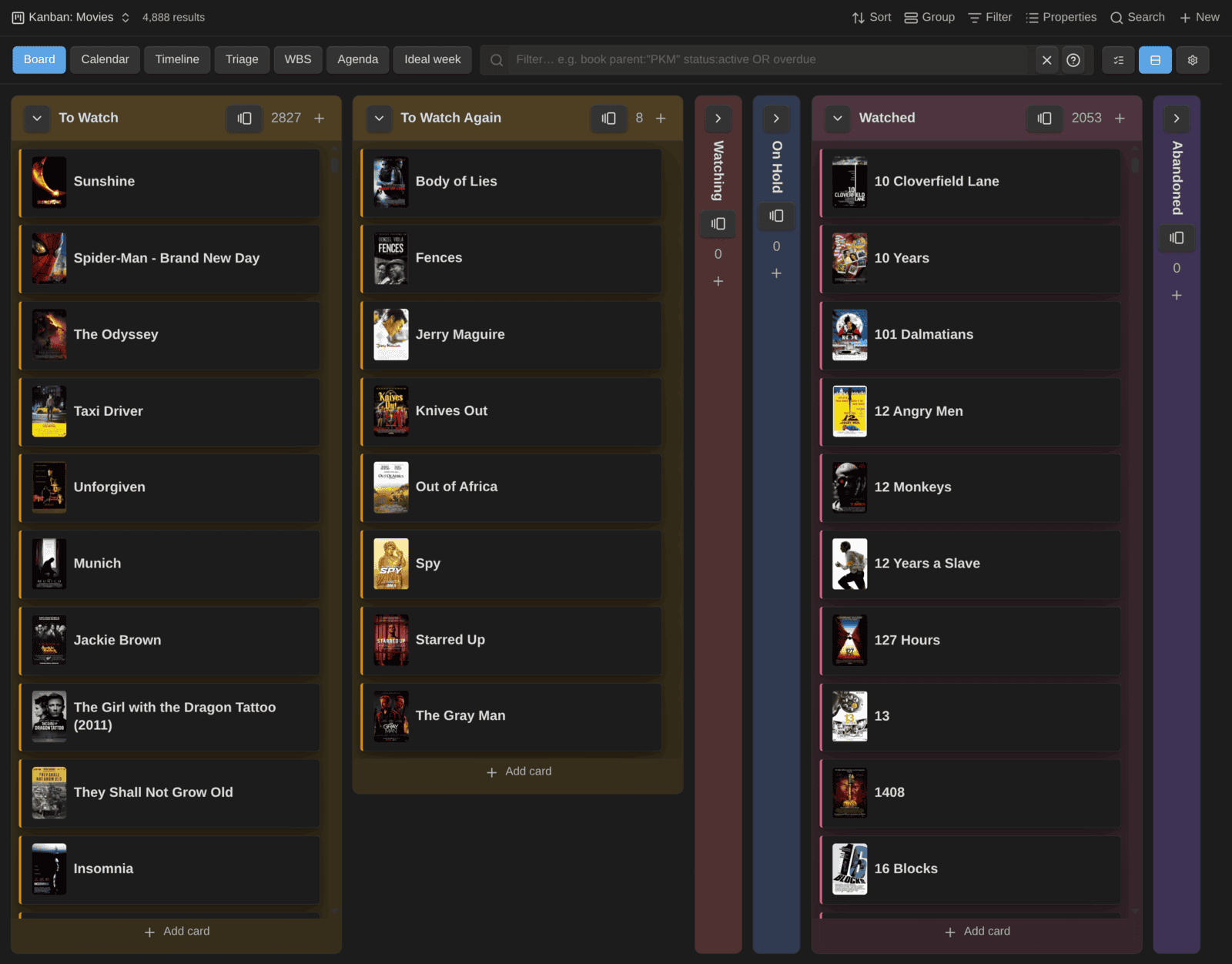
Here's the movie board today, in compact mode, with all 4,888 cards:
And the numbers, measured on my vault:
| Board | Cards | Before (2.4.0) | After (2.5.0) |
|---|---|---|---|
| 🎬 Movies | 4,888 | 8.5 to 9.3 s | 2.4 to 2.9 s |
| 🎲 Board Games | 2,338 | 5.1 to 5.3 s | 2.2 to 2.3 s |
The part the plugin controls went from 3.6 seconds to 0.18 seconds. That's the drawing pass: the time it takes to put the board on screen once the data is there. The page also went from 60,252 elements to 775 (DOM nodes, i.e., the pieces of the page Obsidian has to create, style and keep in memory).
What's left (about 2.2 seconds) happens before the plugin even gets the data: Obsidian Bases computing the query over thousands of notes and their formulas. I can't make that part faster from a plugin. But the board itself is no longer the bottleneck.
How it works
You can only see about ten cards per column at a time, so why build all 2,827?
When a column has 100 cards or more, the plugin only builds the cards near the visible area, plus a margin of 800 pixels ahead, so that cards are ready before you scroll to them. The rest get built as you scroll. Columns with fewer than 100 cards work exactly like before.
The tricky part is to make the board behave as if every card were there:
- The scrollbar has the size it would have with all the cards
- Drag and drop works anywhere, including auto-scroll while you drag and drops far down a long column
- Keyboard navigation, selection and search see every card, not only the ones on screen
To make that possible, every card on the board gets the same height: the tallest one the plugin finds when the board opens. If a taller card shows up later, the board grows once and stays on the card you were looking at. That's the tradeoff: a short card keeps a bit of empty space at the bottom.
Covers that don't slow you down
Covers were the other half of the problem. Before 2.5.0, a board with 5,000 posters loaded all 5,000 images when it opened.
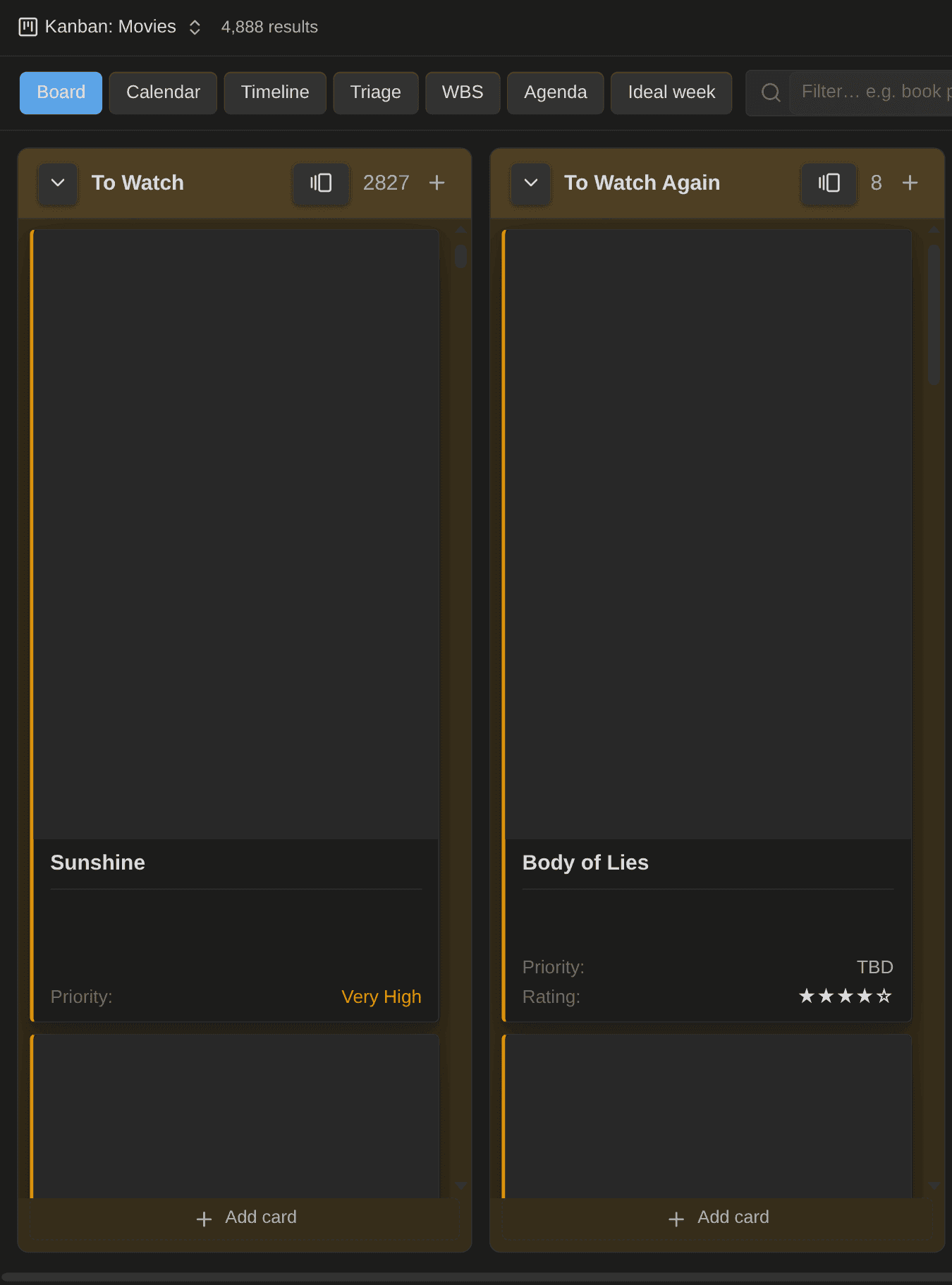
Now covers load as you scroll, column by column. Each cover box has its final size before the image arrives, and shows a soft placeholder while it waits. So cards don't move around while images come in:
Cards stay where you drop them
On big boards, you could drop a card into a new column, see it there, and a while later see it snap back to where it came from, even though the note had the new status.
Cards keep their position in a column through an order number in the note. When several cards in a column had the same number (or none), a drop rewrote EVERY note in that column to make room. On a column with hundreds of cards, that kept Obsidian busy re-reading notes for half a minute. During that time, the board could put the card back in its old column.
Now a drop saves only the card you moved. The order numbers the plugin gives out are spaced 1024 apart, so there's almost always room between two cards. The board also shows the move instantly and holds it until Obsidian catches up. Moving a card to another swimlane is instant too.
Two related changes:
- Refused drops say why. On boards where lanes come from the note type or a formula, a card can't change lanes by dragging. Dragging it over another lane now shows a "not allowed" cursor, and letting go explains why. Before, the card quietly stayed put
- Card order tidies itself up. When a board opens, cards without an order get one, and duplicate numbers get spread out after a drop. It happens in the background, a few notes at a time. Heads up: the first time you open a big board, you'll see a burst of saves (about 1,600 notes in my vault). You can turn it off with Tidy card order automatically in the settings
Your board, your look
The second big theme of this release is how your boards look. A movie board, a board game shelf and a task board don't need the same cards. Now each board can have its own.
Cover fit and shape
Two new options sit next to Cover property in Configure view → Cards:
- Cover fit: crop the image to fill the box (as before), or show the whole image
- Cover aspect ratio: the classic banner, or a fixed shape: 16:9, 3:2, 4:3, 1:1, 3:4 or 2:3
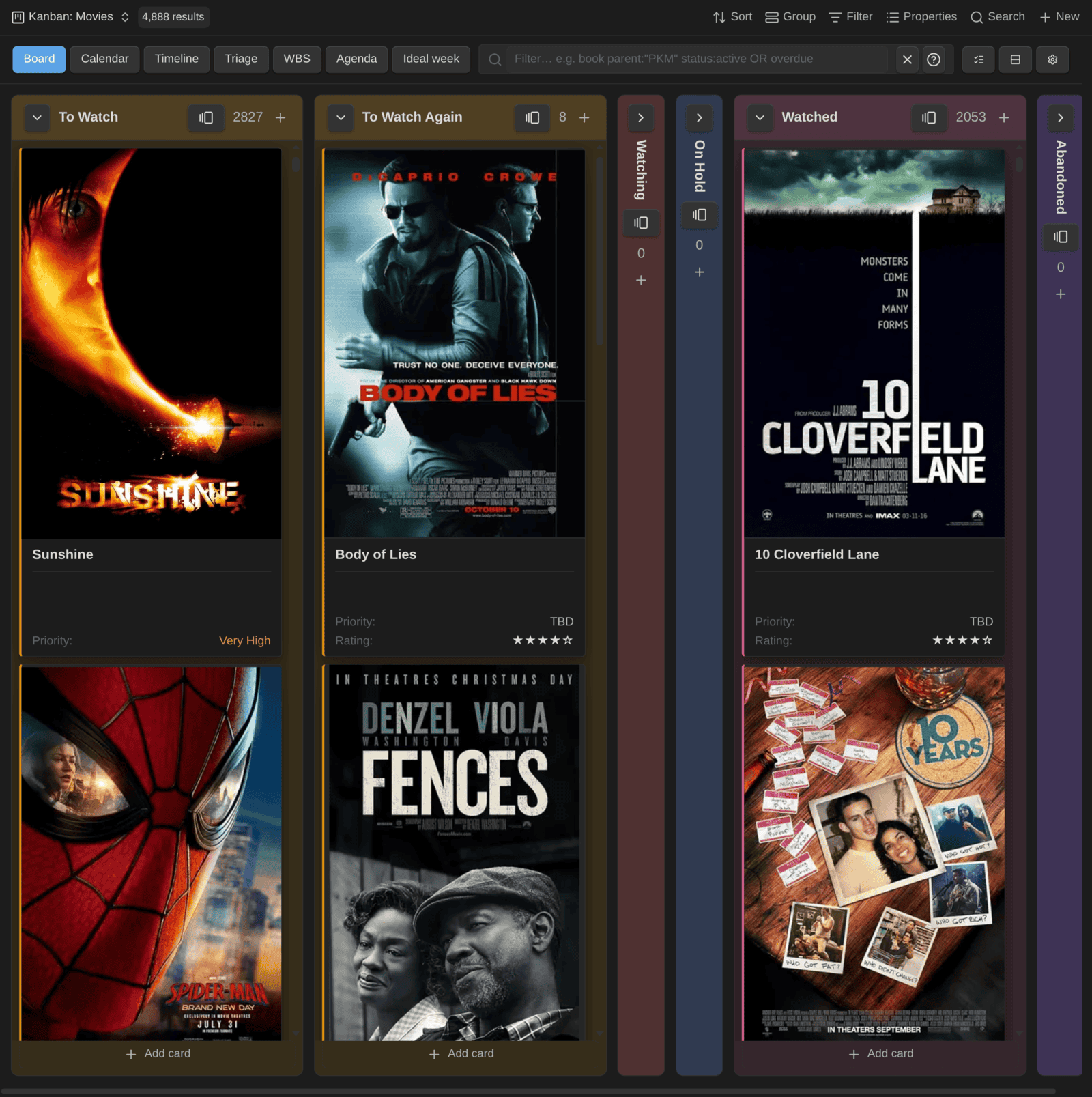
2:3 is the shape of a movie poster. With the whole image shown, my movie board finally looks like a shelf of posters, with nothing cropped:
My board games use square box art, shown whole:
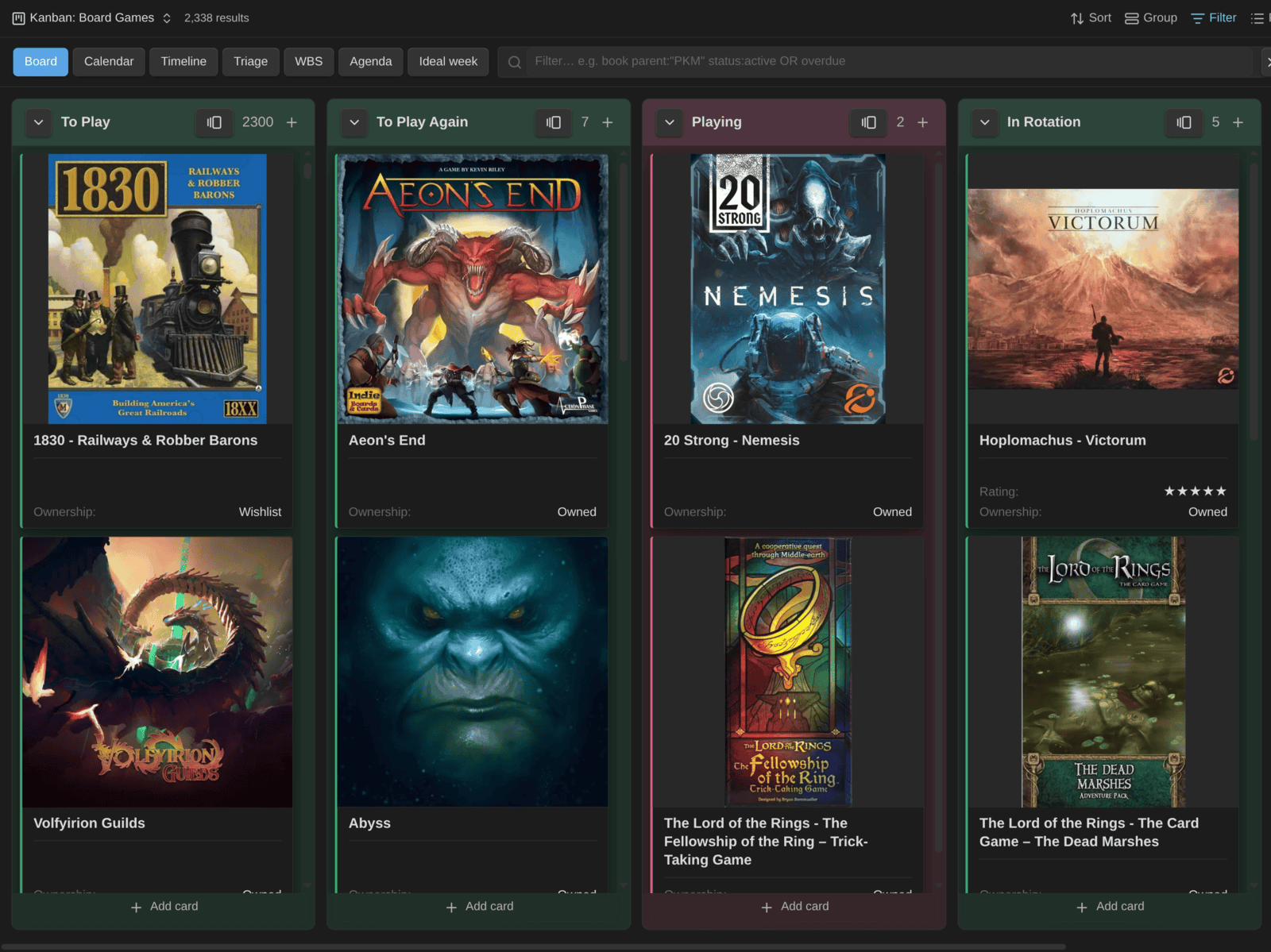
In compact mode (titles only), the cover becomes a small thumbnail before the title, in the same shape. That's how I browse the full movie board: I see about ten movies per column and can still spot a poster at a glance (see the first screenshot above).
The cover can come from anywhere: a URL, a link to an image in your vault, or a base formula. My movie board uses a formula that prefers the local copy of the poster and falls back to the online URL, so the board keeps working if a website changes its image links. Here's the simplest version, from the documentation:
if(local_cover && file(local_cover), file(local_cover).path, cover)Card colors and accents
You can now color cards by any property or base formula, separately from the column colors. Pick it in Configure view → Cards → Card color property, then choose a tinted background or a colored border.
And there's more... Accent property adds a second, lighter marker: a colored stripe inside the card's left edge, or a dot before the title. It's separate from the card color, so one board can show two things at once.
On my task board, the cards are tinted by priority and striped by project:
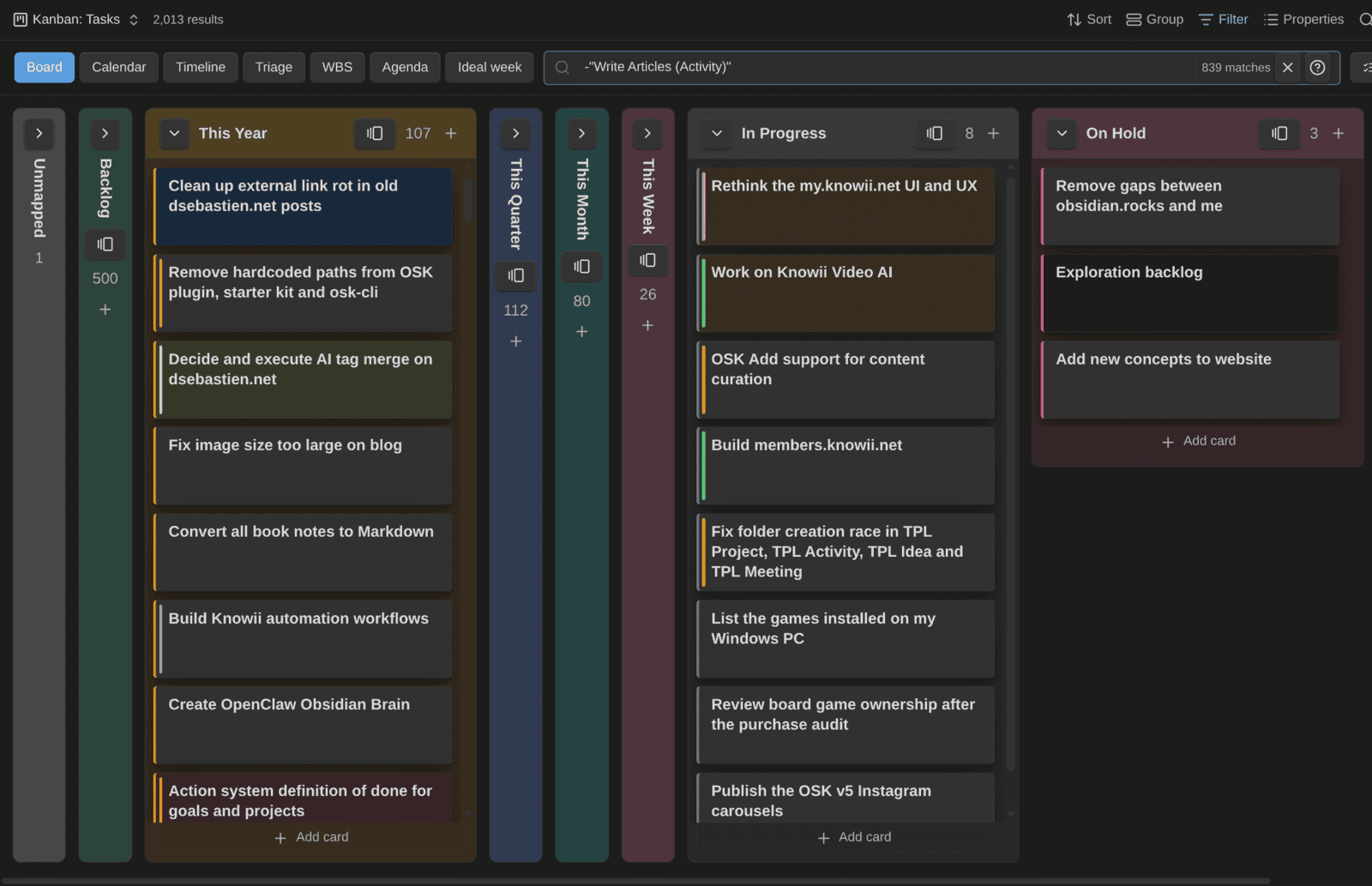
Ranked values such as 10 - High get the same color as their field elsewhere on the card (warm for the top, cool for the bottom), so priorities read like a heatmap. Any other value, like a project link, gets a stable color from your theme: all cards of one project always share it.
Smaller changes
- List properties work as status and swimlane. If your status property is a List (e.g.,
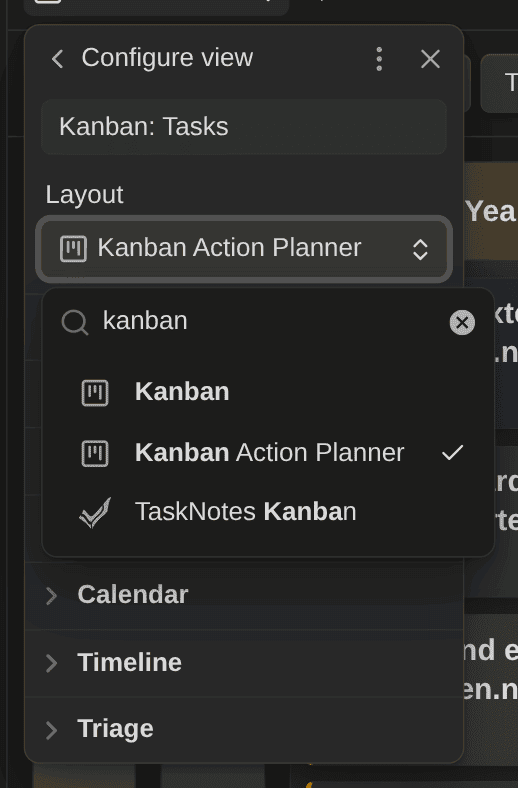
progress: [working-on-it]), cards now land in the right column instead of Unmapped. The first value counts, and moves keep the property a List. Same for swimlanes - The view is now called "Kanban Action Planner". Obsidian 1.14 added its own Kanban layout to Bases, so the view picker showed two "Kanban" entries. Only the label changed: your boards, embeds and settings keep working, with nothing to migrate
- Recompute tracked time repairs empty entries. Starter Kit templates before v5.1 left an empty item under
time_entries, and TaskNotes skips any note that has one. Recompute tracked time from entries now removes those items, so the tasks show up in TaskNotes again
By the way, I compared Obsidian's new native Kanban view with the Kanban Action Planner, feature by feature, and explained why I'm keeping the plugin for now:
 Sebastien Dubois
Get it
The Kanban Action Planner is free and open source. Update it from Settings → Community plugins, or install it from the community directory:

The full list of changes is in the release notes on GitHub (see the references below).
If you want my whole media system with these boards already set up (the note types, the Bases, the Kanban views with their covers), it's part of the next version of the Obsidian Starter Kit: v5.1, which ships with the Kanban Action Planner 2.5.0. It's a free update for everyone who owns the kit.
 Dwayne Appleby
If you want more on Obsidian, Knowledge Management and AI, subscribe to my newsletter:
 By
By
That's it for today! ✨
About Sébastien
Ready to get to the next level?
Found this valuable? Share it with someone who needs it.