
Kanban Action Planner plugin for Obsidian

Canonical version: Kanban Action Planner plugin for Obsidian.
Plan, track, and schedule any set of notes visually, straight from a Obsidian Base. This plugin adds a Kanban board view to Bases, so your tasks, projects, content ideas, or anything else you keep as notes can move across columns instead of sitting in a flat list.
This is a plugin that I have created. The idea is simple: your notes stay the source of truth. Statuses become columns, you drag cards around, and every change (status, order, dates, relationships) gets written back to your frontmatter. Nothing lives in a hidden database.
You define the note types yourself (by tag, folder, or regex), or you let the Obsidian Starter Kit plugin configure them for you when it is installed.
Requires Obsidian 1.13+ (the Bases view API). Works on desktop and mobile.
Video tour
A complete walkthrough of the plugin (~25 minutes): the boards, calendar, timeline, triage, WBS, embeds, and how everything is saved straight into your notes:
What's new in 2.5.0
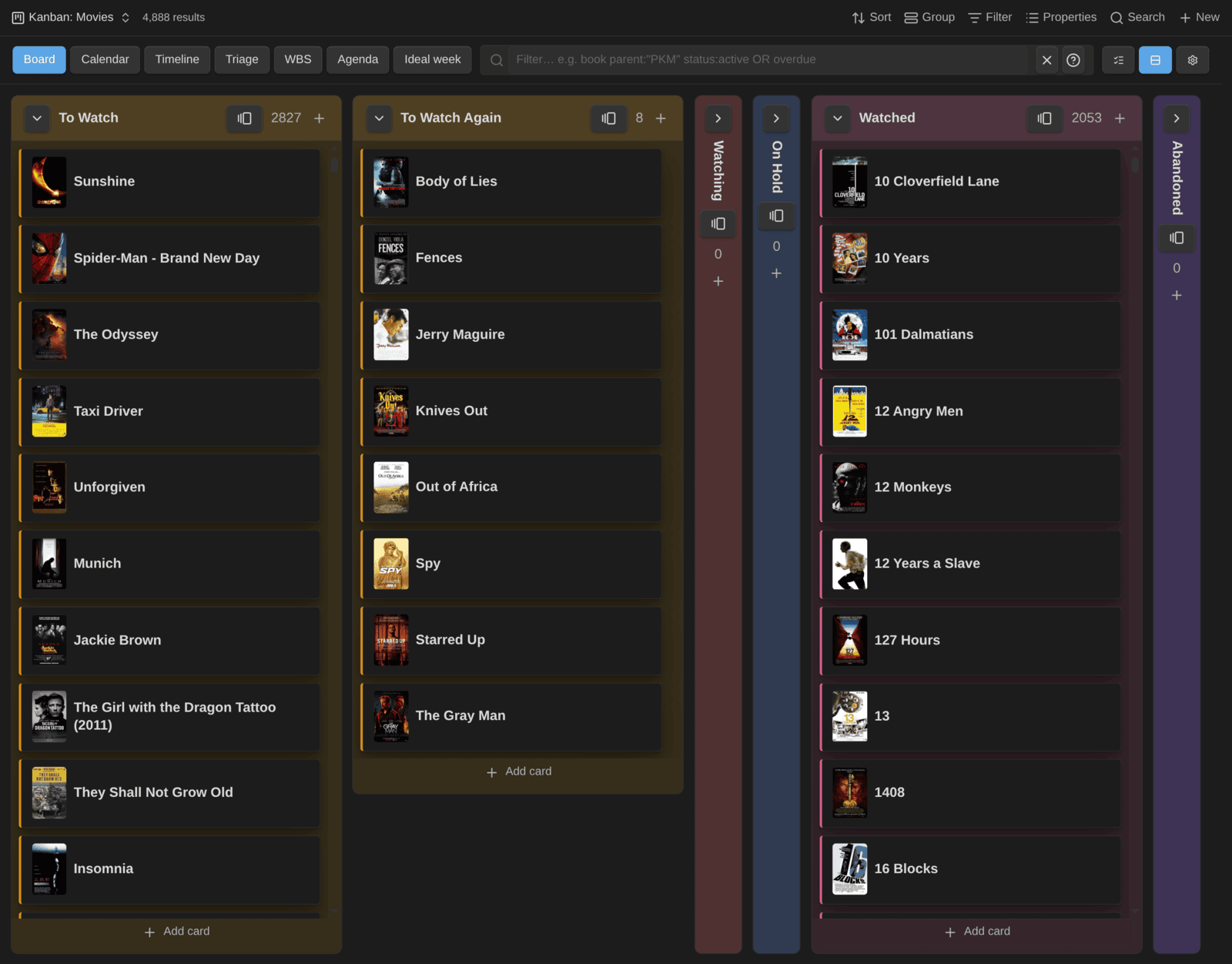
Version 2.5.0 is about big boards. I keep my media collections in Bases, and my movie board has 4,888 notes. It took 8 to 9 seconds to open, which is too slow for something I open every day. Now a column with 100 cards or more only builds the cards near the part you can see, and builds the rest as you scroll. The movie board opens in under 3 seconds, and my board game board (2,338 notes) in 2.3 instead of 5.
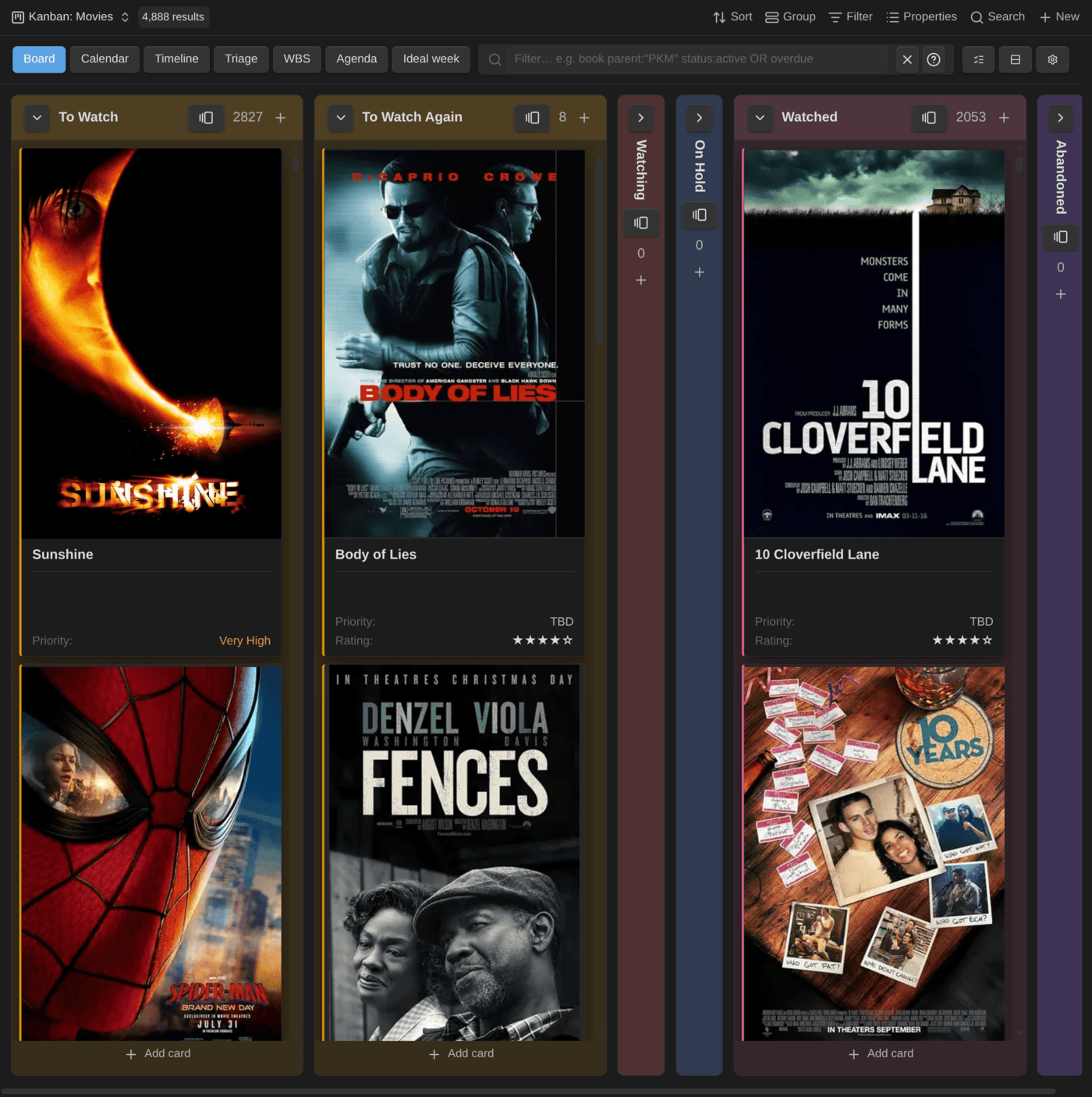
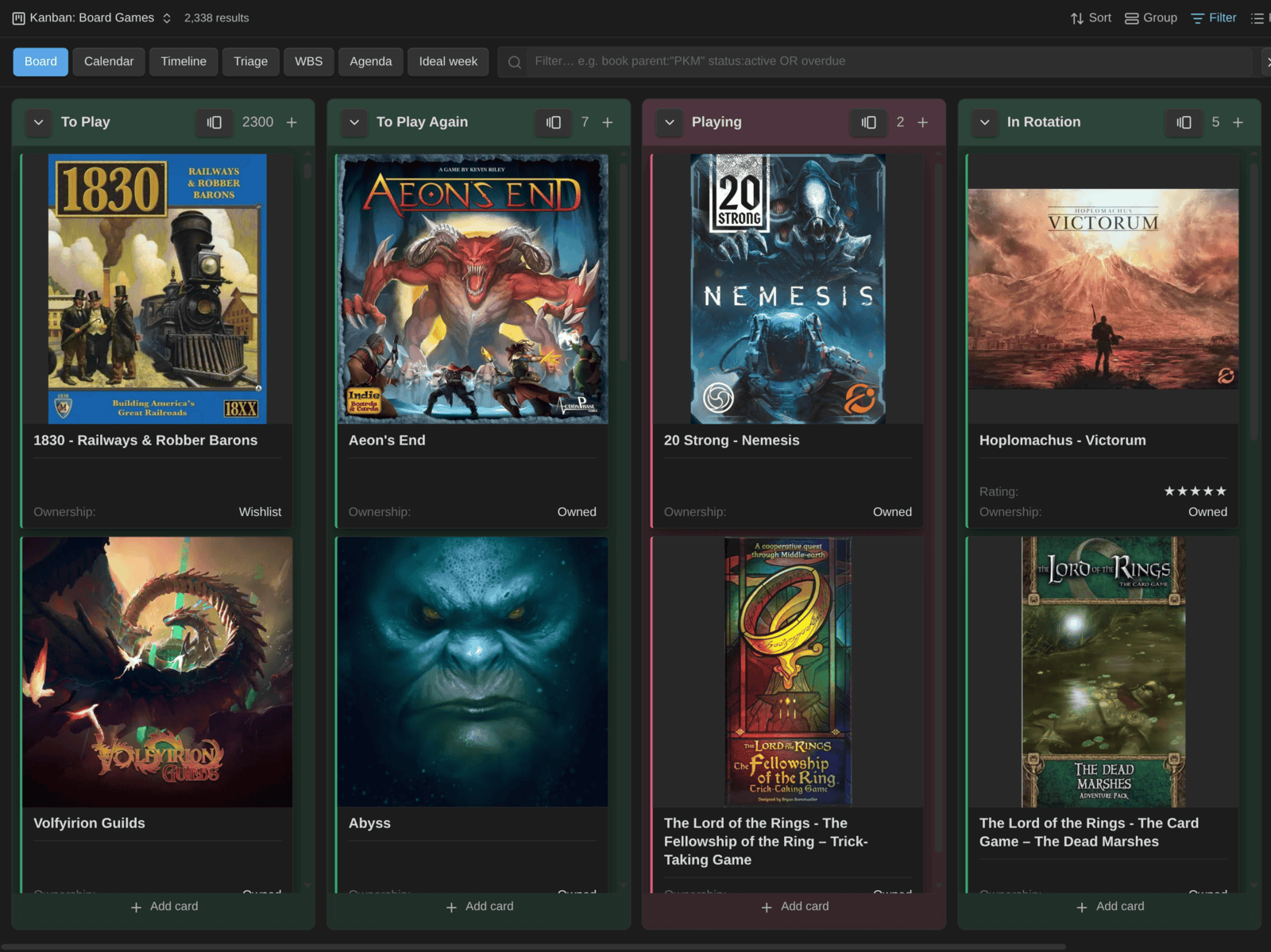
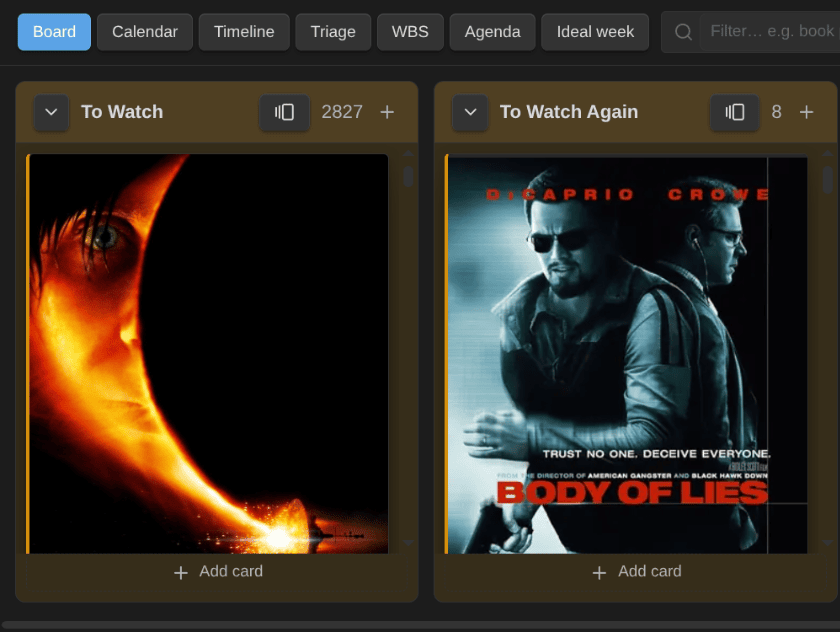
Covers got the same treatment. They load as you scroll, column by column, and each cover keeps its space while it loads, with a soft placeholder, so nothing jumps. Two new options shape them: Cover fit (crop to fill, or show the whole image) and Cover aspect ratio (a banner, or a fixed shape such as 2:3 for posters or 1:1 for box art):
On a compact board (titles only), each cover becomes a small thumbnail before the title. That's how I browse the full movie board, all 4,888 cards of it:
My board games use square covers, shown whole:
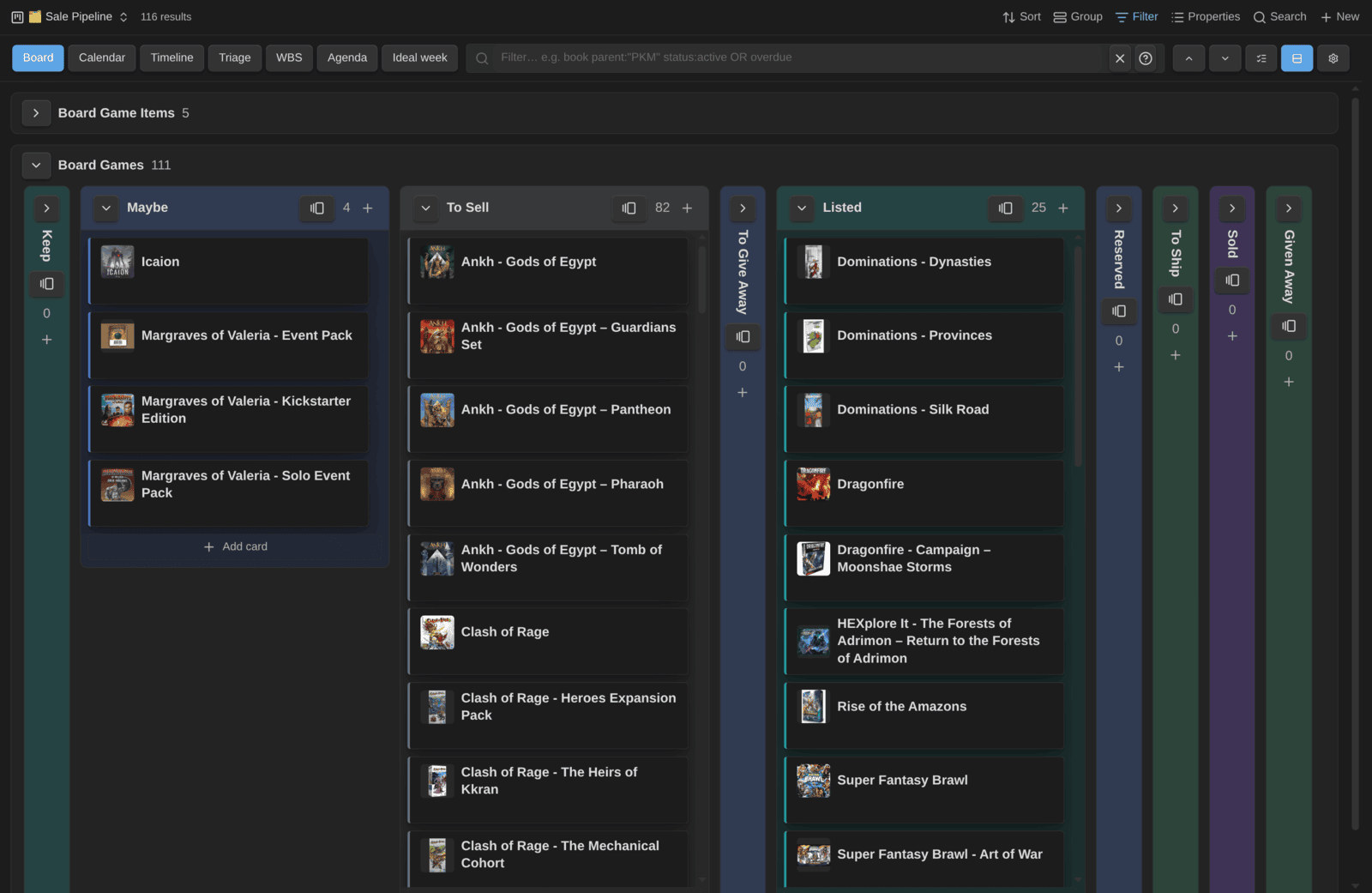
And the selling pipeline for the games I'm parting with, one lane per note type, here with cover thumbnails turned on:
The rest of the release:
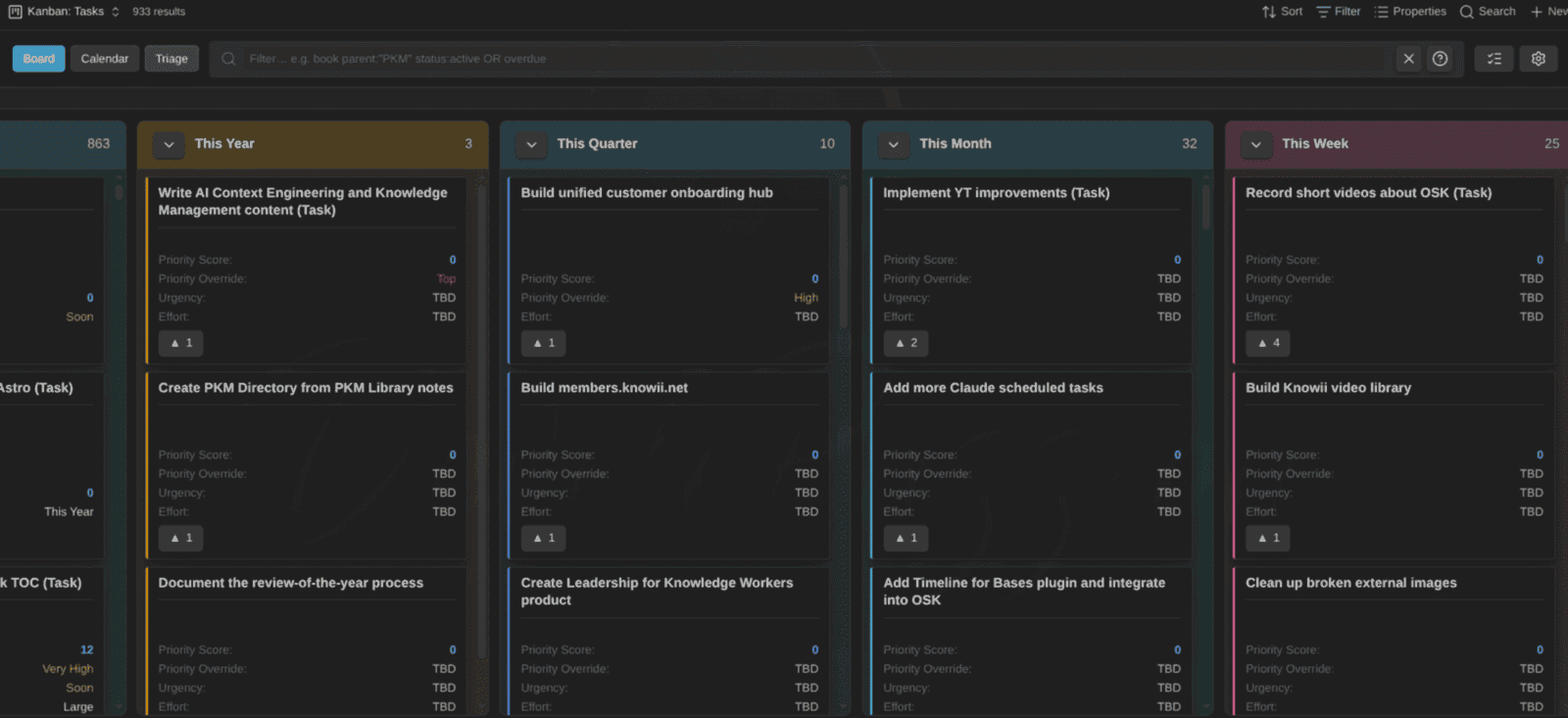
- Card color by property: tint each card, or color its border, by any property or base formula, apart from the column colors. Accent stripes and dots add a lighter mark from another property, so I tint my tasks by priority and stripe them by project (see the card colors screenshot below).
- Cards stay where you drop them: on large boards, a card could jump back to its old column a while after a drop. A drop now rewrites only the card you moved, and the board keeps showing the move until Obsidian catches up. Swimlane moves and status changes from the card menu show at once too.
- Clear feedback on lanes you can't drop into: on boards grouped by note type, or by a formula or file property, dragging over another lane shows a "not allowed" cursor, and letting go there says why.
- List properties work as status and as swimlane: a List status (e.g.
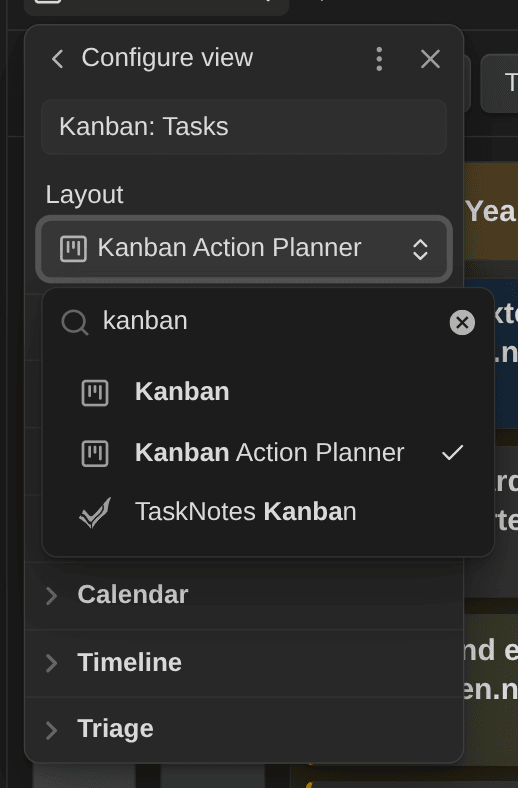
progress: [working-on-it]) or a List swimlane property uses its first value, and moves keep it a List. - The view is now called "Kanban Action Planner": Obsidian 1.14 added its own Bases layout called Kanban, so the picker showed two of them. Only the label changed, your boards keep working:
- Recompute tracked time repairs empty entries: older Starter Kit templates left an empty
-item undertime_entries, and TaskNotes skips any note that has one. The recompute action now removes those items.
Screenshots
A board, with a configurable status property driving the columns:
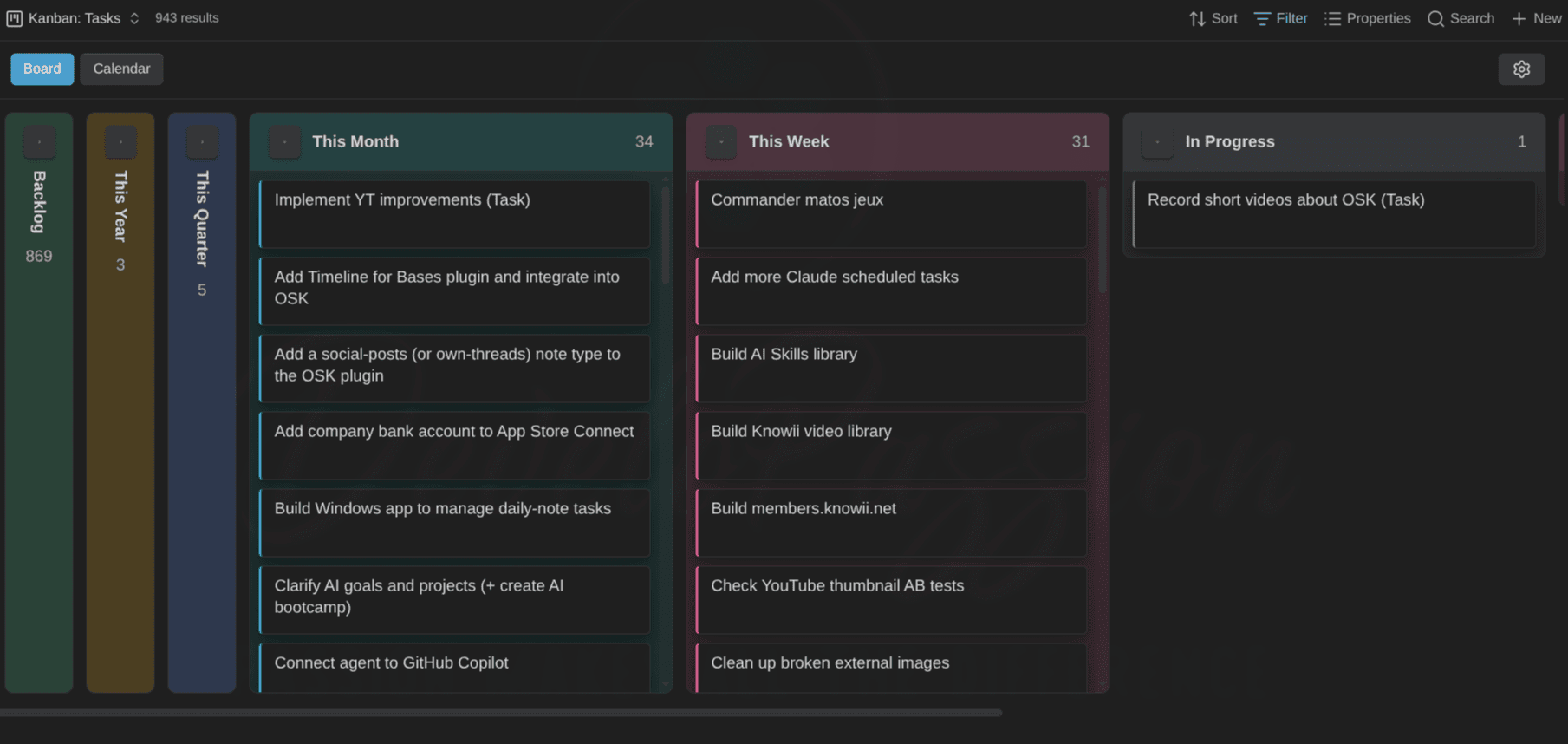
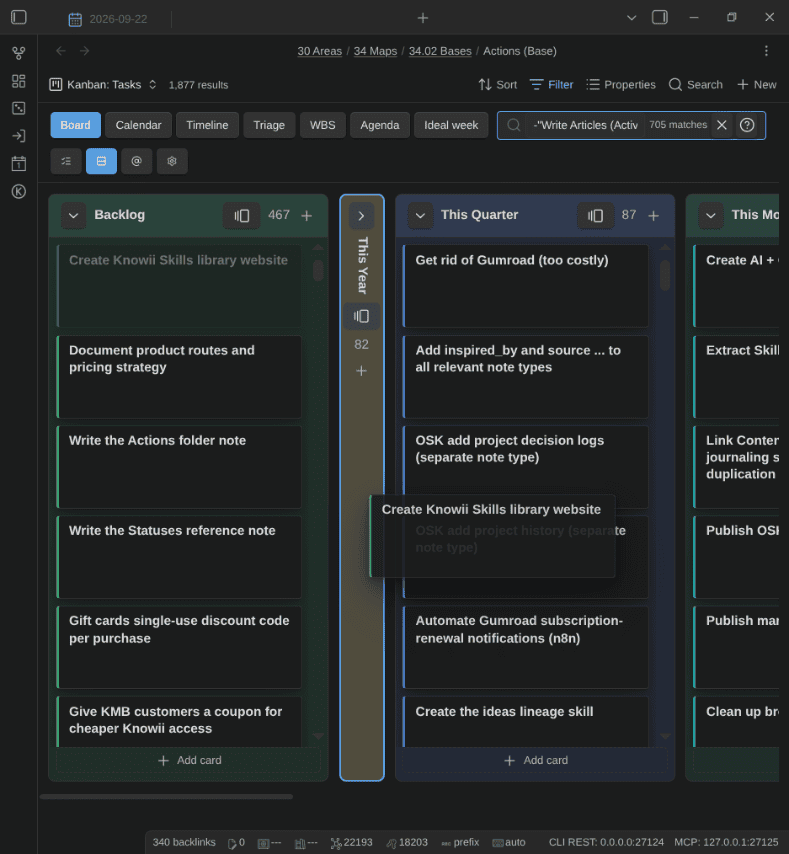
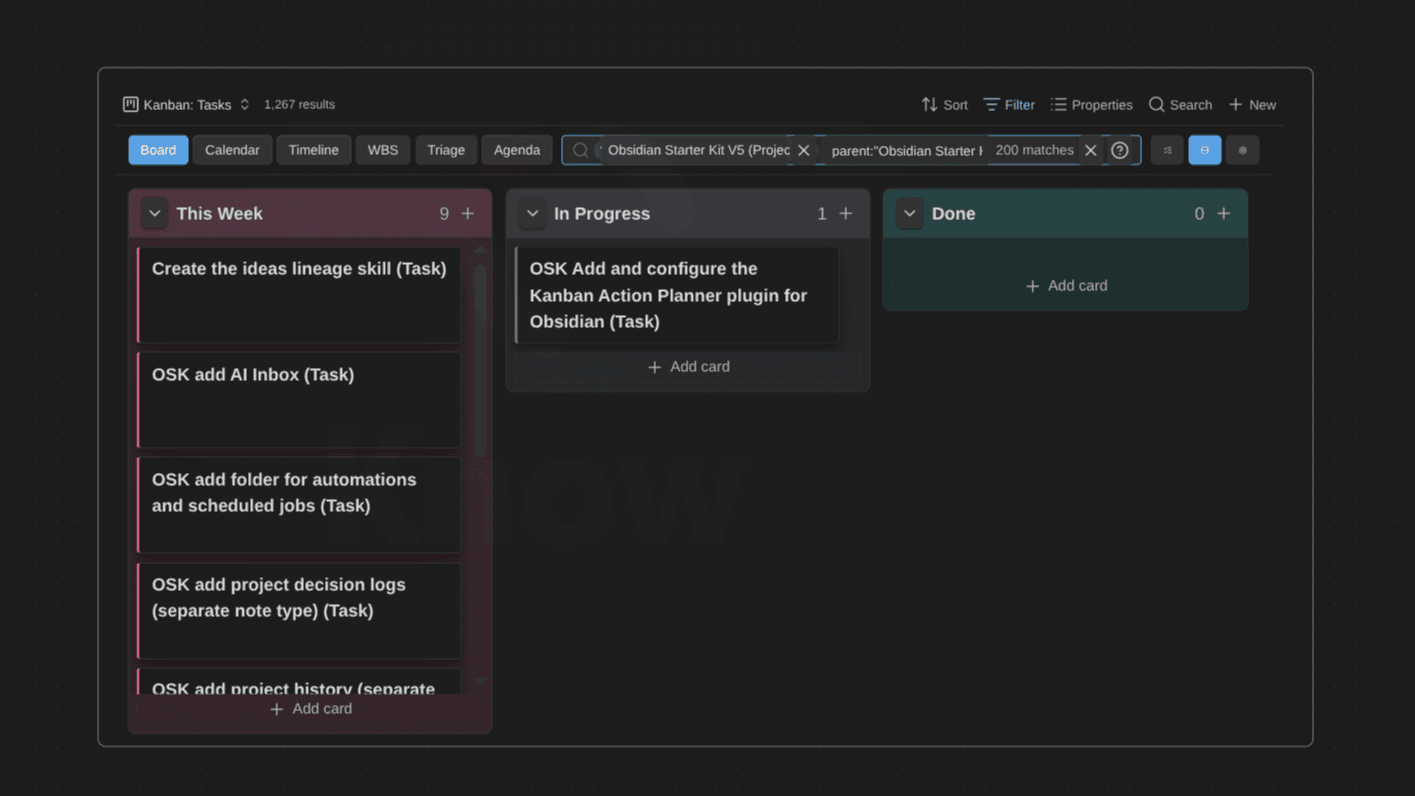
The same idea applied to a large task base, with collapsed columns keeping the backlog out of the way:
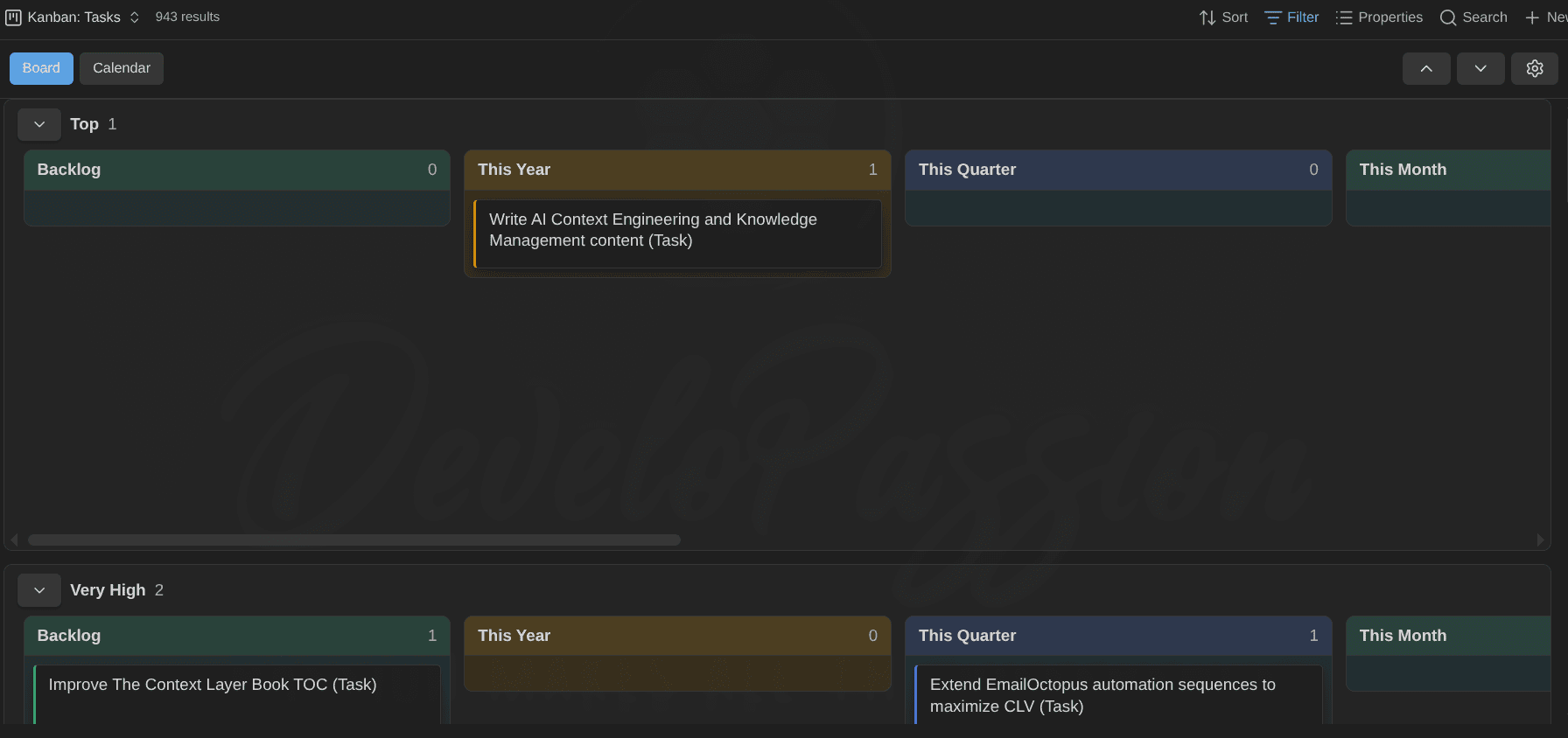
Swimlanes, here grouping the board by priority:
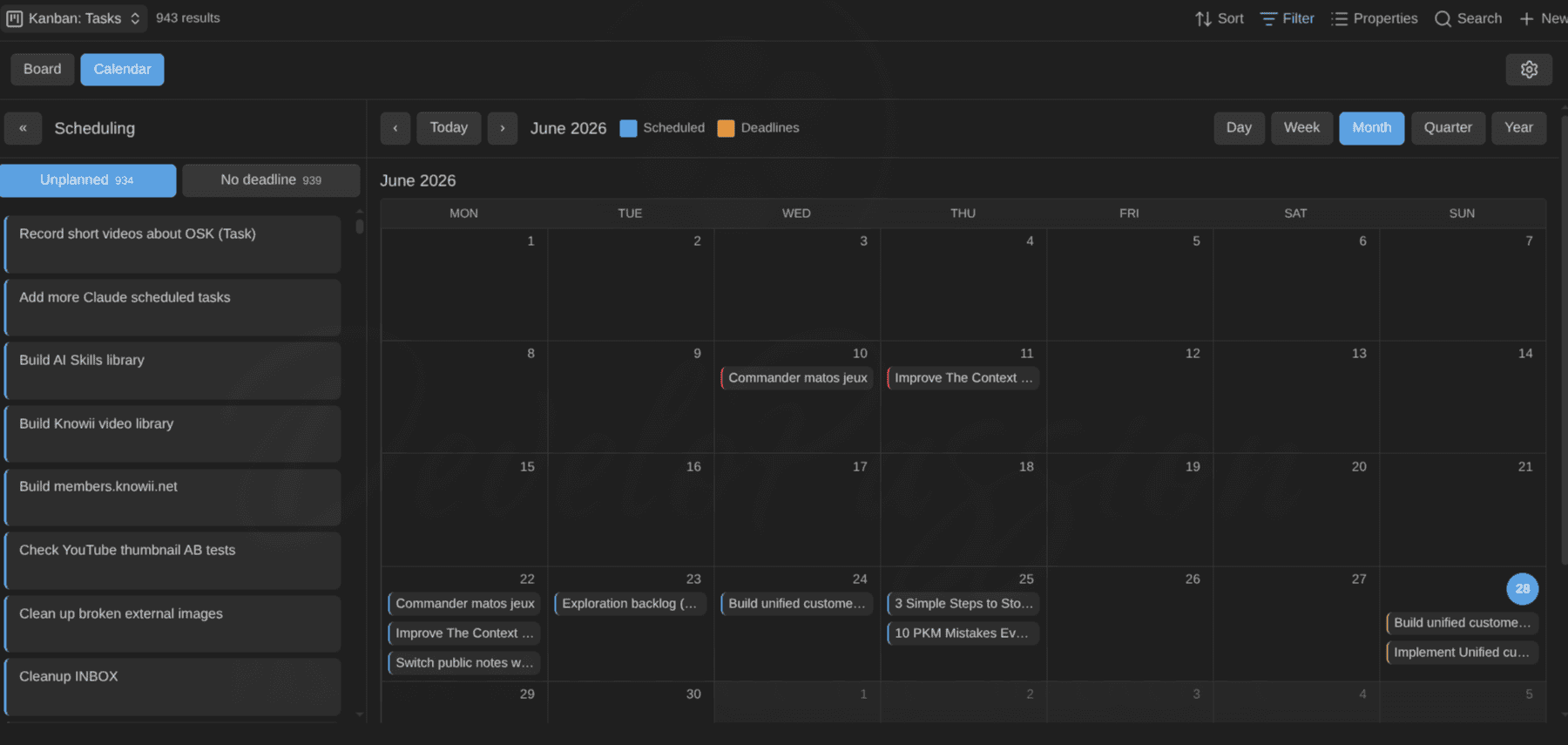
Calendar mode, plotting scheduled dates and deadlines together, with an Unplanned panel on the side:
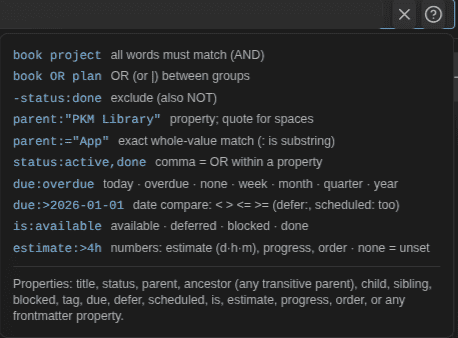
Filter as you type, with a compact query language:

The ? cheat-sheet keeps the whole query language one click away — including the configured-property aliases (scheduled:, estimate:>4h, progress:, order:):
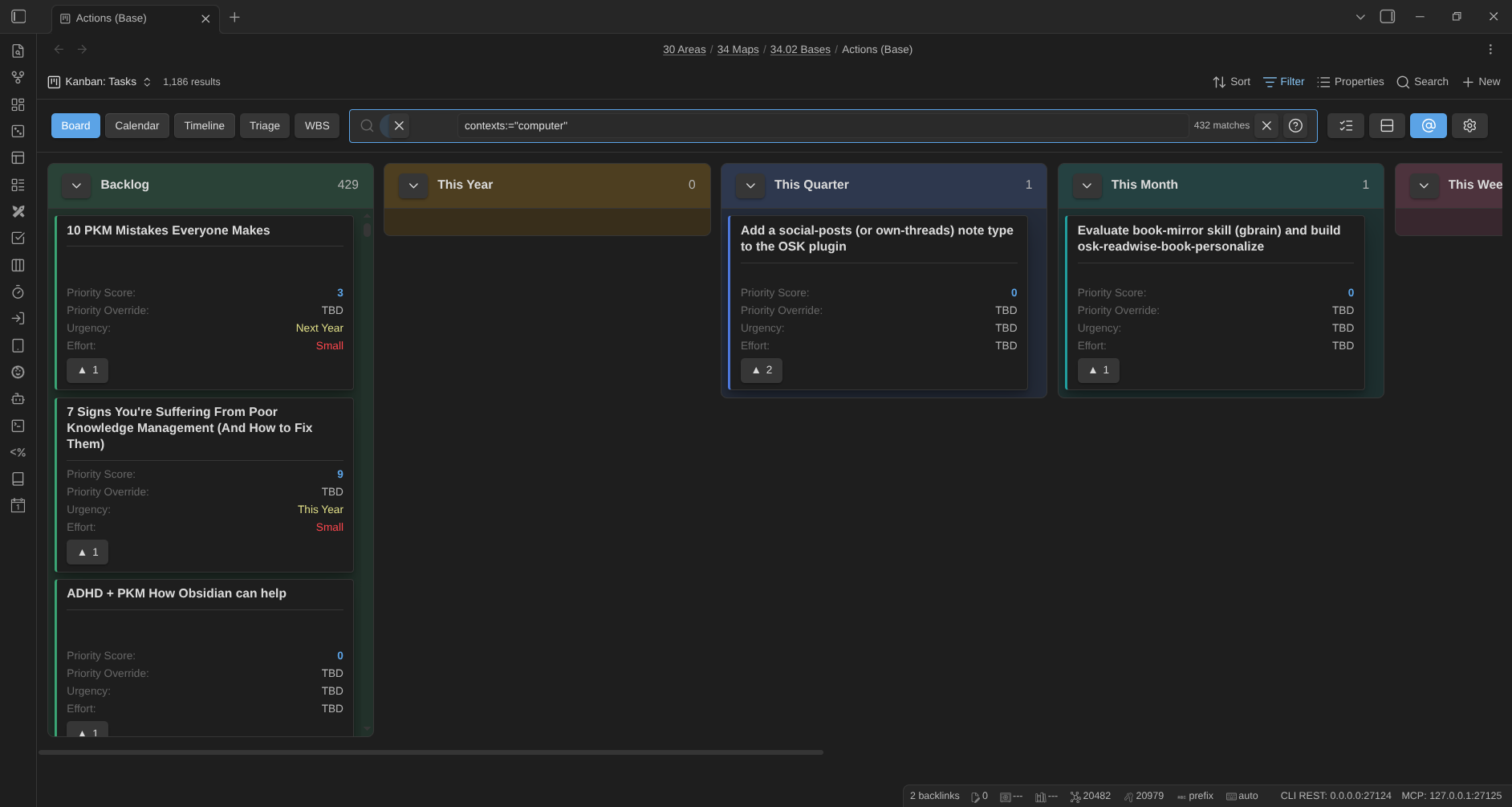
Slice any view by GTD contexts (@work, @home, …) from the toolbar @ switcher:
Timeline mode, a Gantt-style view that places each card by its start date and estimate, with milestones, per-row deadline lines, and drag-to-reschedule:
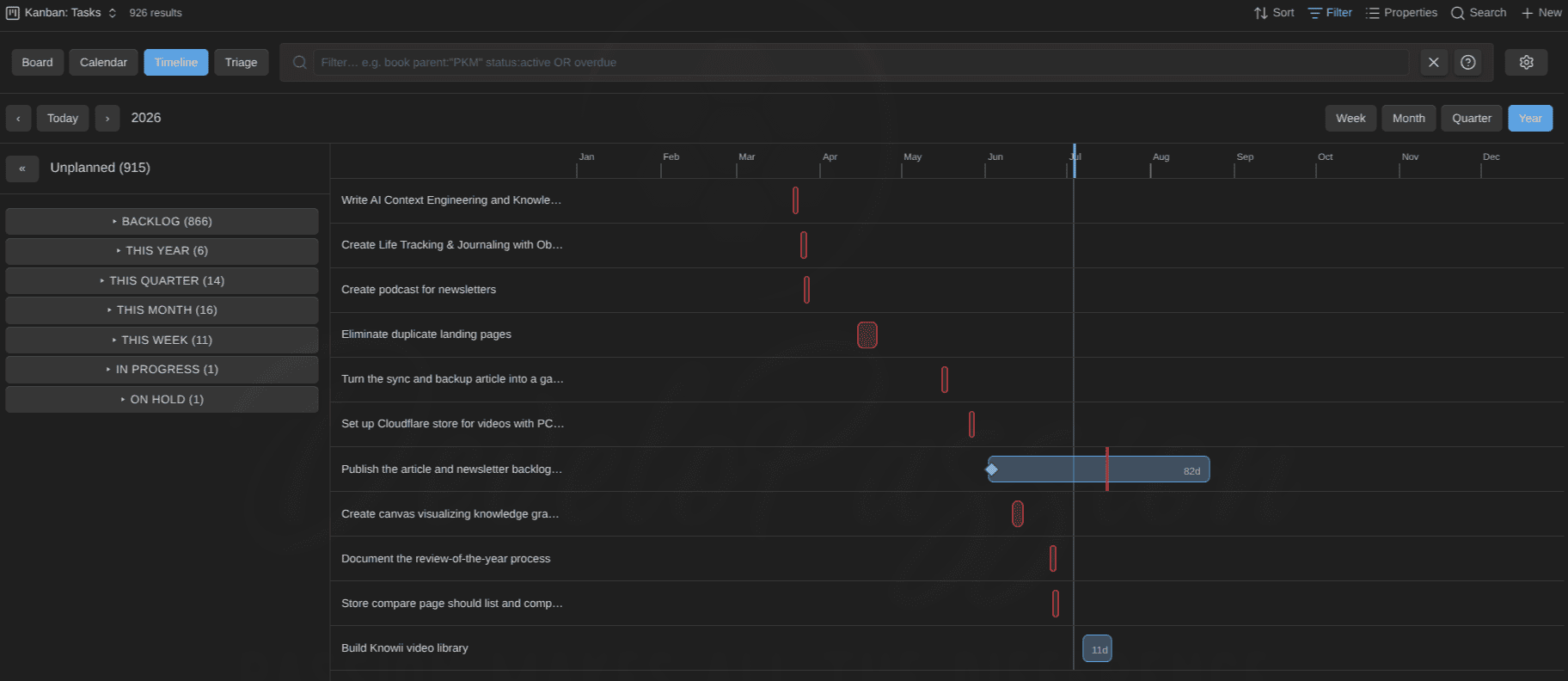
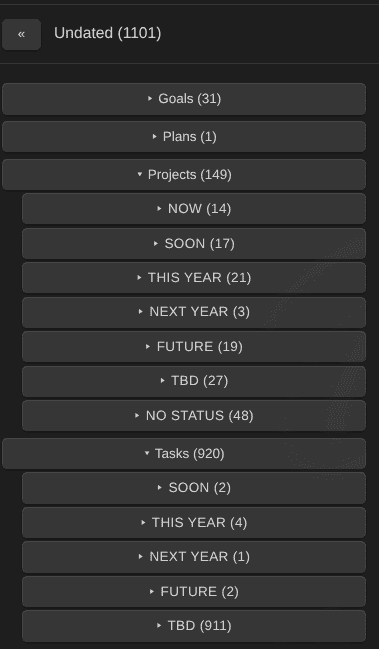
The Unplanned panel groups cards by note type, then status, so a big backlog stays navigable in calendar and timeline modes:
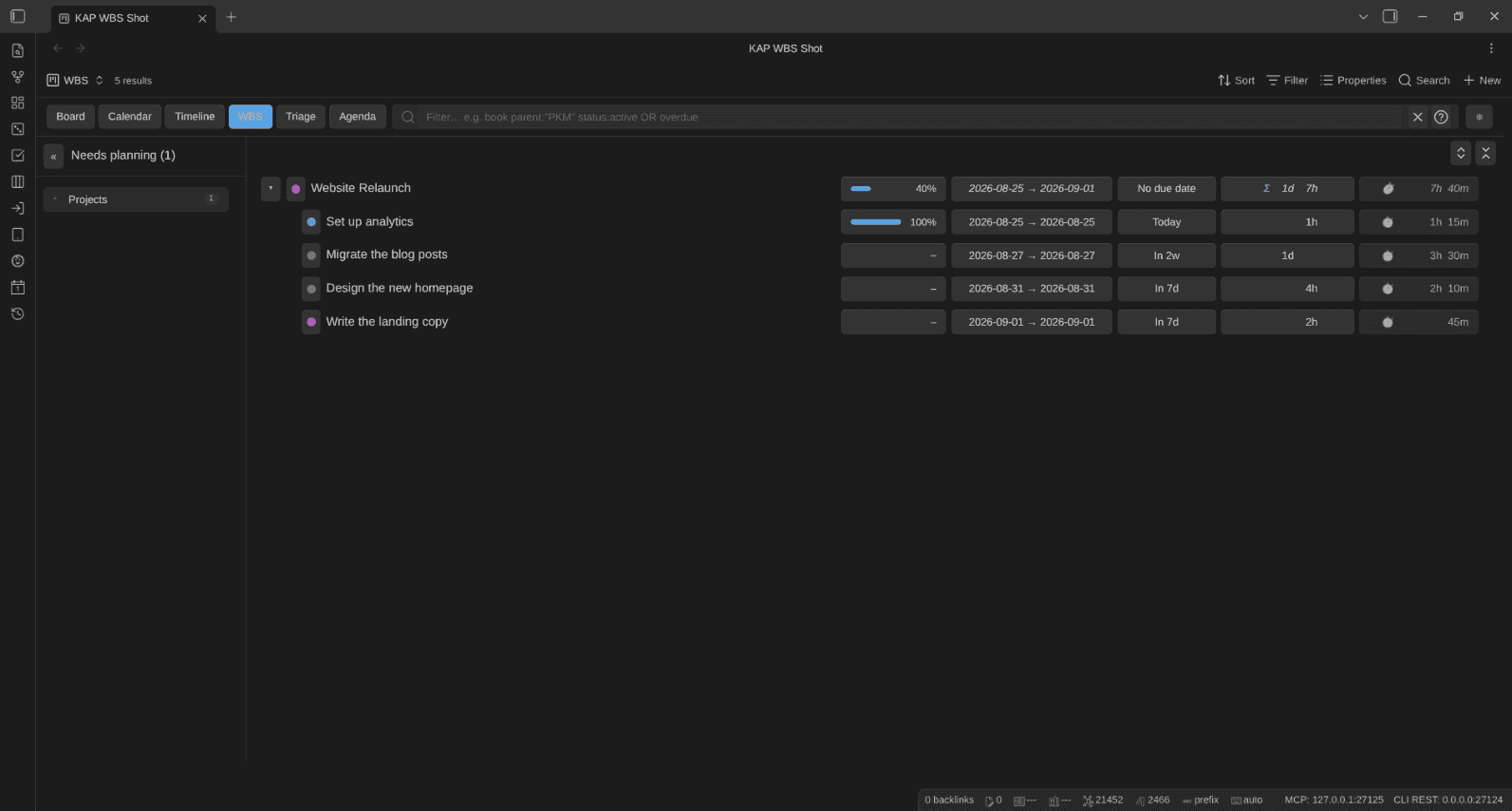
WBS mode, the work-breakdown tree: estimates, progress, dates, and tracked time all roll up from the tasks to their project, so actuals sit right next to the estimates:
Agenda mode, a flat "what's on my plate right now" list — Overdue, Today, and Upcoming, with a Today/Week window switch and an Available only toggle:

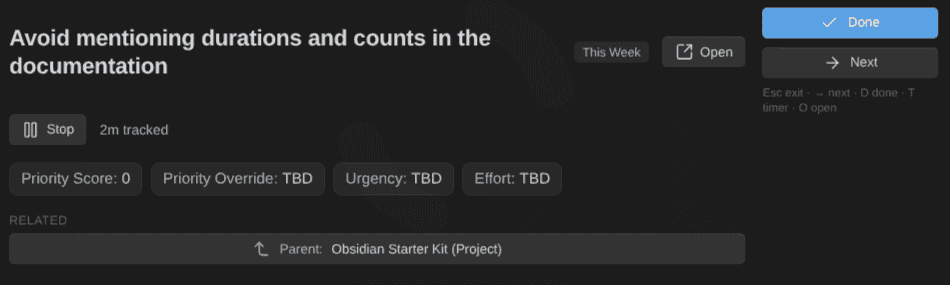
Focus mode, a single-card spotlight for actually doing the work — properties, subtasks, related notes, and a timer that tracks time straight into the note:
Time tracking on any note, TaskNotes-compatible: every session lands as a time_entries object and the status bar shows what runs. Start a pomodoro from the card menu and its record goes to the daily note:

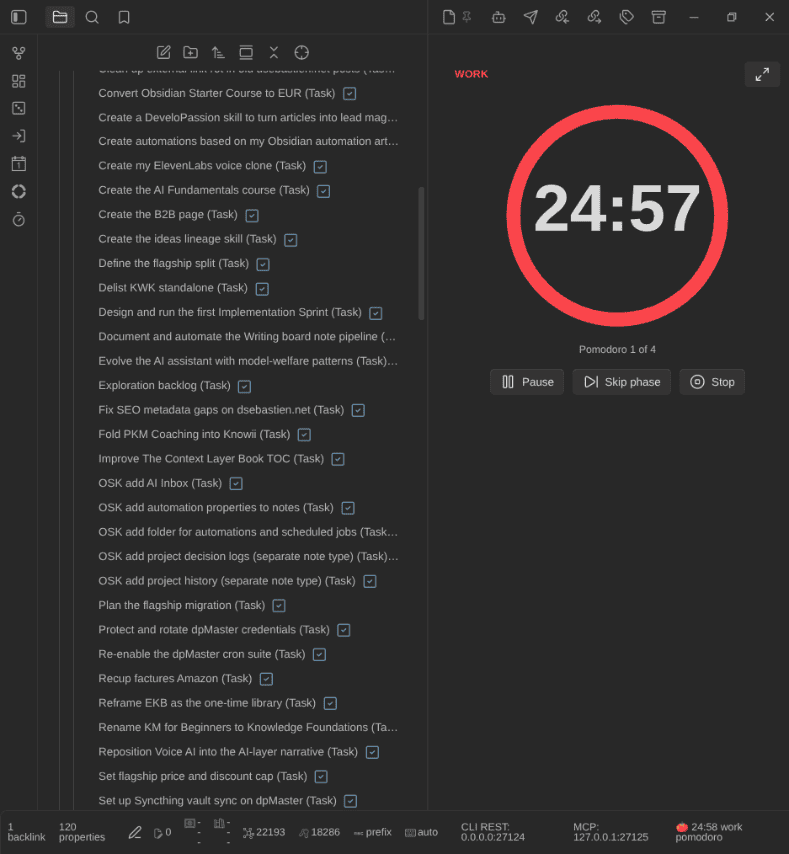
The pomodoro timer as a sidebar widget: a ring that drains over the phase, the note it runs on, the count in the current cycle, and the controls in place (pause, skip the phase, stop). Phases chain by themselves: work, then the break, then work again:
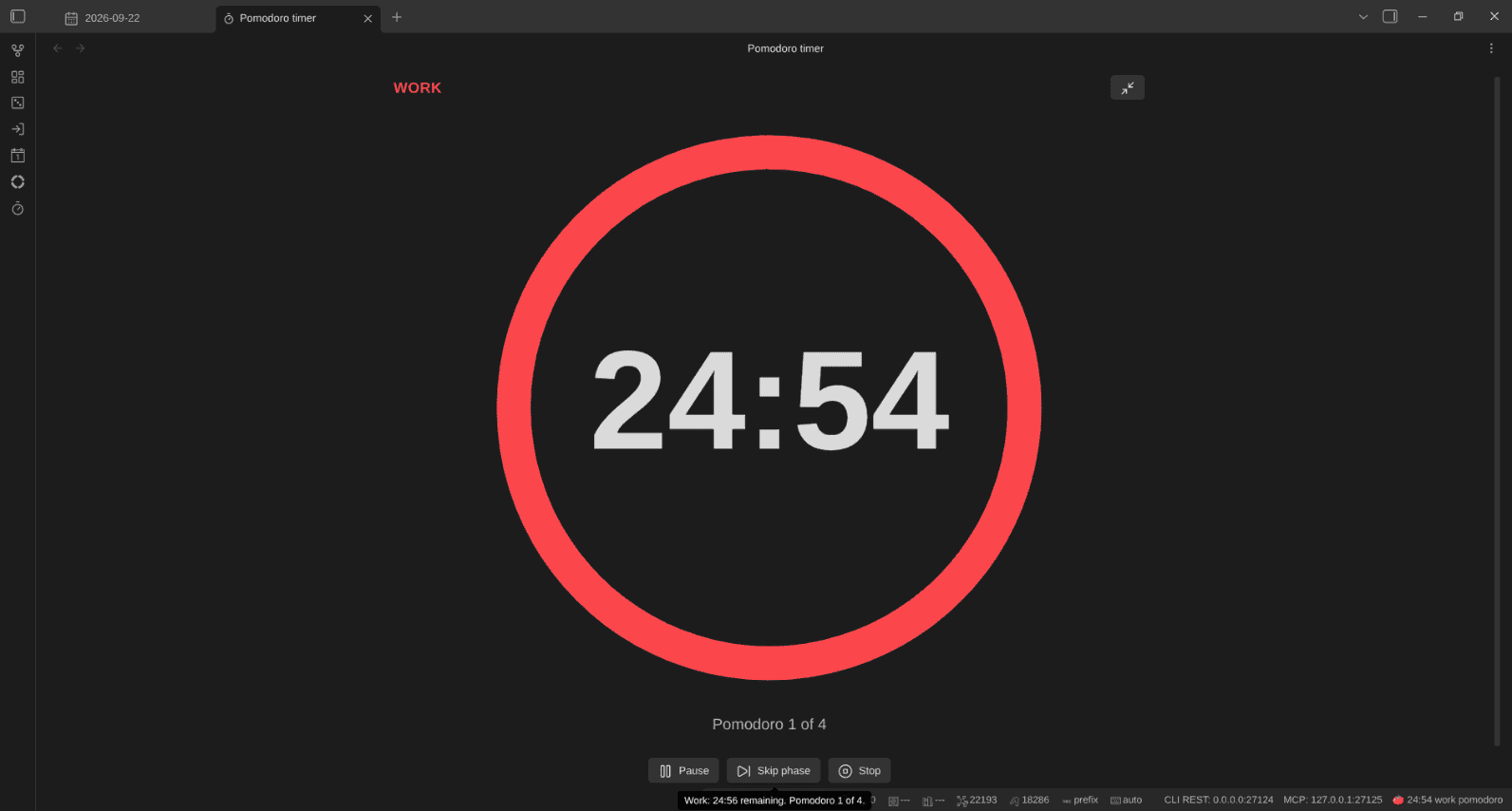
The same timer full screen, alone on the pane with the sidebars folded away, for focus stretches and a shared screen. Escape leaves it:
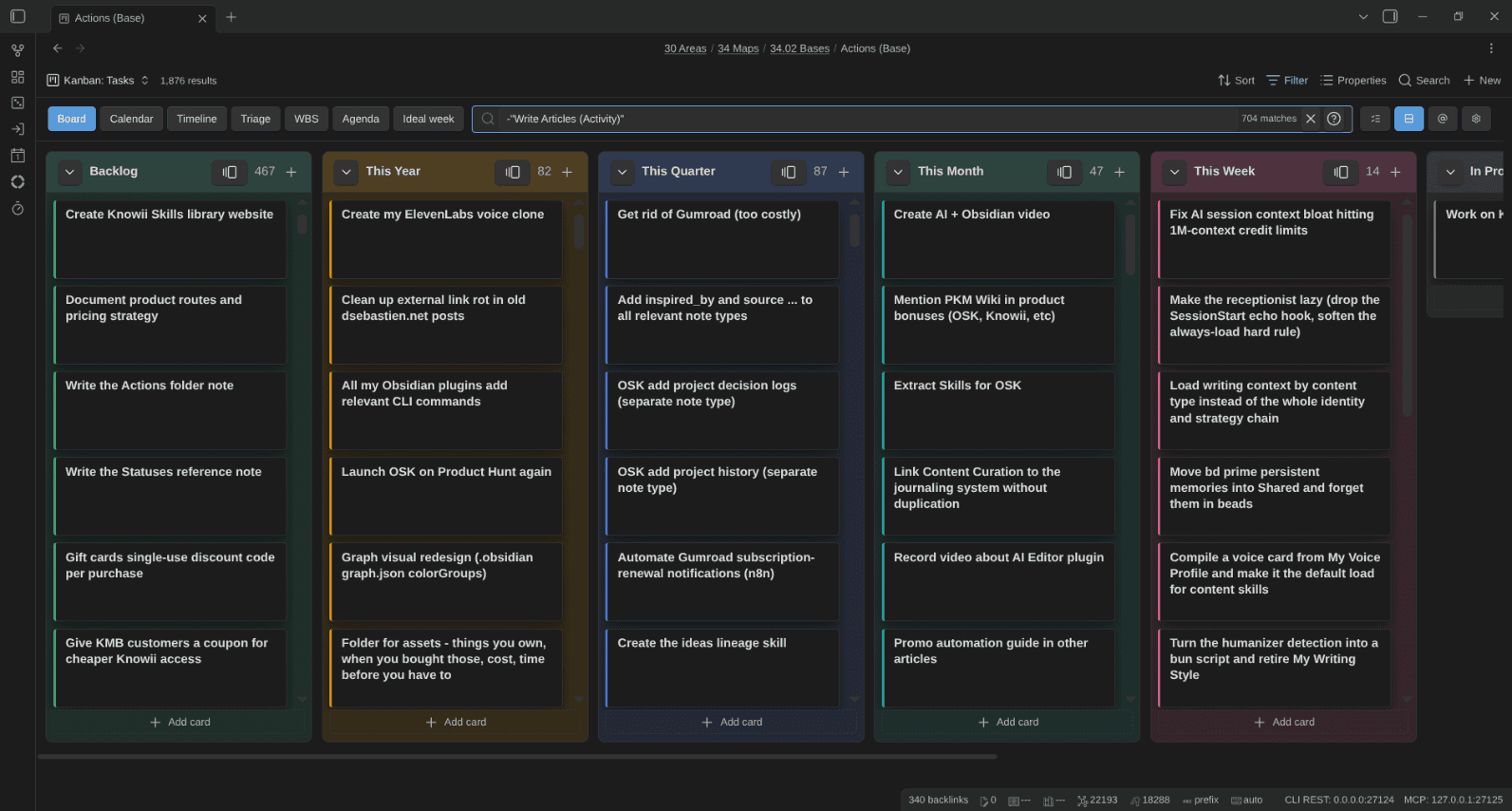
Card titles drop the note type's name decoration ( (Task), AI Wiki - ), so a board of tasks reads as tasks, not as file names. Presentational only, per note type, on by default:
Cards can show a cover image from any property or base formula. My media boards use a formula that prefers the downloaded cover and falls back on the URL, shown whole, in a 2:3 poster shape:
On a compact board (titles only), the cover shrinks to a thumbnail before the title. Covers load as you scroll, so a board with thousands of posters opens without fetching all of them:
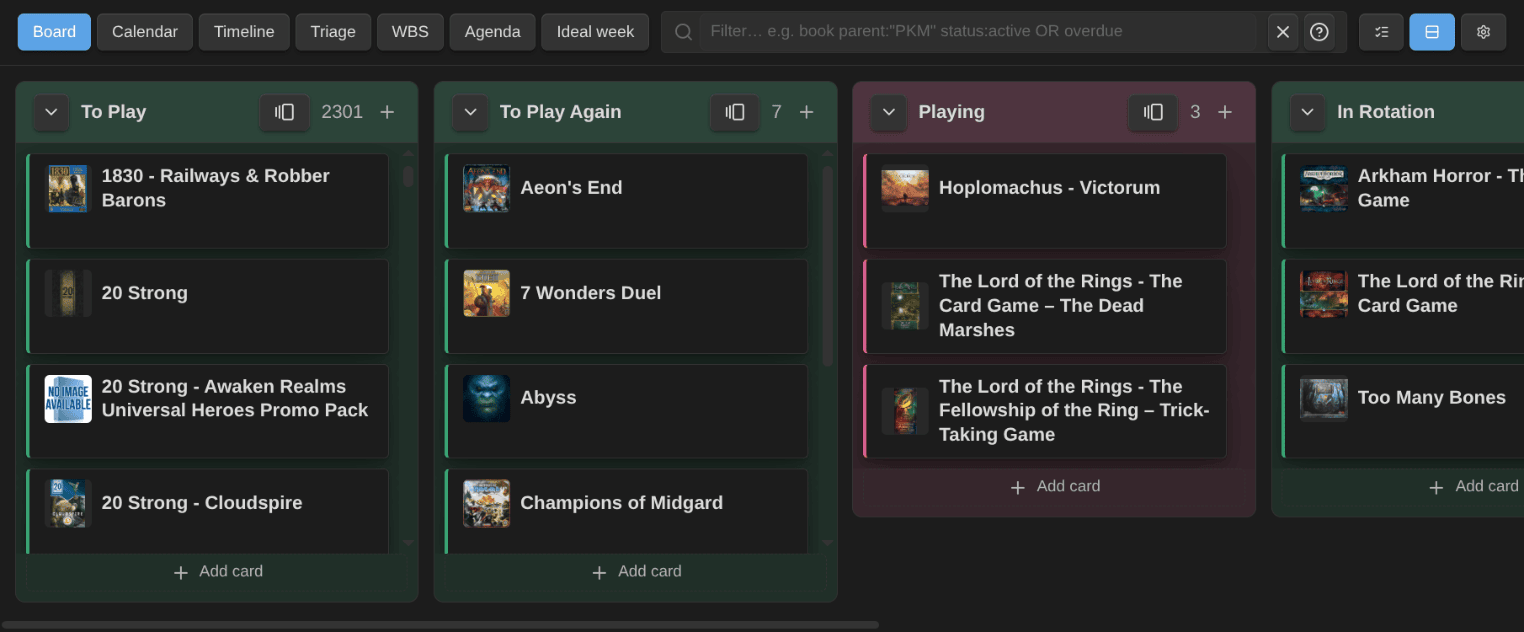
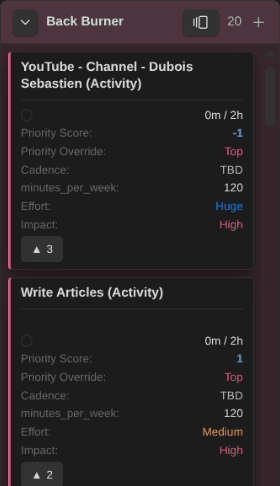
Cards can also be colored by a property, separately from the columns. Here my tasks are tinted by priority, with a stripe per project:

A collapsed column highlights as a drop target while a card is dragged over it, so parking a card in a lane you are not looking at is obvious:
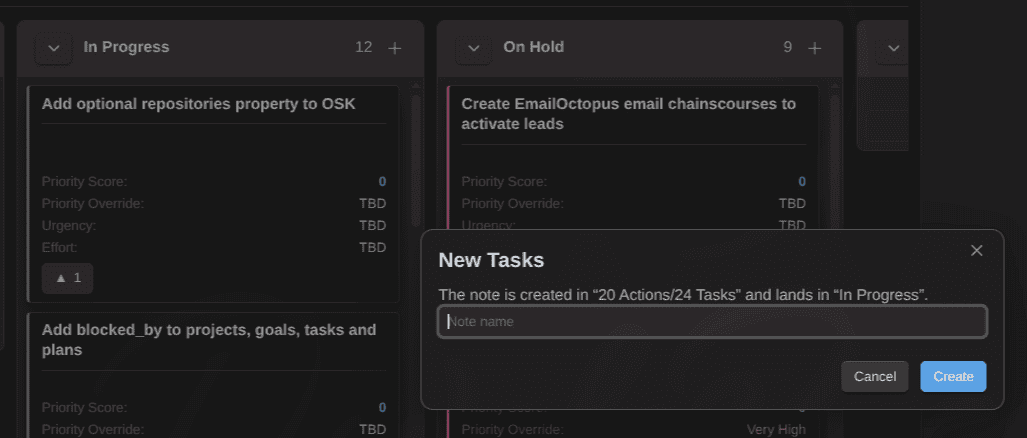
Create cards straight from the board. The dialog shows where the note will land and in which column before you commit:
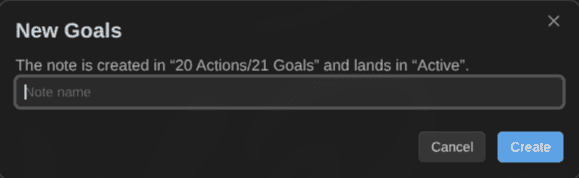
It follows the note type the board is about, so the same + on a goals board creates a goal:
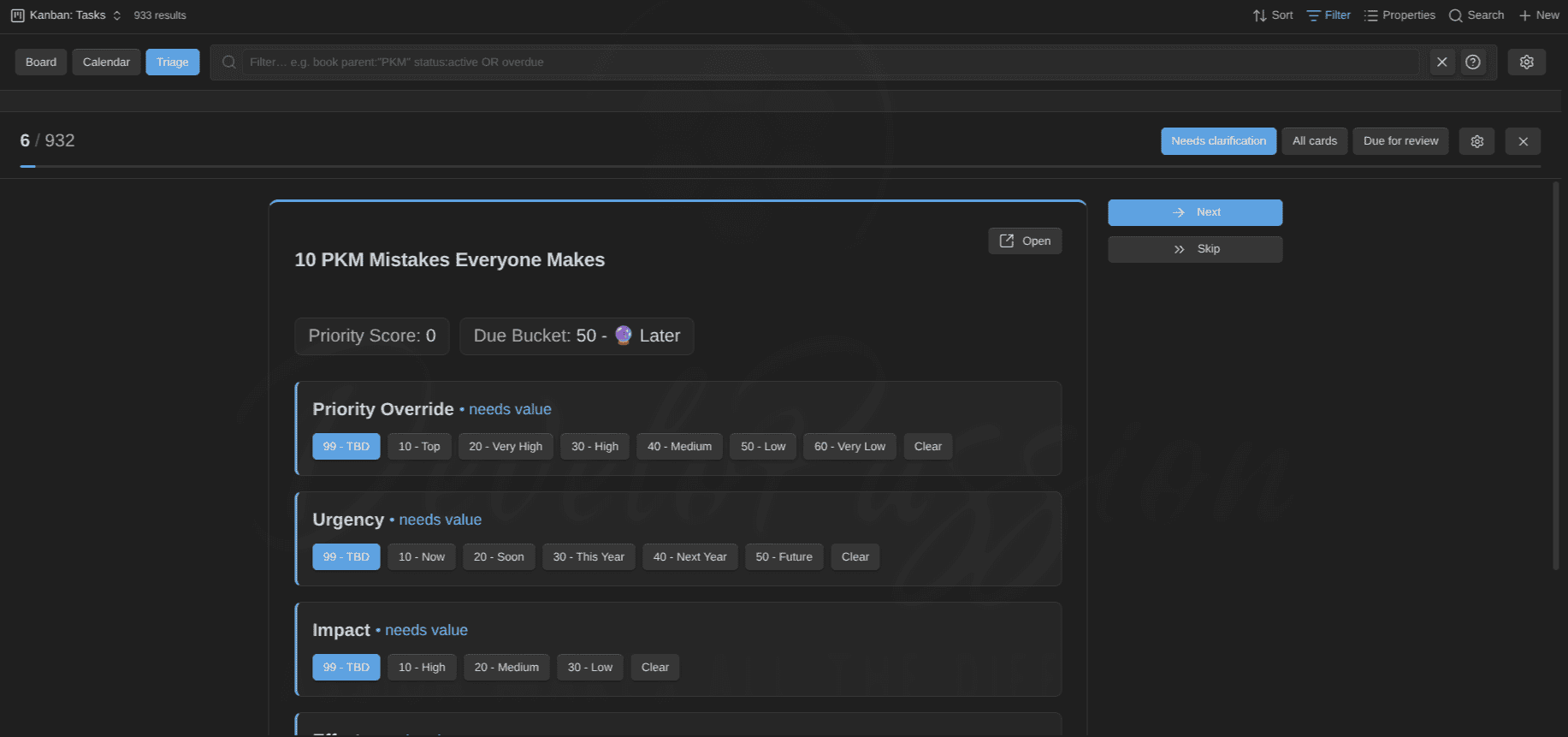
Triage mode, clarifying a backlog one card at a time:
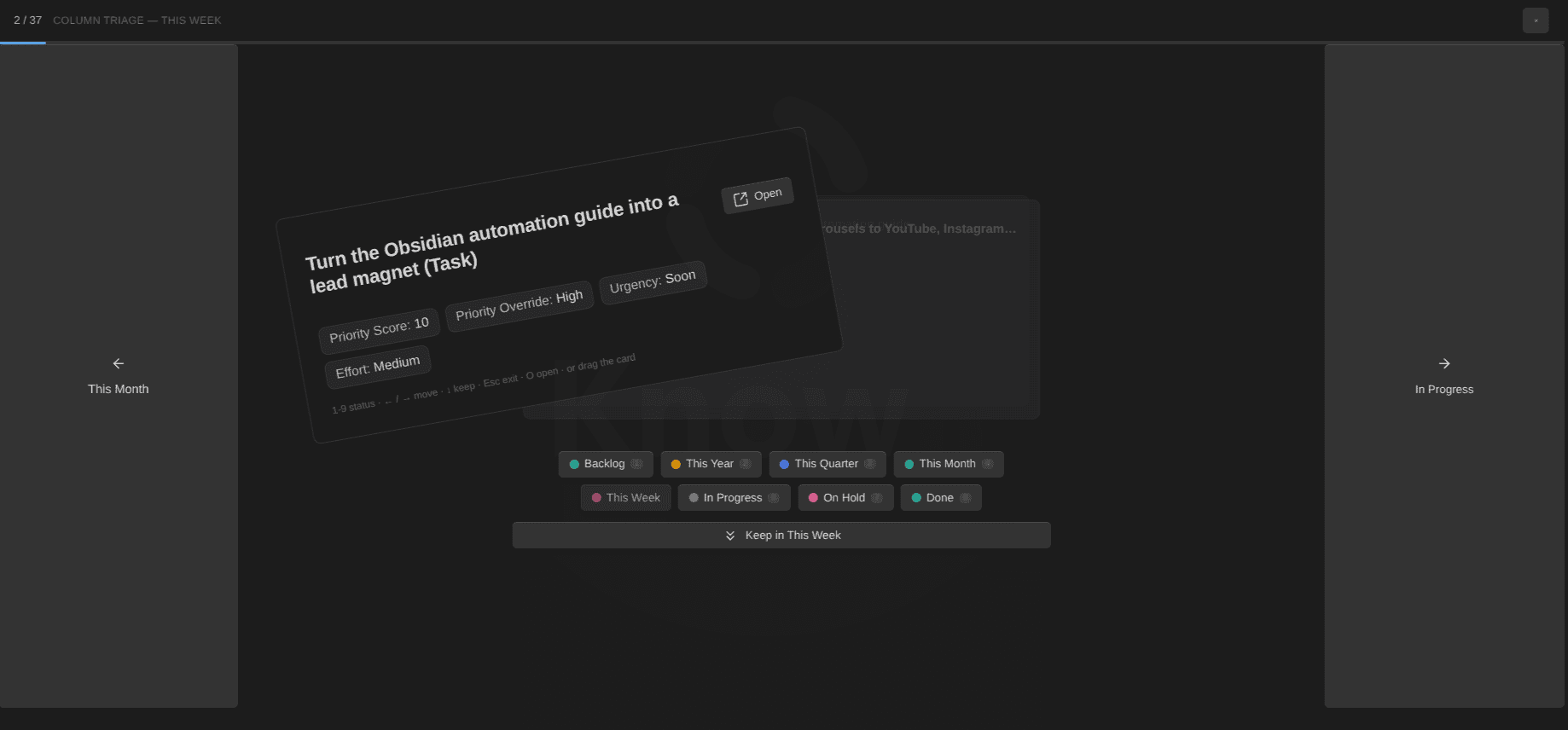
Column triage, the board-side sibling: pick a column and swipe each of its cards to the previous or next status (a carousel that wraps at the ends), or keep it and move on:
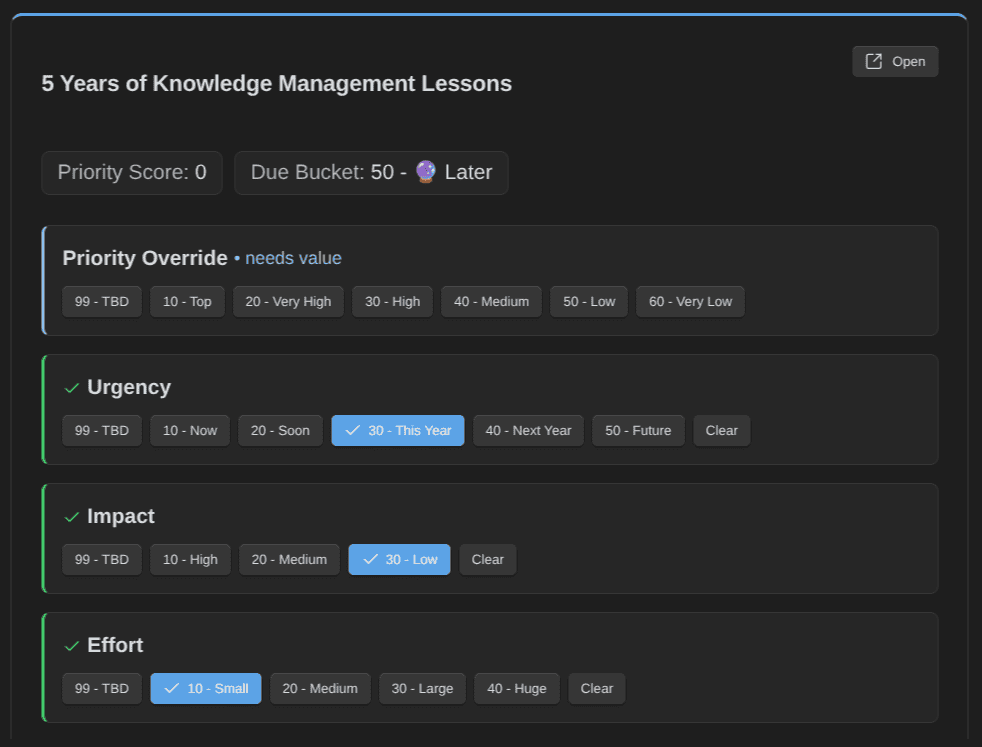
In the settings, you just have to configure the key fields that need to be defined, and the triage mode lists all the notes that don't respect the rules, then let's you easily update those:
Per-type configuration, synced from the Obsidian Starter Kit when it is present:

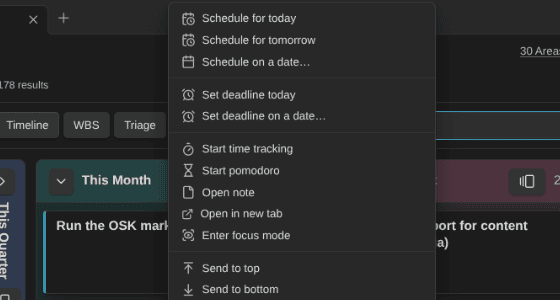
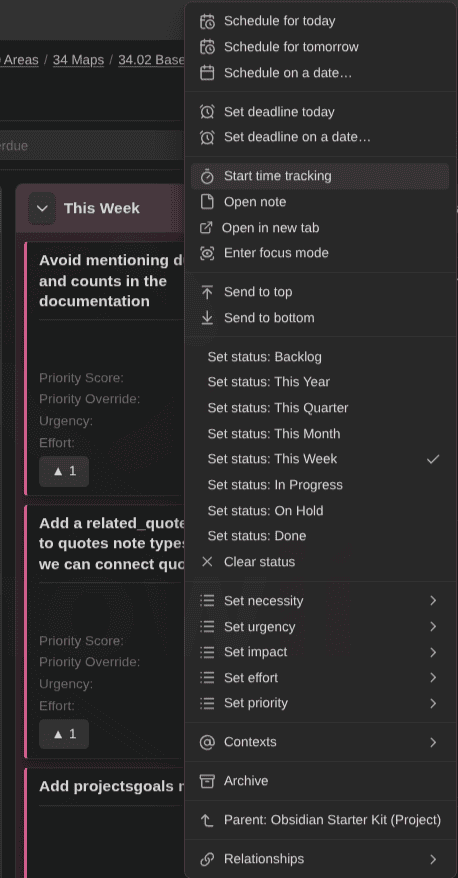
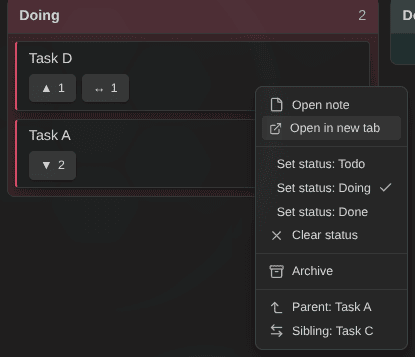
Everything a card needs, straight from its context menu — scheduling, time tracking, focus mode, statuses, enums, contexts, relationships, and archiving:
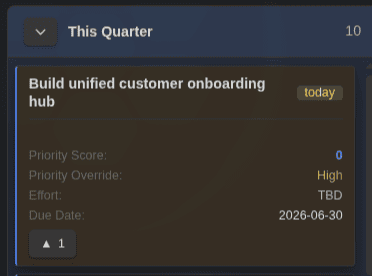
Cards carry a due countdown and color-coded properties:
Full keyboard support for moving and reordering cards:
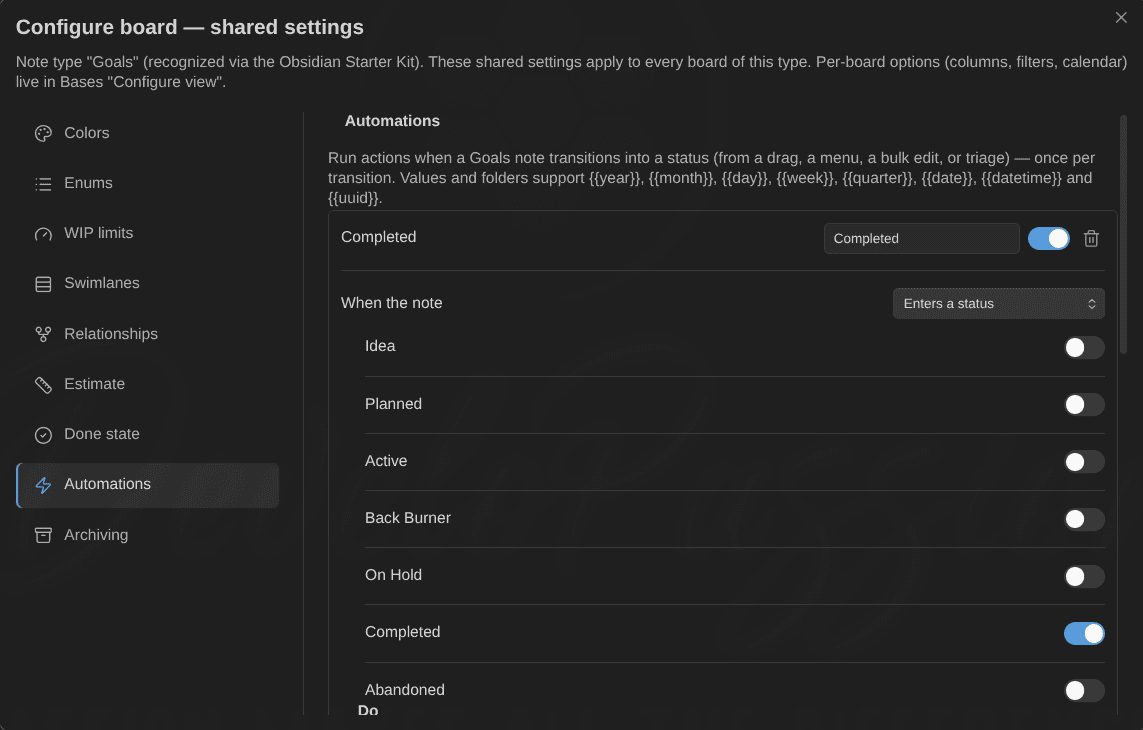
Configure automation rules (IF this THEN that):
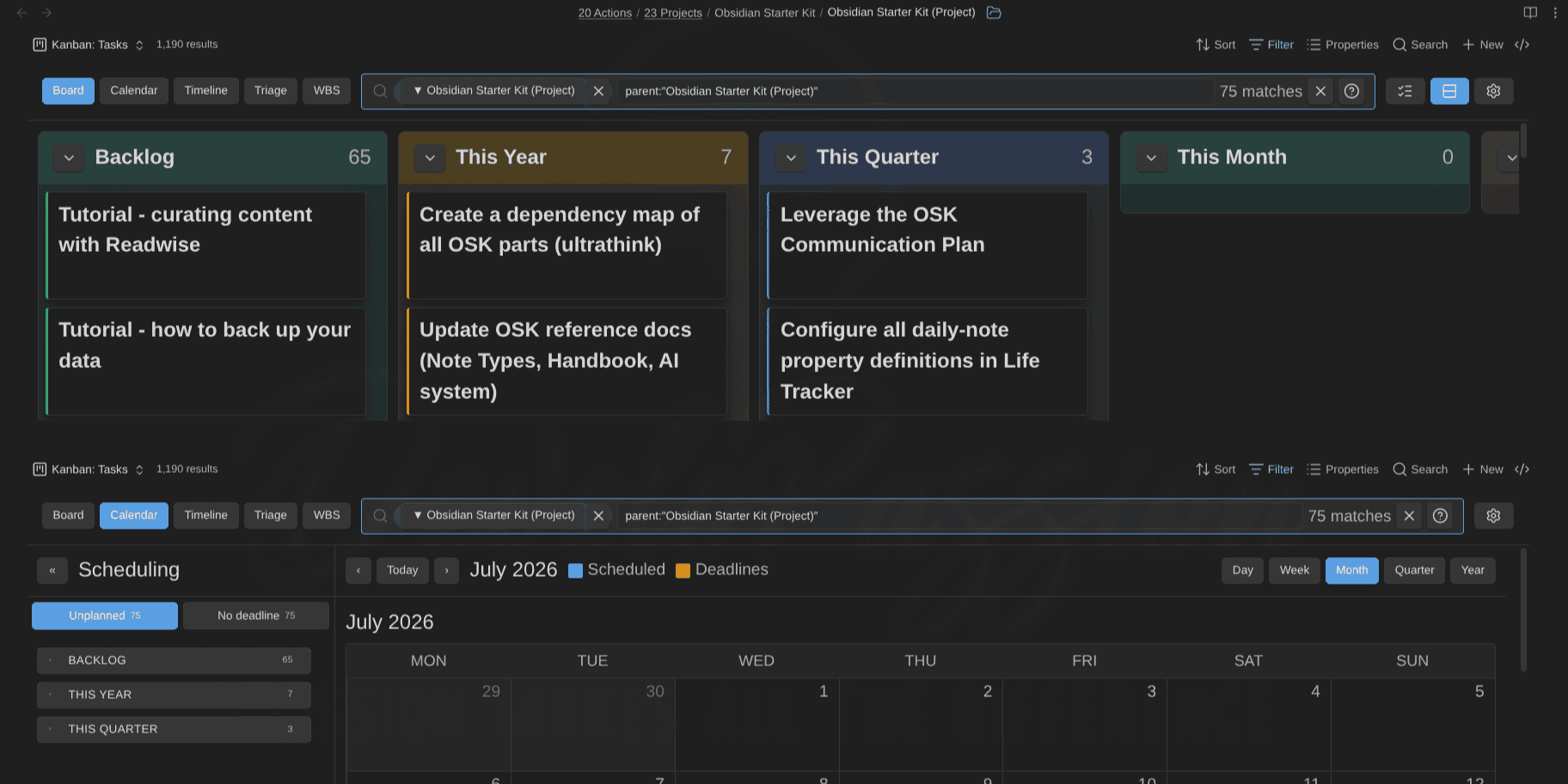
Embed the same view several times in a single note, each in a different mode — here a board and its calendar, both narrowed to one project:
Boards also embed in an Obsidian Canvas — drag & drop works inside the board, and the canvas card's size controls the board:
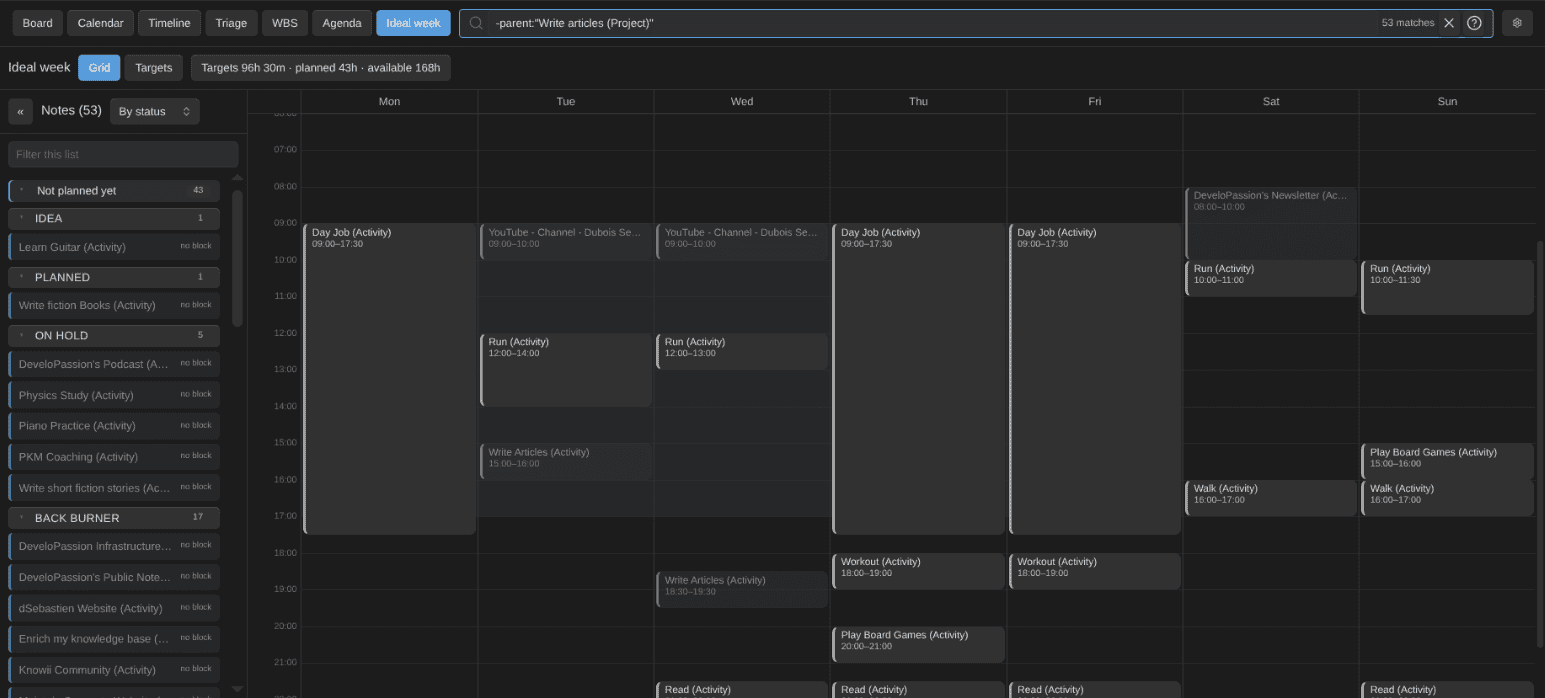
The ideal week: the recurring blocks of the active activities on a date-less grid, the day window fitted to the pane, the rail grouped by status:
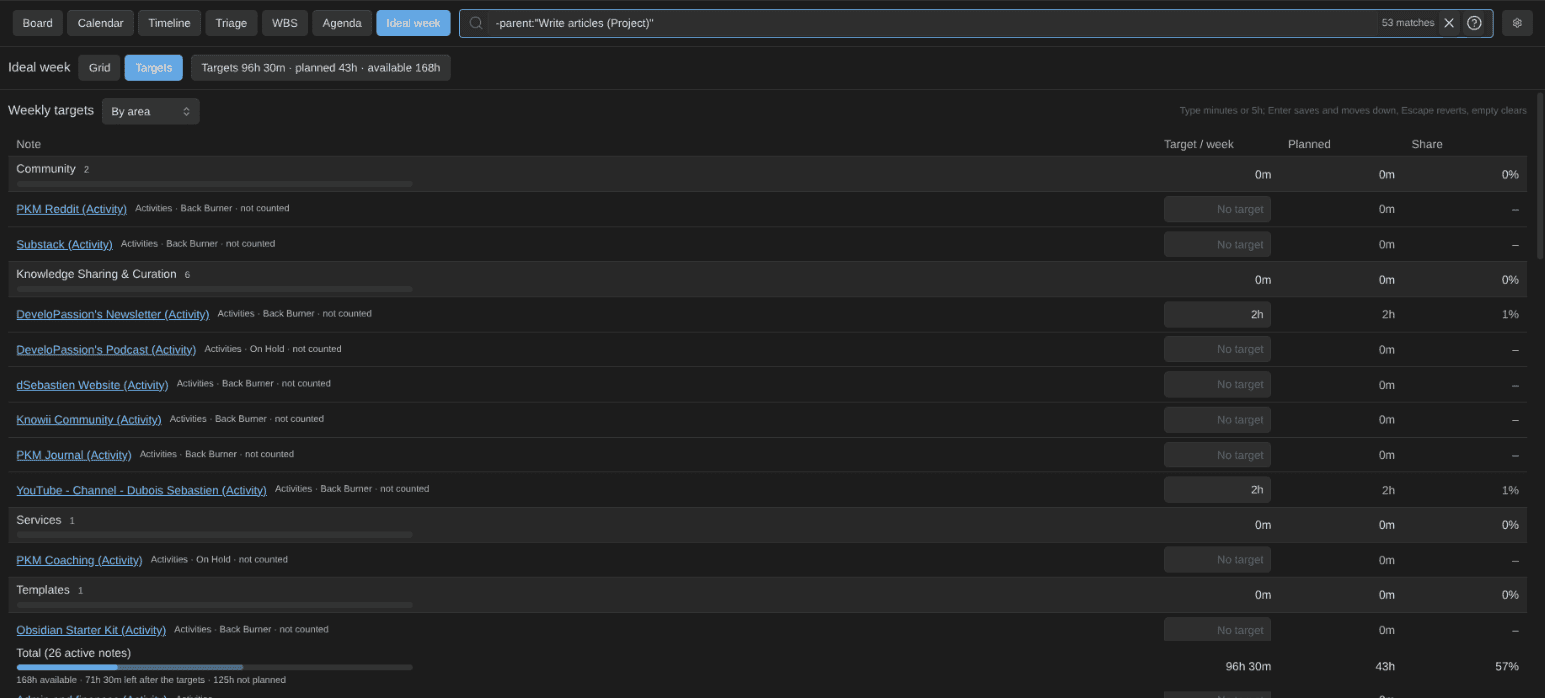
The targets table, the other face of the ideal week: weekly targets edited in place, grouped by area with subtotals, repartition bars and a totals row against the available week:
The rail filtered and grouped by area while the grid keeps every block:

The weekly budget ring on activity cards (tracked this ISO week against the weekly target; red above the alarm):
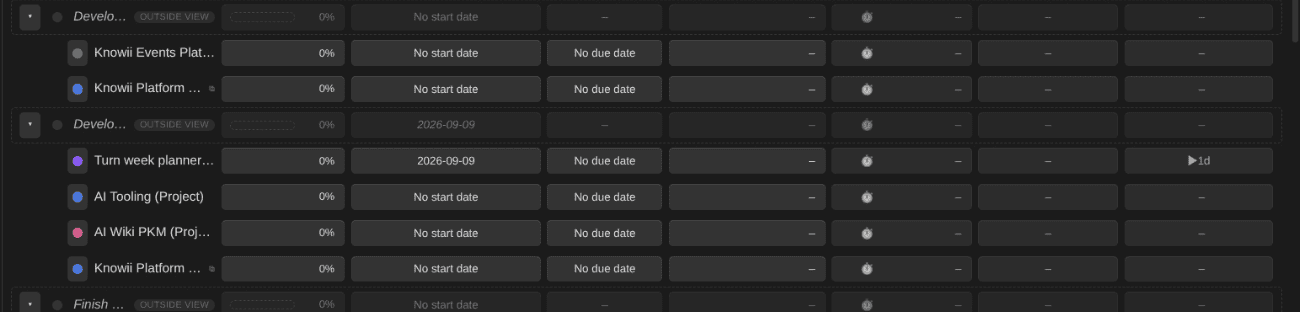
The lifecycle chip in the WBS (days active for an open project; lead, cycle and lateness once it is done):
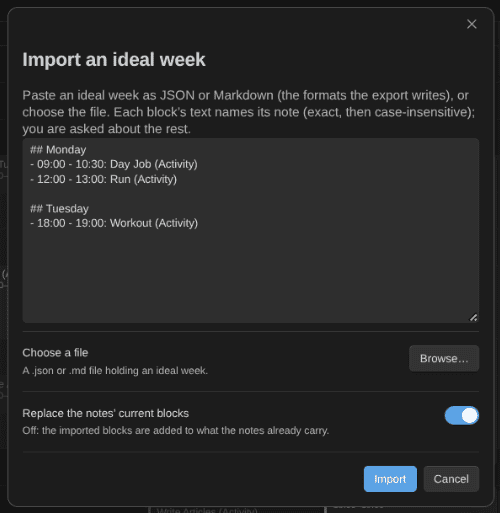
Importing an ideal week from JSON or Markdown, each block matched to its note:
What it does
- Kanban view in Bases: add one or more Kanban Action Planner views to any Base. The Base's own filters decide which notes show up.
- Embed views in any note: a standard `` embed renders the full view inside a note, with per-embed mode/height/filter overrides (see below).
- Status to columns, defined not guessed: a status property places each card into a column you define, so a typo can't spawn a stray column. Unmapped notes land in an "Unmapped" column that hides itself when empty.
- Move, reorder, sort: drag a card to another column to change its status, reorder within a column, or auto-sort by name, by any property, or even by a base formula like a
priority_score. Full keyboard support too. - Filter as you type: a compact, Jira-like search box (e.g.,
status:active OR due:overdue,parent:"PKM" -tag:archived), saved per view.context:/contexts:always target the configured contexts property, whatever it is named — and so doscheduled:(the due-style date grammar),estimate:(unit-aware:estimate:>4h,estimate:<=30m, plain numbers = days),progress:, andorder:(numeric comparisons,none= unset). - GTD contexts: tag notes with contexts (
@work,@home, …) in acontextslist property, then filter to any combination from a toolbar @ switcher (an OR across the ones you pick), saved per view. Toggle a card's contexts from its right-click menu, pin a context in an embed withcontext=, and see them color-coded on the calendar and timeline with a click-to-filter legend. - Triage mode: when a backlog gets overwhelming, work through it one card at a time, setting priority, urgency, and the rest from quick one-click controls. Full keyboard support (→ next, ← skip, ↑↓ priority, ⇧↑/⇧↓ top/bottom, 1–9 status) and Tinder-style card swipes with outcome badges. It also doubles as a spaced-repetition review queue.
- Column triage: triage a single board column in place — a button in the column header starts a one-card pass, and each card swipes (or arrows) to the previous/next status as a carousel that wraps at the ends, using the card's own type's columns on mixed boards.
- Focus mode: spotlight one card full-pane from any card menu — title, properties, subtasks with their done state, related notes — with a start/stop timer feeding tracked time into the note. Done writes the note type's done state (automations fire) and offers the next card from the same queue.
- Time tracking, TaskNotes-compatible, on any note type: start/stop sessions from any card menu (one global session, surviving restarts). Each session is written as a
{startTime, endTime, description}entry in the note'stime_entrieslist (TaskNotes' format, so both tools read one ledger), thetime_spentcache is recomputed from that list, anddate_last_sessionis stamped; the four property names map per note type. A status-bar readout shows the running session or pomodoro. The WBS rolls tracked time up the tree (own + descendants — actuals add) next to the estimates, with one-click persisting of the subtree total tototal_time_spent. - Pomodoro mode: a timed work pomodoro on a card opens its time session too; when it completes, one record in TaskNotes' shape lands in the daily note's
pomodoroslist (resolved through Periodic Notes or the core Daily Notes plugin). Short and long breaks follow the configured cadence, and phases chain by themselves (work, break, work again on the same note; a phase stopped early never chains, a skip always does). Pause and resume keep every run segment, so a pomodoro completes on time actually run. Optional sound and system-notification cues at phase boundaries. - A visual pomodoro timer: a sidebar widget with a ring that drains over the phase, the phase name, the note it runs on, the remaining time readable from across the room, the cycle count, and the controls in place (start work or a break, pause, skip, stop). A full-screen variant shows the timer alone with the sidebars folded away, Escape leaves it. Both derive from the same stored start as the status bar, so they are right after a reload, and colour is never the only signal.
- A tracker that does not poison the roll-ups: a session forgotten overnight used to record the whole night. Now, after a configurable idle stretch or past a session cap, one prompt offers to end the session where the activity stopped, keep it, or discard it (closing the prompt keeps it), and a suspicious session found after a restart gets the same prompt. An optional prompt on stop writes what the session was about into the entry's
description, never blocking the stop. - Relationships you can see and edit: parent, sibling, child, and
blocked_bylinks. Navigate them, add or remove them from the card menu, and flag blocked items. An archived blocker stops blocking. - Focus on a card's children or subtree: zoom into a project and the board re-filters to just its children, or all its descendants, in the usual columns. Zoom up from a task to see the whole project's children at once. A dismissible chip shows the current focus.
- Swimlanes: split the board into collapsible lanes by note type or any property. Drag across lanes to rewrite the grouping.
- Calendar mode: flip the same board into a scheduling calendar (day, week, month, quarter, year) that plots scheduled dates and deadlines together. Drag cards onto days to set
date_scheduledordate_due. - Timeline mode: a Gantt-style view that places each card by its start date plus an estimate in days (no end date), with milestone diamonds, a today line, per-row deadline lines, and drag or resize to reschedule. The Unplanned panel groups cards by note type, then status.
- WBS mode: a work-breakdown-structure view rendering the parent/child hierarchy as a collapsible tree — goal → projects → tasks — with per-node progress bars, estimates, due countdowns, and date spans. One rollup model: a note's own value wins, otherwise it derives from its children, so I can plan top-down, bottom-up, or both, and persist any rollup to the parent in one click. Drag rows to re-parent, drag cards in from the "Needs planning" backlog, and set status, dates, estimates, or progress from any row.
- Ideal week mode: how you want to spend a week, on a date-less grid. Every active activity's and project's
time_blocks(mon-fri 09:00-12:00, 15-minute grid, midnight crossing) render per weekday; drag to move, resize the edges, stretch across days, draw a new block over the cells and days you cover, move a whole selection at once, copy with Alt or Ctrl+C / Ctrl+V, undo and redo, right-click an empty cell to plan or paste there, and print the week. The grid fits a day window (06:00–22:00 by default) to the pane on any window size. A rail lists every note against its weekly target, grouped by status, area or context, with a filter box that narrows the list without touching the grid; it asks for a missing target when you first plan a block; overlaps are refused with the conflicting note named; every edit shows at once and the grid never flickers. Import and export the whole week as JSON or Markdown. - Targets table: the second face of the ideal week. Every note's weekly target edited in place (minutes or
5h, Enter saves and moves down), the planned minutes with the gap to the target, and the share of the available week; group by area or context for subtotals and repartition bars, with a totals row (targets, planned, available, what is left, what is not planned yet). When you plan more blocks than a note's target allows, the target follows (never lowered). Notes carry anareasproperty (Health, Work…) that the rail and the table group by. - View modes you can switch off: hide the modes you do not use from every board in the plugin settings.
- Weekly budget ring: activities and projects show the minutes tracked this ISO week (own entries plus their linked tasks') against their weekly target on their cards and WBS rows, with the planned minutes and an alarm in the tooltip; over
minutes_alarm_per_weekthe ring turns red and one notice fires per note per week. Goals and plans roll the ring up from their subtree. - Lifecycle chip in the WBS: lead (started − committed), cycle (done − started) and lateness (done − due) days for done items, days active for open ones, computed from the notes' dates and never stored.
- Agenda mode: a flat, prioritized "what's on my plate" list — Overdue, Today (due or scheduled today), and Upcoming (next 7 days), with a Today/Week window switch. Right-click any row for the full card menu.
- Defer dates & availability (Next actions): a
date_defer("can't start until") property mutes not-yet-actionable cards, and the filter language gainsdefer:plusis:available/is:deferred/is:blocked/is:done. Typeis:availableand any board becomes a GTD next-actions list; the agenda hides unavailable cards by default. - Quick capture: every column has a + in its header and an Add card button under its cards. Type a name and the note is created in the right folder, with the right template, landing in that exact column. It reuses what is already configured (an Obsidian Starter Kit note type's folder, template, and name prefix/suffix) and applies the template with Templater when present, before writing the card's properties, so a template that prompts for a status can never override the column I clicked. A prefix or suffix the Starter Kit marks optional is not added to new cards (since 1.30.0), while card titles still strip it when it is there.
- Archiving: move finished cards into a placeholder-driven folder (e.g.,
Archive/{{year}}), manually or automatically when they reach a given status. Links are preserved. A done column gets an Archive button in its header that clears out every card it shows in one go, after a confirmation (since 1.31.0). - Done state per note type: define what "done" means for each note type — a property plus the value(s) that count (e.g., the Completed and Done statuses, another property's values, or a simple
truecheckbox). Done notes read as 100% complete in progress rollups, even without a progress number, so parents show real momentum as their children complete. - Automation rules: per note type, "when this happens to a note, do that". Triggers: the note enters or leaves a status, enters a done state, gets archived, or a property crosses a condition (e.g.,
progress ≥ 100). Actions: set or remove properties (values support{{date}}-style placeholders), add or remove tags, or move the note to a placeholder-driven folder. Mark a task Done and its progress jumps to 100, the due date clears, anddate_completedstamps itself — from any write path (drag, menu, bulk edit, triage), exactly once per transition, with no cascading rules. - Color-coded cards: cards show the properties you picked in the Bases view, including base formulas. Enum values are color-coded by rank, so the board reads like a heatmap.
- Big boards stay fast: a column with 100 cards or more only builds the cards near the part you can see, so a board with thousands of notes opens in a few seconds.
- Card covers: show an image on each card from a property or base formula (a URL, a
**wikilink**, a vault path orimage()), cropped or whole, as a banner or in a fixed shape (2:3 posters, 3:4 box art, square album art). A formula can prefer a local file over a URL. Compact boards keep it as a thumbnail, and covers load as you scroll. - Card colors and accents: tint each card (or color its border) by any property, apart from the column colors, and mark it with a colored stripe or dot from another one. Tint by priority and stripe by project, for example. Ranked values reuse the heatmap colors, other values get a stable palette color, and a formula can return a color directly.
- Column aggregates: roll any numeric property up per column, next to the card count —
Σ 13, or an average, minimum, or maximum. Non-numeric values are skipped rather than counted as zero. Roll up estimates and they read as1d 2h, unit-converted per note type, so a board mixing days-based and minutes-based estimates still adds up correctly. - Productivity touches: soft per-column WIP limits, multi-select with bulk set-status / archive / open, a compact mode showing titles only, overdue and due-today emphasis, and an optional due countdown badge (
In 3d,2d overdue,Today) that counts down to the deadline or, per board, to the scheduled date. The card title can come from any property instead of the note name, which helps when filenames are IDs or dated slugs, and card titles drop the note type's name decoration ((Task),AI Wiki -) by default, per note type. A collapsed column highlights as a drop target while you drag. - Reusable note types: per-type config for statuses, colors, relationships, archiving, swimlanes, card titles, and date properties (scheduled, due, defer, format, each empty = inherit the global default). Define your own, or mirror them from the Obsidian Starter Kit.
Embed views in your notes
Any view of this plugin can be embedded in a regular note with a standard embed link:
- The
.baseextension is required in the link, and the part after#is the view name inside that Base. - The embed sizes to its content up to a height cap and scrolls internally past it, in every mode.
The wikilink alias (the text after |) can override how that one embed renders, without changing the saved view:
mode=—board(orkanban),calendar,timeline,triage,wbs, oragenda.height=— the embed's height cap in pixels (200–2000); the embed still shrinks below it when the content is smaller.context=— pin the embed to one or more GTD contexts (comma-separated, e.g.context=@work,@home); put it beforefilter=.columns=— show only the named board column(s), e.g.columns="20 Doing"orcolumns=todo,doing(quote names containing spaces). Names match case-insensitively as substrings of the column's status value or label. Board mode only; put it beforefilter=.lanes=— show only the named swimlane(s), same list syntax ascolumns=(ungroupedmatches the catch-all lane). A restriction leaving one lane renders it chrome-free. Board mode only; put it beforefilter=.filter=— everything afterfilter=is the initial filter query, exactly as I'd type it in the filter box. A wikilink alias can't contain|, so writeORinstead of|in embed filters.
All parts are optional. Embeds are projections: switching the mode, editing the filter, collapsing panels — anything changed inside an embed applies to that embed only and never touches the view saved in the .base file. Editing the embed line updates the rendered embed in place. This makes it possible to embed the same view many times, in different modes and with different filters, wherever the information is useful.
The same embed link also works inside an Obsidian Canvas card, with all the alias overrides. Two differences: the canvas card's size controls the board (height= is ignored, so resizing the card resizes the board), and dragging cards, columns, chips, or bars works inside the board without moving the canvas card — the card itself moves by its edge or any empty spot on the board.
References
- Community: https://community.obsidian.md/plugins/kanban-action-planner
- Documentation: https://dsebastien.github.io/obsidian-kanban-action-planner
- Source code: https://github.com/dsebastien/obsidian-kanban-action-planner
- Releases: https://github.com/dsebastien/obsidian-kanban-action-planner/releases
Related
- Obsidian Bases
- Journal Bases plugin for Obsidian
- Timeline for Bases plugin for Obsidian
- Obsidian Starter Kit
- Kanban plugin for Obsidian
About Sébastien
Ready to get to the next level?
Found this valuable? Share it with someone who needs it.