
The Complete Guide to Dataview in Obsidian - Query Everything, Then Make It Last

Introduction
A folder of notes is a filing cabinet. You can put things in and take things out, as long as you remember where you filed them. A database is something else entirely. You ask it questions: which books did I finish this year? Which projects have stalled? What am I waiting on, and since when? In this article, I want to show you how the Dataview plugin turns your Obsidian vault from the first into the second. It's a companion to Obsidian Bases rather than a replacement.
People summarize the Dataview plugin by saying it's like SQL for your notes. That's a decent approximation. But there's a lot more to it!
This is the fourth piece in my Obsidian deep dives series. In the properties guide I argued that properties turn notes into data. In the templates guide I showed how to fill those properties in without typing them by hand. In the CLI guide I showed how to reach all of it from a terminal and hand it to AI Agents. In this piece, I'll show you what Dataview still does better than anything else, and why its results belong in your files.
I'll cover everything there is to know: the different query types, the useful commands, the full function reference, inline queries, DataviewJS, the sharp edges, how to build Maps of Content (MoCs) that keep themselves up to date, etc. I'll also compare Dataview against Obsidian Bases.
TL;DR
- Dataview is a query engine over your Markdown. It indexes your properties, tags, links and tasks, then lets you query them with a SQL-ish language called DQL, with inline expressions, or with JavaScript.
- Four query types:
LIST,TABLE,TASK,CALENDAR. Six data commands:FROM,WHERE,SORT,GROUP BY,FLATTEN,LIMIT. - DQL is a pipeline, not SQL. It runs top to bottom, line by line. Put
LIMITbeforeSORTand you will sort the wrong five rows. - DataviewJS is disabled by default. If your
dataviewjsblock does nothing at all, that is why. - Dataview results are invisible outside the render. Not in the graph, not in backlinks, not on Obsidian Publish, not in plain-text search, not in a git diff, not to an AI agent reading the raw file.
- Serialize what matters. Write query output back into the note as real Markdown.
- Maps of Content stop rotting when a query builds them.
- For dashboards in 2026, reach for Bases first. Reach for Dataview when you need inline queries inside a sentence, task-level queries, or arbitrary computation. Those three are genuinely not replaceable yet.
The elephant in the room: Dataview in 2026
Dataview is one of the most-installed community plugins in Obsidian's history. It is also standing still:
| Fact | Value |
|---|---|
| Latest release | 0.5.70, on 2026-04-07, marked beta |
| Last stable release | 0.5.68, on 2026-03-15 |
Commits to master in the last 12 months | 0 |
| Open issues / pull requests | 636 / 25 |
| Who cut the last release | A community maintainer, not the original author |
| Deprecation notice | None. Not archived, not de-listed |
The original author, Michael Brenan (blacksmithgu), last committed to Dataview in June 2024. Meanwhile he started Datacore, whose repository describes itself, verbatim, as a "Work-in-progress successor to Dataview with a focus on UX and speed". A user opened a discussion in February 2026 asking for the README to point people at Bases. It is still open, with no maintainer reply.
Two important points:
First, "abandoned" is too strong. Dataview is 30,000 lines of code that works. Nothing broke in my vault when Obsidian shipped 1.12 or 1.13, and I have seen no widely reported breakage. A frozen plugin that does its job is not the same as a broken one.
Second: no, Obsidian Bases do not replace Dataview. There is a big overlap, but those two tools are actually complementary, as I'll explain further in this article. Both are valuable!
So why am I writing a complete guide to a frozen plugin? Because Dataview is still relevant and it's still widely used. Also, because it still does some things nothing else does.
What Dataview actually is
The Dataview does two things.
First, it indexes your vault: every YAML property, every inline field, every tag, link, task and list item, plus file metadata like creation and modification times. Then it queries that index and renders the result where you put the query.
Second, it renders. With one narrow exception (checking a task checkbox inside a TASK view), Dataview never modifies your notes. That makes it completely safe to experiment with.
There are three ways to ask it a question:
- A DQL code block for lists and tables.
- An inline query for a single value inside a sentence.
- A DataviewJS block for anything the query language can't express.
Here is all three at once:
```dataview
LIST FROM #type/book WHERE date_finished
```

I have read `= length(filter(this.file.tasks, (t) => !t.completed))` unfinished things.

```dataviewjs
dv.list(dv.pages("#type/book").where(b => b.rating === "★★★★★").file.link)
```
Install it from the Obsidian Community site (or directly from the Community Plugins in the settings), and you are ready.
One thing to do immediately: open the settings and turn on Enable JavaScript queries. It is off by default, and as you'll see, it's super useful. Inline JavaScript queries have their own separate toggle, also off by default. I also recommend enabling that one.
The metadata layer
Dataview can only answer questions about metadata you actually have on your notes. This is why the properties guide comes first in this series: garbage properties produce garbage queries/results. If a property means three different things across three note types, no query will save you.
There are two places metadata can live.
YAML frontmatter
Standard properties at the top of the note, between --- fences:
---
title: Atomic Habits
authors:
  - "[[James Clear]]"
status: Reading
rating: 5
date_finished: 2026-04-10
---
Every frontmatter field is automatically a Dataview field. Two traps here:
- Links must be quoted.
parent: "[[Some Note]]"works. Unquoted, YAML chokes. But be aware of the trade-off: once quoted, it is a link for Dataview and no longer a link for Obsidian, so it stops appearing in your graph. This is the first hint of the theme of this article. - Types matter.
date_finished: 2026-04-10is a date you can sort and compare.date_finished: "April 10th"is a string that will ruin your afternoon.
Check out Obsidian Properties to learn more, as well as my previous article:
 Sebastien Dubois
Inline fields
Dataview also reads Key:: Value pairs anywhere in the body of a note. This is a Dataview-only feature: Obsidian Properties have no equivalent.
Basic Field:: Some value
I would score this a [bookScore:: 9] and my mood was [readingMood:: good].
- [ ] Email David about the deadline [due:: 2026-08-05]
This hides the (longKeyIDontNeedWhenReading:: key) when reading.
(I deliberately picked odd field names in that example. The section on sharp edges explains why.)
Square brackets let you put a field mid-sentence or attach one to a specific list item or task, which frontmatter cannot do. Parentheses hide the key in reading view.
Note that I do not recommend using this syntax for reasons I'll cover further in this article.
Field name sanitization
Dataview rewrites your field names, and if you don't know the rules you will write queries that match nothing:
| You write | Dataview also gives you | Why |
|---|---|---|
Basic Field:: | basic-field | lowercased, spaces to dashes |
**Bold Field**:: | bold-field | formatting stripped from the key |
longKeyIDontNeed:: | longkeyidontneed | lowercased |
Rules worth knowing:
- Keys with spaces cannot be used as-is in a query. Use the sanitized name, or
row["Field With Spaces"]. - Keys with capitals work either way.
- If you use the same key twice in a note, Dataview collects the values into a list.
- If your field name collides with a DQL keyword (
from,where), escape it:row.from. - Emoji in field names must be bracketed:
[🎅:: gift].
To avoid issues, I recommend following a simple naming convention: my_property. This makes queries easier to write and removes surprises.
The types
Text, Number, Boolean, Date, Duration, Link, List, Object. Dates use ISO 8601 (YYYY-MM-DD, time optional) and expose sub-properties you will use constantly: .year, .month, .week, .weekyear, .day, .hour.
The four Dataview query types
The shape of every Dataview Query Language (DQL) query:
```dataview
<QUERY-TYPE> <fields>
FROM <source>
<DATA-COMMAND> <expression>
<DATA-COMMAND> <expression>
```
Only the query type is mandatory. LIST on its own is a valid query that returns every file in your vault.
LIST
```dataview
LIST
LIST FROM #type/book
LIST file.folder FROM #type/book
LIST WITHOUT ID file.name FROM #type/book
```
LIST takes exactly one extra expression, not several. WITHOUT ID drops the file link prefix. You can compute the value:
```dataview
LIST "created " + file.cday FROM #type/book
```
TABLE
```dataview
TABLE
  status,
  rating,
  dateformat(date_finished, "yyyy-MM-dd") AS "Finished"
FROM #type/book
WHERE date_finished
SORT date_finished DESC
```
Columns are comma separated, aliased with AS. Headers containing spaces need double quotes. TABLE WITHOUT ID removes the automatic first column, or rename it with TABLE WITHOUT ID file.link AS "Book".
TASK
```dataview
TASK
WHERE !completed AND contains(tags, "#shopping")
```
TASK is special in two ways. It is the only query type that operates below file level, and it is the only one that can write to your files: check a box in a Dataview TASK view and the original note is updated.
Child task semantics catch people out. A task is a child if it is indented under an unindented task. Children ride along with a matching parent even if they don't match themselves. A matching child whose parent doesn't match comes back alone.
CALENDAR
```dataview
CALENDAR date_finished
```
The only query type that requires an argument. The field must be a date (or unset) on every page it touches. SORT and GROUP BY are accepted but do nothing. Guard it:
```dataview
CALENDAR due
WHERE typeof(due) = "date"
```
Sources: the FROM clause
There are four kinds of source: tags, paths (a folder or a single file), incoming links and outgoing links. Note this carefully, because a lot of guides list a fifth: csv() is not a source. CSV is DataviewJS-only, via dv.io.csv().
| Source | Matches |
|---|---|
#tag | files with that tag and all subtags |
"folder" | that folder and its subfolders, full path from the vault root, no trailing slash |
"folder/File" | one specific file |
[[note]] | pages linking to that note |
outgoing([[note]]) | pages linked from that note |
[[]] | the current file |
Combine with and, or, and - to negate:
```dataview
LIST FROM #type/book and -"60 Archives"
LIST FROM (#type/quote or #type/creation/quote) and "30 Areas"
```
The official docs are internally inconsistent about negation. One page documents -#tag, another writes !#fastfood. Both parse. Use -.
FROM is also the one command with positional rules: zero or one, and it must come immediately after the query type.
Data commands, and the pipeline that runs them
DQL is not SQL. It is a pipeline. The official docs put it plainly: a query is "executed from top to bottom, line-by-line", and each line "produces a result set and passes the whole set on to the next DQL line".
Which means this query is a bug:
```dataview
TABLE file.mtime
FROM #type/book
LIMIT 5
SORT file.mtime DESC
```
It takes five arbitrary books, then sorts those five. To get the five most recent, sort first:
```dataview
TABLE file.mtime
FROM #type/book
SORT file.mtime DESC
LIMIT 5
```
Same words, different answer. Every command except FROM can appear multiple times, in any order, and they execute in written order.
WHERE
```dataview
LIST WHERE file.mtime >= date(today) - dur(1 day)
LIST FROM #type/project WHERE !completed AND file.ctime <= date(today) - dur(1 month)
```
SORT
```dataview
SORT status ASC, file.name ASC
```
Multiple keys, first one wins, later keys break ties.
GROUP BY
```dataview
TABLE rows.file.link AS "Books", length(rows) AS "Count"
FROM #type/book
GROUP BY status
```
GROUP BY collapses your rows into one row per unique value, with exactly two fields: key (the grouped value) and rows (everything that matched).
Then there is swizzling, which is the trick that makes grouping useful. Write rows.file.link and Dataview maps that field across every row in the group, giving you an array. From there you can aggregate:
```dataview
TABLE length(rows) AS "Count", sum(rows.pages) AS "Pages"
FROM #type/book
GROUP BY status
```
Because grouped LIST shows only the key by default, this is the idiom to get your links back:
```dataview
LIST rows.file.link
FROM #type/book
GROUP BY status
```
FLATTEN
The inverse of grouping: one result row per array entry.
```dataview
TABLE authors
FROM #type/book
FLATTEN authors
```
Its real use is reaching inside nested lists so you can write simple WHERE clauses instead of wrestling with map() and filter():
```dataview
TABLE T.text AS "Task"
FROM "30 Areas"
FLATTEN file.tasks AS T
WHERE T.text
```
Worth knowing: Bases has no FLATTEN equivalent. Its groupBy is display grouping, not a data transform.
LIMIT
```dataview
LIMIT 10
```
Position matters. See above.
Expressions, operators, and the null trap
The full operator set:
# Literals
1                   number
true / false        boolean
"text"              text
date(2026-04-18)    date
dur(1 day)          duration
[[Link]]            link
[1, 2, 3]           list
{ a: 1, b: 2 }      object

# Arithmetic          # Comparison
a + b   a - b         a > b   a < b
a * b   a / b         a = b   a != b
a % b                 a >= b  a <= b

# Boolean
AND     OR      !

# Strings
a + b                 concatenation
a * 3                 repeat

# Lambdas
(x) => x.field
Date shorthands: date(today), date(now), date(tomorrow), date(yesterday), date(sow), date(eow), date(som), date(eom), date(soy), date(eoy).
Durations accept most spellings you'd guess: dur(1 s), dur(3 hours), dur(2 weeks), dur(1s 2m 3h).
Dates and durations do arithmetic together. date - date gives a duration:
```dataview
TABLE (date_finished - date_started) - dur(2 days) AS "Reading time"
```
The null trap
From the official docs:
> "If due is not set (neither on page nor task level), it is null and null <= date(today) returns true, including tasks without any due date."
So this popular query is wrong:
```dataview
TASK WHERE !completed AND due <= date(today)
```
It returns every incomplete task with no due date at all. The fix is either a presence check or, better, a type check:
```dataview
TASK WHERE !completed AND typeof(due) = "date" AND due <= date(today)
```
I would go further: type-check anything you compare.
Indexing through links
You can read fields from a linked page:
```dataview
TABLE author.birthplace FROM #type/book
```
Mind the difference. If your field is author:: [[James Clear]], then author.birthplace reads birthplace from the James Clear note. Writing [[author]].birthplace looks up a page literally named "author". Different thing entirely.
The function reference
Constructors
| Function | Purpose |
|---|---|
object(k1, v1, ...) | build an object |
list(v1, v2, ...) | build a list (array is an alias) |
date(any) | parse a date |
date(text, format) | parse with Luxon tokens: date("260313", "yyMMdd") |
dur(any) | parse a duration |
number(string) | first number in the string: number("18 years") = 18 |
string(any) | coerce to text |
link(path, [display]) | build an internal link |
embed(link) | make it an embed |
elink(url, [display]) | external link |
typeof(any) | "number", "string", "array", "object", "date", "duration" |
Numeric
round(n, [digits]), trunc, floor, ceil, min, max, sum, product, average, reduce(array, "+"), minby(array, fn), maxby(array, fn).
Correction that will save you a bug report: the mean is average(). There is no avg() function in DQL. avg() exists only as a DataviewJS array method.
Arrays and objects
contains, icontains (case-insensitive), econtains (exact element), containsword, extract, sort, reverse, length, nonnull, firstvalue, all, any, none, join, filter, map, flat, slice, unique.
There is no firstwhere(). Use firstvalue(), or .find() in JavaScript.
The three contains variants trip people up:
contains("Hello there", "hello")      → false   (case sensitive)
icontains("Hello there", "hello")     → true
econtains(["These","are"], "the")     → false   (whole element only)
containsword("Hello there!", "HeLLo") → true    (whole word, case insensitive)
Strings
regextest (matches anywhere), regexmatch (matches the whole string), regexreplace, replace, lower, upper, split, startswith, endswith, padleft, padright, substring, truncate.
regextest vs regexmatch is a real gotcha: regexmatch("what", "what's up?") is false, because it anchors the whole string.
Utility
| Function | Note |
|---|---|
default(field, value) | null-coalesce, vectorized |
ldefault(field, value) | same, not vectorized |
choice(bool, a, b) | inline if |
striptime(date) | drop the time |
dateformat(date, format) | returns a string, not a date |
durationformat(dur, format) | tokens S s m h d w M y |
currencyformat(n, [code]) | locale-aware |
localtime(date) | to current timezone |
meta(link) | .display, .embed, .path, .subpath, .type |
hash(seed, [text]) | stable pseudo-random, for reproducible shuffles |
display(any) | stringify keeping display text |
utctime() does not exist. Only localtime().
And the dateformat one deserves a warning. It returns a string, so this never matches:
```dataview
WHERE dateformat(file.mtime, "yyyy-MM-dd") = date(today)
```
Format both sides, or compare dates to dates.
One lovely idiom with meta(), for pulling tasks out of a specific section across your vault:
```dataview
TASK WHERE meta(section).subpath = "Next Actions"
```
Inline queries
For a single value inside a sentence. Default prefix '=', inside single backticks:
```markdown
Today is `= date(today)`.
This note was modified `= this.file.mtime`.
`= [[Some Project]].status`
Goal reached? `= choice(this.steps > 10000, "YES", "**not yet**")`
```
Rules:
- Exactly one value. No lists, no tables.
this.for the current page,[[Note]].for another.- Expressions and functions work. Query types and data commands do not.
- Change the prefix in settings if '=' collides with your writing.
This is Dataview's single most irreplaceable feature. Bases has no inline equivalent. If you write prose with live numbers in it, this is why you cannot fully migrate.
Inline DataviewJS uses $= and, unlike inline DQL, can output multiple pages:
`$= dv.pages("#type/book").length`DataviewJS
When the query language runs out, you get the whole vault as JavaScript objects. Remember it is off by default.
```dataviewjs
for (let group of dv.pages("#type/book").groupBy(b => b.status)) {
  dv.header(3, group.key);
  dv.table(["Book", "Rating"],
    group.rows.sort(b => b.rating, 'desc').map(b => [b.file.link, b.rating]));
}
```
The API you will actually use:
| Call | Purpose |
|---|---|
dv.current() | current page |
dv.pages(source) | pages matching a source |
dv.page(path) | one page |
dv.list, dv.table, dv.taskList | render |
dv.header, dv.paragraph, dv.span, dv.el | render text |
dv.markdownTable, dv.markdownList | same, as a Markdown string |
dv.execute(dql) | run a DQL query inline |
await dv.query(dql) | run DQL, get data back |
await dv.io.csv(path) | read a CSV |
await dv.io.load(path) | read a file |
await dv.view(path, input) | load a reusable script |
dv.date, dv.duration, dv.func, dv.luxon | helpers |
Two traps:
dv.pages("folder")     // wrong, returns nothing
dv.pages('"folder"')   // right, folders need nested quotes
And dv.view() cannot read from dot-directories, so a .views/ folder will fail with a confusing "custom view not found".
DataArray is a proxied array. Everything returns a new array except mutate(). It supports where, filter, map, flatMap, sort(keyFn, dir), groupBy, distinct, limit, find, first, last, sum, avg, min, max, expand, and swizzling: dv.pages().file.name gives you every name.
Note that sort() takes a key function, not a comparator. That signature difference has cost me time.
Real queries from my own vault
Enough syntax. Here is what I actually use in my vault.
Every book I finished this year, from my yearly note template:
```dataview
TABLE dateformat(date(date_finished), "yyyy-MM-dd") AS "Finished on"
FROM #type/book
WHERE date_finished AND this.file.name = dateformat(date(date_finished), "yyyy")
```
Everything created this week, from my weekly note template. This one shows default() doing real work, because not every note has a created property and I fall back to the filesystem:
```dataview
TABLE dateformat(default(date(created), date(file.ctime)), "yyyy-MM-dd") AS "Created"
FROM "" AND !"40 Journal" AND !"50 Resources"
WHERE date(default(created, file.ctime)).year = this.year
  AND date(default(created, file.ctime)).weekyear = this.week
SORT default(date(created), date(file.ctime)) ASC
```
Orphan notes, for vault maintenance:
```dataview
TABLE file.mtime AS "Modified"
FROM ""
WHERE length(file.inlinks) = 0
  AND length(file.outlinks) = 0
  AND length(file.tags) = 0
SORT file.mtime DESC
```
Quotes by a person, which lives in my person template and populates itself:
```dataview
LIST FROM #type/quote AND [[James Clear]]
SORT file.name ASC
```
Duplicate filenames, in DataviewJS because DQL can't express it:
```dataviewjs
for (let group of dv.pages().groupBy(p => p.file.name.toLowerCase())) {
  if (group.rows.length === 1) continue;
  for (let page of group.rows) dv.paragraph(page.file.link + ": " + page.file.path);
}
```
Some questions are programs, not queries.
What Dataview cannot do
Dataview renders. It does not write. So a query result exists on screen and nowhere else. Concretely, five things cannot see your query results:
1. The graph and the backlinks pane
A LIST that outputs 40 links creates zero graph edges and zero backlinks. The links are painted, not written. This has been an open issue since 2021. My own note on the plugin has said so since 2024:
> "even if the query output contains links, those don't appear in the graph since those are not 'real' Markdown links."
If you build your Maps of Content (MoCs) out of Dataview queries, your graph will forever be incomplete. I have built a fix for that; I'll cover it later in this article.
2. Obsidian Publish
Publish does not render Dataview. A published note containing a query shows an empty block. Same for embedded core search results. And Obsidian Bases are not supported on Publish either. As I'm writing this, that feature is planned on the roadmap of Obsidian, but not available yet.
So if you publish your notes, as I do with over 12,000 of them, every dynamic query is a hole in the published page.
But again, I have a fix for that ;-)
3. Plain-text search, grep, ripgrep
grep matches bytes on disk. Your query result is not on disk. Search your vault for a book title that a query surfaces, and you will not find that page.
4. Git diffs
If you version your vault, your history records the query and never the results. You can see that you asked "which projects are active", never what the answer was in March. For a knowledge base meant to last decades, that's quite sad.
5. AI agents
AI Agents read your files. So when an agent opens a note whose entire content is a Dataview block, it sees this:
```dataview
LIST FROM #type/project WHERE status = "active"
```
That is all. Not one project name. The information the note is for is invisible.
I drive my vault through AI agents constantly, mostly via the Obsidian CLI. The CLI has four first-class Bases commands: bases, base:query, base:views, base:create. It only has access to a few Dataview plugin commands, and no direct way to execute Dataview queries. But you can actually do it through eval.
Here are two examples:
# No dataview command exists. But eval reaches the plugin API:
obsidian eval code="app.plugins.plugins.dataview.api.pages('#type/book').length"

# A full DQL query, from a terminal:
obsidian eval code="(async()=>{const r=await app.plugins.plugins.dataview.api.query('LIST FROM #type/book WHERE date_finished');return r.value.values.length})()"
So it is possible, but only through an undocumented internal API, and only while Obsidian is running.
Thus, as you just saw, for the most part, Dataview's output is just a projection of information; it's not information you can get access to easily outside of Obsidian. Anything that isn't Obsidian's renderer is blind to it: the graph, Publish, grep, git, and every agent you will ever point at your vault.
![Results exist only inside Obsidian's renderer. They're not accessible to many consumers: the [[Obsidian Graph view]], [[Obsidian Publish]], plain-text search, git, scripts, AI agents, etc.](https://storage.ghost.io/c/37/42/374202c6-549c-4d6d-829d-4a898a54ae06/content/images/2026/08/dataview-five-invisibilities.jpg)
Serialize what matters
So what do you do? Either you have enough with what's possible out of the box, or you find a way to materialize/store the query results.
My opinion is that if your note says "these are my active projects" and the list only exists when a specific plugin renders it within Obsidian, you have outsourced the meaning of your note to a piece of software. The answer should be written down, and get refreshed when things change in your knowledge base.

Here is what that looks like in practice, from a real Map of Content in my vault:
<!-- QueryToSerialize: LIST FROM #principles WHERE public_note = true SORT file.name ASC LIMIT 5 -->
<!-- SerializedQuery: LIST FROM #principles WHERE public_note = true SORT file.name ASC LIMIT 5 -->
- [[1% rule]]
- [[20-20-20 rule]]
- [[Atomicity]]
- [[Composition over Inheritance]]
- [[Composition Root]]

<!-- SerializedQuery END -->
The query is still there, in a comment, still the source of truth. But now the links are real Markdown. They show in the graph. They render on Publish. grep finds them. git diffs them. My agent reads them. And if Dataview vanished tomorrow, that note would still be a perfectly good index.
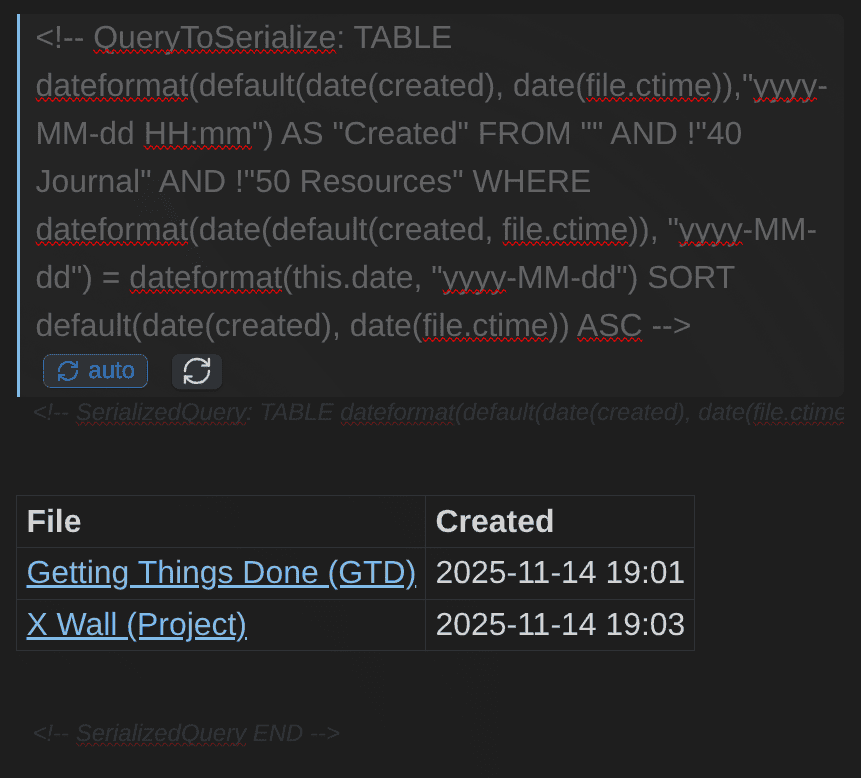
QueryToSerialize comment holds the question, and the table below it is real Markdown written into the note.What enables this is a plugin I've built: Dataview Serializer plugin for Obsidian.
 dsebastien
How the Dataview Serializer plugin works
The mechanics are simple. You write your query in an HTML comment instead of a code block:
<!-- QueryToSerialize: LIST FROM #type/book WHERE date_finished SORT file.name ASC LIMIT 5 -->
On save, the plugin runs the query through Dataview's own API and writes the output into the note, between SerializedQuery markers. The comments are invisible in reading mode and ignored by other Markdown renderers, GitHub included. The output is real Markdown. Change the query, save, and the block regenerates. The plugin compares results before writing, so unchanged queries never touch the file. That keeps git history and sync traffic clean.
Not every query should refresh the same way, so there are four directives:
| Directive | Behavior |
|---|---|
QueryToSerialize | Re-runs every time the file is saved. The default. |
QueryToSerializeManual | Refreshes only when you ask, via a command or the inline 🔄 button next to the query |
QueryToSerializeOnce | Runs once, writes the output, then never updates it again |
QueryToSerializeOnceAndEject | Runs once, writes the output, then deletes its own markers |
"Once and eject" is my favorite: a daily note template can carry a query that pulls in relevant context the moment the note is created, serializes the answer, and then removes every trace of itself. What remains is clean Markdown, as if you had typed it by hand. The note captures what was true when the query was executed and serialized.
A few more capabilities worth knowing:
- Inline queries serialize too.
<!-- IQ: =this.field -->-<!-- /IQ -->keeps a live number in a sentence and writes its current value into the file. Remember that inline queries are Dataview's quite unique feature; this makes them portable as well. TASKqueries serialize, with the checkbox markers stripped so Dataview doesn't re-index the copy and duplicate everything. You get a plain list.- Conversion commands migrate an existing vault: one converts the standard
dataviewblock at the cursor, another converts a whole file at once. You don't rewrite anything by hand. - Link format control pins serialized links to one format across devices.
This plugin is very important to my own work, and the way I leverage my knowledge base. Query results are IN my notes; not stuck in Obsidian.
Maps of Content that maintain themselves
If there is one place to apply all of this, it is Maps of Content (MoCs). A MoC is an entry point (i.e., index) into a topic: one note that gathers everything your vault knows about, say, systems thinking.
The problem with manually maintaining MoCs is that they drift over time. They're hard to maintain. You write a new note on the topic and forget to add it to the map. I did, constantly. Slowly, silently, the map stops matching the territory, and a map you cannot trust is worse than no map at all.
The Dataview + Dataview Serializer combo solves the problem. For instance, here's the query I use for my actual Systems Thinking MoC:
# Systems Thinking (MoC)

## Notes
<!-- QueryToSerialize: LIST FROM #systems_thinking AND !#type/quote WHERE public_note = true SORT file.name ASC LIMIT 3 -->
<!-- SerializedQuery: LIST FROM #systems_thinking AND !#type/quote WHERE public_note = true SORT file.name ASC LIMIT 3 -->
- [[A business is a system]]
- [[A great artist with a bad system can be beaten by a mediocre artist with a good one]]
- [[AI Wiki - PKM - Complex Thinking]]

<!-- SerializedQuery END -->
Note that I just added a LIMIT to the query above, to avoid getting a long list.
Tag any note #systems_thinking and it joins this map at the next refresh. I never edit the list manually. The tag decides membership, the query guarantees the map is complete, and the serializer writes the result down where the graph, Publish, grep and my AI agents can all see it.
One subtlety makes this work. When you tag a new note, the file that changed is that note, not the MoC, so a save-triggered refresh of the MoC never fires. The serializer has a "Folders to force update" setting for exactly this: point it at your Maps folder, and those files re-serialize whenever anything in the vault changes. The map is always complete, and it is always real Markdown.
This is not just my opinion
Two projects with no connection to me arrived at the same design independently.
SilverBullet, a self-hosted note tool, ships a feature called Baked Sections. The syntax:
<!--#lua query[[ from index.tasks where not done ]]-->
| Task | Due |
| ---- | --- |
| ...  | ... |
<!--/lua-->
A comment holding the query, real Markdown holding the result. Their reasoning is the same as mine.
MotherDuck shipped an Obsidian plugin that runs SQL in a note and then freezes the results as a plain Markdown table, with a frontmatter property to control refresh.
There's also one from the Obsidian team itself. When Obsidian Bases launched, people asked for a similar capability: "Dataview-like GUI that renders to markdown or code block"?. What is interesting is that the Obsidian CLI now enables this, just not inside the main app. The Obsidian CLI will emit a Bases view as a real Markdown table:
obsidian base:query path="30 Areas/34 Maps/34.02 Bases/Books (Base).base" format=md| Author(s) | Rating |
| ----------------------- | ------ |
| [[W. David Marx]] | |
| [[Seth Godin]] | ★★★★★ |Redirect that into a note from a cron job and you have a first-party serializer for Bases. Formats available: json, csv, tsv, md, paths.
Limitations
Serialization is a trade, not a free win:
- The output is a snapshot. It is stale between refreshes. Live-updating dashboards are exactly the wrong use case.
- A bad query bakes bad text into your notes. Dynamic queries fail visibly; serialized ones fail permanently.
TASKoutput loses its checkboxes in my plugin, stripped deliberately so Dataview doesn't re-index the copy and duplicate everything. You get a plain list.CALENDARisn't supported.- It still needs Dataview.
- Comment noise. Your source files get longer.
My recommendation: serialize indexes, MoCs, published notes, and anything an agent reads. Keep dynamic views for dashboards you look at and act on immediately.
Dataview at scale
I have ~20K notes at this point in time.
Most of the time, I don't feel any performance issues. But I do when queries return thousands of results. Complex queries may take a long time to execute too.
Some recommendations to avoid performance issues:
FROM ""scans everything. Narrow the source BEFORE you filter.FROM #type/bookthenWHEREbeatsFROM ""thenWHERE contains(tags, ...)every time.- Avoid including many queries in a single note. My old daily note template had several, and opening a daily note was visibly slow.
file.inlinksis expensive; it needs the whole link graph.
Also, while you prepare new queries, make sure to use LIMIT to avoid getting tons of results. This happened quite often to me, and with a large vault, this can actually make Obsidian unusable; to the point you have to fix the problematic note in another text editor!
The alternatives, all of them
The questions you should care about:
- How do I ask a question about my notes?
- Where does the answer go?
- How do I explore rather than query?
Obsidian Bases
The first-party answer, and where you should start in 2026. Bases live .base YAML files.
Where Bases wins: no complex query language to learn, editable cells (Dataview is read-only, and this is the biggest practical difference), Built-in view types with no Dataview equivalent, plus the ability for community plugins to add new ones (e.g., Life Tracker plugin for Obsidian, Journal Bases plugin for Obsidian, Graph Explorer Base View plugin for Obsidian, ...), column summaries, group-by, mobile support, etc.
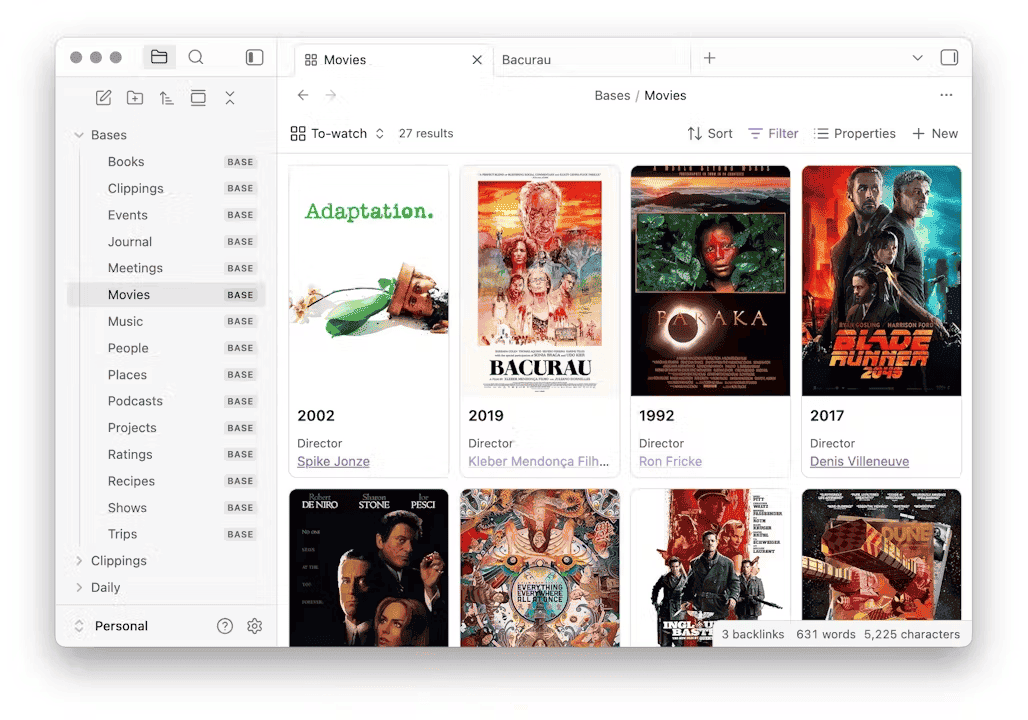
Where Bases genuinely cannot follow Dataview:
- No inline queries. No way to put a live number in a sentence.
- Rows are files. No task-level or list-item queries. The reason is architectural, and Obsidian's co-founder explained it on the forum: the metadata cache "only stores the task location and that a task exists, but it does not store the task details/text, so for bases, it's not really useful."
- No JavaScript.
- No real Markdown output from inside the app. Only manual copy or CSV export.
- No
FLATTEN. - Cross-file lookups are single-hop, and
file.backlinksrollups are documented as performance-heavy and non-auto-refreshing. - No Kanban or Calendar view built in. Community plugins fill the gap (e.g., Kanban Action Planner plugin for Obsidian).
- Nested properties unsupported, which caps what you can model.
- Not yet supported on Obsidian Publish.. Actually specifically enabled by my Dataview Serializer plugin for Obsidian; not possible with the Dataview plugin alone.
- No inline fields, so per-task metadata is structurally unreachable.
Learn more about Obsidian Bases here:
 Sebastien Dubois
Why I use both Bases and Dataview
I currently have ~30 Obsidian Bases in my vault, sitting next to 15K+ Dataview Serializer queries. The two answer different needs from the same files/metadata.
Both read the same notes and note properties. Bases takes those properties and gives you ways to explore them: filter, sort, group, edit in place, switch between views. Dataview reads that same frontmatter, covers much of the same ground, and then keeps going where Bases stops. It lets you write programs in your notes when a question outgrows any query language. And with the serializer, it writes the results into the Markdown itself.
That last capability is the one Bases cannot match, even when you embed a base in a note. The embedded base renders beautifully where you put it, but the note file still contains only the embed reference. Open that note in anything that isn't Obsidian and the data is gone. Inside the app, there is no serializer for Bases.
So the division of labor in my vault looks like this:
- Bases owns the interactive dashboards. Sorting, grouping, editable cells, Cards and Map views. Things I look at and act on immediately. I use those to track the books I'm reading, my content pipeline, my goals, projects, plans and tasks, my health/exercise data, etc
- Dataview owns what Bases structurally cannot reach. A live number inside a sentence, task-level queries, arbitrary computation, and most importantly in my case, making sure my Markdown notes contain query outputs everywhere I need those (e.g., my Maps of Content (MoCs), my person notes, my book notes, my quotes, ...).
Datacore
Datacore is the "spiritual child" of Dataview, created by the same developer. It's already available through the community plugins. But I'm not sure it's for everyone. To me, Datacore looks harder to use. It's not that well documented, and more developer focused. As the docs put it: "currently in a power-user stage focused on javascript/typescript savvy users". Also, it seems to have the same maintenance problem. Momentum doesn't seem to really be there.
It feels genuinely better than Dataview where it works: React views with state, faster queries, section- and block-level granularity, live inline editing, indexes attachments and PDFs. But the no-code query language isn't there yet (afaik), and the roadmap still has unchecked boxes for card views, grouping, and sorting. Just look at this issue to have an idea of the sort of gaps that are still there: https://github.com/blacksmithgu/datacore/pull/100 (as of August 2026).
The rest
| Tool | What it's for |
|---|---|
| Obsidian CLI | base:query with format=md emits a Bases view as a real Markdown table (also json, csv, tsv, paths). Scriptable from a cron job, but Obsidian must be running. |
| Templater plugin for Obsidian | Generates real Markdown once, at creation time. Portable, zero render cost, stale by design. |
DuckDB markdown extension | Real SQL over your vault: joins, window functions, GROUP BY, PIVOT, and COPY TO ... FORMAT MARKDOWN round-trip. Works with Obsidian closed. Caveat: its frontmatter reader is a line-splitter, so arrays and nested YAML need a yq pass. |
| ripgrep + jq + yq | Content search, frontmatter extraction, pipelines. No link graph, no joins. Works with Obsidian closed. |
| Metadata Menu plugin for Obsidian | Typed field schemas, and injects editable controls into Dataview tables. |
| Meta Bind | Input fields bound to frontmatter. Writes, which none of the query tools do. |
| JS Engine | The maintained replacement for DataviewJS-as-scripting. Bring your own data. |
| Waypoint / Index Notes | Auto-generated indexes as real Markdown. Folder-based and tag-based respectively. Waypoint was the inspiration behind my Dataview Serializer plugin for Obsidian |
| Tracker | Time series and heatmaps from text patterns Dataview cannot reach. Alive after a real handoff. |
| Breadcrumbs | Typed relationships and hierarchy. |
| qmd | Semantic search. Answers "what is about X", not "which notes have field Y". Different question. |
And there's an entire graveyard of plugins too:
| Dead tool | Fate | Data format |
|---|---|---|
| DB Folder | archived silently, de-listed, README still reads as live | frontmatter |
| Projects | archived, transferred out of the author's account, de-listed. Officially replaced by Obsidian Bases | views in plugin data.json |
| DataLoom | archived | proprietary .loom JSON |
| Dataedit | archived. Author's own note says use Bases | n/a |
| Zoottelkeeper | no commit since March 2022. Still installable today | real Markdown |
| Juggl | no functional commit since November 2023. Still installable | render only |
Which one should you use?
| Your need | Use | Why |
|---|---|---|
| Dashboard with sorting, grouping, editable cells | Bases | First-party, editable, fast, mobile, no query language |
| A live number inside a sentence | Dataview inline query | Nothing else can do it |
| Task rollups across notes | Dataview TASK, or Kanban Action Planner plugin for Obsidian | Bases rows are files; the cache has no task text |
| A published or portable index | Dataview Serializer plugin for Obsidian | Neither Bases nor Dataview nor embedded search renders on Publish |
| Joins, window functions, real aggregation | DuckDB | Actual SQL, works with Obsidian closed. I personally don't need this |
| Output an AI agent can read | **Dataview Serializer plugin for Obsidian**, or obsidian base:query format=json | An agent reads bytes, not renders |
| Anything with Obsidian closed | rg / jq / yq / DuckDB, plus any real-Markdown output | |
| Huge vault | Bases, and/or Dataview queries with a LIMIT | |
| Charts and time series | Tracker | Obsidian Charts is orphaned |
| Typed hierarchy | Breadcrumbs | Dataview has no concept of hierarchy |
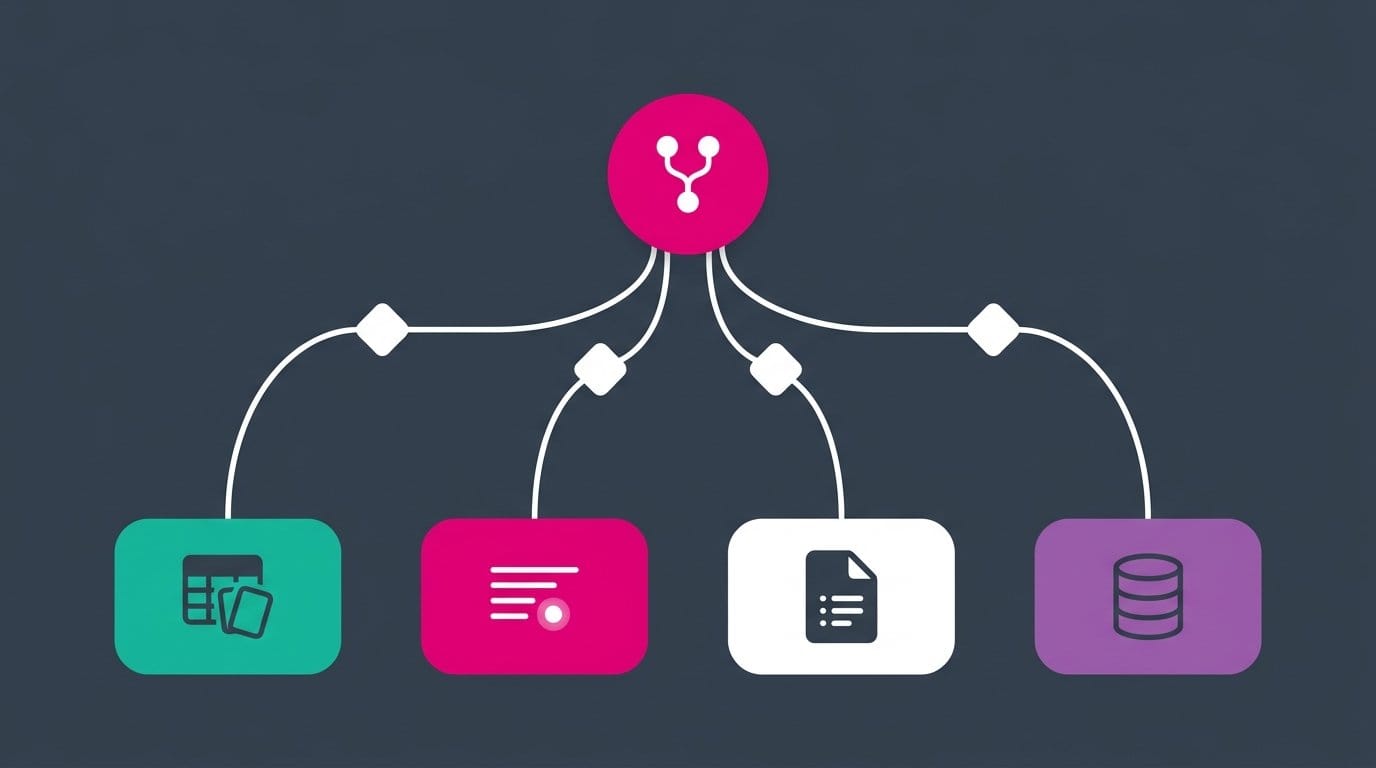
If you want one sentence: build dashboards in Bases, keep Dataview for inline queries and tasks, and serialize anything that needs to outlive the render.
Migrating from Dataview to Bases
If you decide to move, here is the honest mapping:
| Dataview | Bases |
|---|---|
query type (TABLE, LIST) | view type (table, cards, list, map) |
FROM | filters |
WHERE | filters conditions |
SORT | view order |
GROUP BY | view groupBy |
| computed columns | formulas |
sum() / average() over groups | summaries |
FLATTEN | no equivalent |
| inline queries | no equivalent |
TASK | no equivalent |
| DataviewJS | no equivalent |
What actually blocks migrations, in order: inline fields (Bases only reads frontmatter, so per-task metadata is unreachable), inline queries in prose, and task queries. If your vault leans on any of those, you will be running both for a long time.
Sharp edges and gotchas
This is the longest section in the article, and I make no apology for that. Almost everything below fails silently.
The one that got me while writing this article
Inline fields inside fenced code blocks are still indexed. Dataview's file scanner skips only two section types (list and ruling); code sections are read like prose.
If you write documentation, tutorials, or code-heavy notes, this is quietly polluting your metadata right now. Audit it:
```dataviewjs
dv.list(dv.pages().flatMap(p => Object.keys(p)).distinct())
```
Any key you don't recognize is coming from somewhere like this. Escape the colons in examples, or keep syntax examples in a folder your queries exclude.
Fields that don't parse, or parse into something else
- A bare field is destroyed by any bracketed field on the same line.
key:: value with [other:: x]indexes onlyother. Bracket everything, or nothing. - Two bracketed fields with no space between them lose the second.
[a:: 1][b:: 2]gives you onlya.[a:: 1] [b:: 2]gives you both. - Any prose line whose text before
::is all word characters becomes a field.Some sentence with key:: valuecreates a field namedsome-sentence-with-key. So does### Heading:: v. - Comments do not protect you, and their delimiters bleed into the value.
<!-- key:: value -->indexeskeywith the valuevalue -->. A commented-out field is still a field. - Markdown table cells leak.
| cell:: value | other |givescellthe valuevalue | other |, swallowing the rest of the row. - Link labels create fields.
[key:: value](https://example.com)produces a real field namedkey. _italic_keys are not stripped, and the docs are wrong about this.**k**::,*k*::,~~k~~::all give you the keyk. But_k_::gives you the key_k_, because the underscore survives the leading strip and not the trailing one.- The bare-key character set is narrow, and violations fail silently.
Field.Name::,Field,Name::,Field#Name::and[[Link]]::produce no field at all. Inside brackets, only parentheses and square brackets are forbidden, so[Field.Name:: 1]works fine. - Bare emoji keys produce an unqueryable field with an empty name.
🎅:: santagives you a field called"". Bracket it.
Types that aren't what you typed
- Unquoted comma-separated text is NOT a list.
author:: Smith, Johnis one string,"Smith, John". Numbers and links do split:1, 2, 3becomes a list, and so does[[A]], [[B]]. Text needs quotes. This meanslength(author)returns the character count, andcontains(author, "John")works only by substring accident. - Auto-typing destroys leading zeros.
01234becomes the number1234. Zip codes, invoice numbers and IDs get silently mangled. Quote them. nullas a value becomes the string"null", soWHERE k = nullis false.yesandnostay strings, not booleans.1e5,10:30,100%and3-4all stay strings.- The same key in frontmatter and inline concatenates. Frontmatter
status: openplus inlinestatus:: closedgives you["open", "closed"], frontmatter first. SoWHERE status = "closed"matches nothing, and your table cell shows a two-item bullet list. Detect it withWHERE typeof(status) = "array". _and-canonicalize differently.My Fieldbecomesmy-field, butMy_Fieldbecomesmy_field.- The canonical alias is suppressed if a literal field already owns that name. A note with both
my-field:: literalandMy Field:: spacedexposes onlyliteraltoWHERE my-field. The other is reachable only asrow["My Field"]. Never mix spellings of one concept.
Names Dataview will take from you
- A field named
fileis unreachable. The implicitfileobject wins; your value disappears. - On list items, fields named
text,line,path,section,tags,link,children,task,parent,positionand about ten others are silently dropped. - On tasks,
[completed:: 2026-01-01]gets clobbered into a boolean. Dataview assignsstatus,checked,completedandfullyCompletedafter merging your fields. Your date is re-exposed ascompletion. Read task dates fromcompletion, nevercompleted. - Bare
tagsis notfile.tags. They are different values with different shapes, andtagswon't have the#prefixes. Always usefile.tagsorfile.etags.
Null semantics
- A typo'd field never errors. Unknown identifiers evaluate to
null, soWHERE stauts = "done"returns zero rows. null <= date(today)is true, so naive date filters include everything unset.- Truthiness is not presence. The string
"0"is truthy but the number0is not.[null]is truthy but[]is not. So a bareWHERE fieldcannot mean "this field exists". UseWHERE typeof(field) != "null". sum()andaverage()throw on a null, they don't skip it. One note missing the property turns your whole column intoNo implementation found for 'number + null'. Wrap it:sum(nonnull(rows.hours)).length(null),length([])andlength("")are all 0. You cannot tell missing from empty that way. Usetypeof(f) = "array" AND length(f) = 0.default()andchoice()disagree about "empty", and both vectorize over lists.default()tests only for null, sodefault("", 5)gives"".choice()tests truthiness, sochoice("", 1, 2)gives2. Anddefault(tags, "untagged")does nothing at all for an empty list. Useldefault()whenever the field might be a list.- Vacuous truth.
all([])is true andnone([])is true, soWHERE all(...)silently passes notes with zero rows. renderNullAsleaks out of table cells. Its default is\-, and that string escapes into computed values:null + "x"gives\-x, andjoin(list(1, null, 2))gives1, \-, 2. Calldefault(x, "")before concatenating.- Null sort order has flipped twice. Version 0.4.23 moved nulls to the end; 0.5.24 moved them back to the front. Today, nulls sort first on ascending. If it matters, be explicit:
SORT default(priority, 99) ASC. - Three different empty shapes. In frontmatter,
a:is null,b: ''is an empty string, andc: []is an empty list. Two notes can look identical in the Properties panel and behave differently in a query.
Performance
- Negative sources degrade badly on large vaults.
FROM "" AND !"foo"has a known problematic case past roughly 4,000 notes. Prefer positive inclusion. FROM ""scans everything. Narrow first, filter second.file.inlinksis expensive; it needs the whole link graph.- Many queries in one note each pay full cost on every open.
- Automatic refresh re-runs queries after every vault change, and the setting's own description admits it can break embeds inside views.
Miscellaneous
LIMITbeforeSORTsorts the wrong subset. Keep in line that it is a pipeline.dateformat()returns a string, so it never equals adate().average(), notavg(). Noutctime(), nofirstwhere(), nocsv()source.- Quoted YAML links work for Dataview and disappear from your graph.
file.tagsexplodes subtags (#a/b/cgives three entries);file.etagsdoes not.regexmatchanchors the whole string. Useregextestto match anywhere.dv.pages("folder")returns nothing. Folders need nested quotes:dv.pages('"folder"').dv.view()cannot read dot-directories.subtasks,realandheaderare deprecated aliases forchildren,taskandsection.- Excluded files in Obsidian's settings, and anything in a dot-folder, are invisible to Dataview. This is also why a naive
grepcount and a Dataview count disagree. - An inline DQL result stored in a field saves the formula, not the value.
duration:: = this.end - this.startdisplays a number butWHERE duration > 5never matches.
FAQ
Is Dataview still maintained? Not actively. Version 0.5.70 shipped in April 2026 as a beta, and there have been no commits to master in the 12 months since, with >600 issues open. It is not archived and carries no deprecation notice, and it still works. Treat it as stable but frozen. I personally don't mind because it's stable and works well. Also, my data is safe since everything is serialized. If it gets abandoned, then I'll build my own replacement ;-)
Should I switch from Dataview to Bases? For dashboards, yes: Bases is first-party, faster, editable in place, and needs no query language. Keep Dataview if you rely on inline queries inside prose, task-level queries, inline key:: value fields, or DataviewJS. Those four have no Bases equivalent today. Also, keep in mind that serializing query results IS important and valuable.
Why does my Dataview query return nothing? In order of likelihood: the field name is sanitized differently than you typed it; you are comparing a string to a date; your source is wrong (folders need quotes and the full path from the vault root); the property is in a file excluded in Obsidian's settings or in a dot-folder; or you wrote a dataviewjs block without enabling JavaScript queries.
Why does my "overdue" query show tasks with no due date? Because null <= date(today) is true. Add typeof(due) = "date" to the WHERE clause.
Why is nothing happening in my dataviewjs block? JavaScript queries are disabled by default. Turn on "Enable JavaScript queries" in the Dataview settings, and the separate inline toggle if you use $=.
Do Dataview links show up in the graph? No. Query output is rendered, not written, so it creates no links and no backlinks. This is a long-standing open issue. If you want the links in your graph, the output has to become real Markdown. You can do that using my Dataview Serializer plugin for Obsidian
Does Dataview work on Obsidian Publish? No. Published notes show an empty block where the query was. Embedded core search results also do not render, and Bases is not supported on Publish yet either. You can use my Dataview for this.
Can AI agents read my Dataview results? Not from your files. An agent reads the raw Markdown, so it sees the query, never the answer. Either use my plugin to serialize the output to Markdown, or give the agent a path that runs the query itself, like obsidian base:query ... format=json or the Dataview API through obsidian eval.
Can I query Dataview from the terminal? Only indirectly. The Obsidian CLI has no Dataview command that you can use to execute queries. You can reach the API with obsidian eval code="app.plugins.plugins.dataview.api.pages('#tag').length", but only while Obsidian is running.
Can I use Dataview without Obsidian running? No. It is a plugin inside the app. For querying with Obsidian closed, use ripgrep, yq, DuckDB's markdown extension, or read the serialized output.
How do I keep a Map of Content complete and up to date? Stop curating the list by hand. Give the topic a tag, build the MoC from LIST FROM #topic, and serialize the result so the links are real Markdown. Then add your Maps folder to the serializer's "Folders to force update" setting, so the map refreshes even when the change happened in another note. Membership becomes a tagging decision instead of a maintenance chore.
What is the difference between frontmatter and inline fields? Frontmatter is YAML at the top of the note and is what Obsidian Properties and Bases understand. Inline fields are Key:: Value anywhere in the body, are read only by Dataview, and are the only way to attach metadata to a single task or list item.
How do I average a number in DQL? average(array). There is no avg() function in the query language, though avg() does exist as a DataviewJS array method.
Is Datacore ready? No. Right now, it's aimed at power users & people comfortable with TypeScript.
Is DataviewJS a security risk? It runs arbitrary JavaScript with full access to your vault. Review any snippet before pasting in your notes.
Getting started
A few simple steps to get started:
- Install Dataview from Community plugins.
- Turn on Enable JavaScript queries
- Add one real property to ten notes. For example,
status, ordate_finished. - Add a tag like
type/your-tagto a few notes - Write your first query:
LIST FROM #your-tag. - Turn it into a
TABLEwith one column. - Try clauses like
SORTandLIMIT.
Where to go next
- Learn
GROUP BYwith swizzling (rows.file.link). - Learn
FLATTENfor anything involving lists or per-task fields. - Serialize your Maps of Content, so your graph starts telling the truth.
- Point an AI agent at a serialized note and at a dynamic one, and watch the difference.
- Read the full reference in my Dataview note.
My rules for querying a vault
- Fix the properties before blaming the query. Most broken queries are broken schemas. Start here: Obsidian Properties
- Type-check every comparison.
nullis truthy in the wrong direction. - Narrow the source, then filter.
FROM #tag WHERE xbeatsFROM "" WHERE contains(...). - Remember it is a pipeline. Commands run in the order you wrote them.
- Build dashboards in Bases. Save Dataview for what only Dataview can do.
- Serialize anything that must outlive the render. Indexes, MoCs, published notes, agent-readable notes.
Conclusion
Dataview taught a generation of Obsidian users that a folder of Markdown files is a database. That idea outlived the plugin's own development, and it is now core to Obsidian through Bases. That is a real legacy. But beyond that legacy, Dataview still has unique features that enable important use cases.
A query is a question, and questions are cheap. What you want to keep are the answers; not only the questions. Query what you need. Then make sure the results are written down in your own files, in plain Markdown, where the graph can see them, where a browser can render them, where grep can find them, and where anything you build next can read them.
Want a solid system to build upon? My Obsidian Starter Kit ships the note types, properties, templates, Dataview queries, Bases, AI skills that make all of this work together out of the box.
 Dwayne Appleby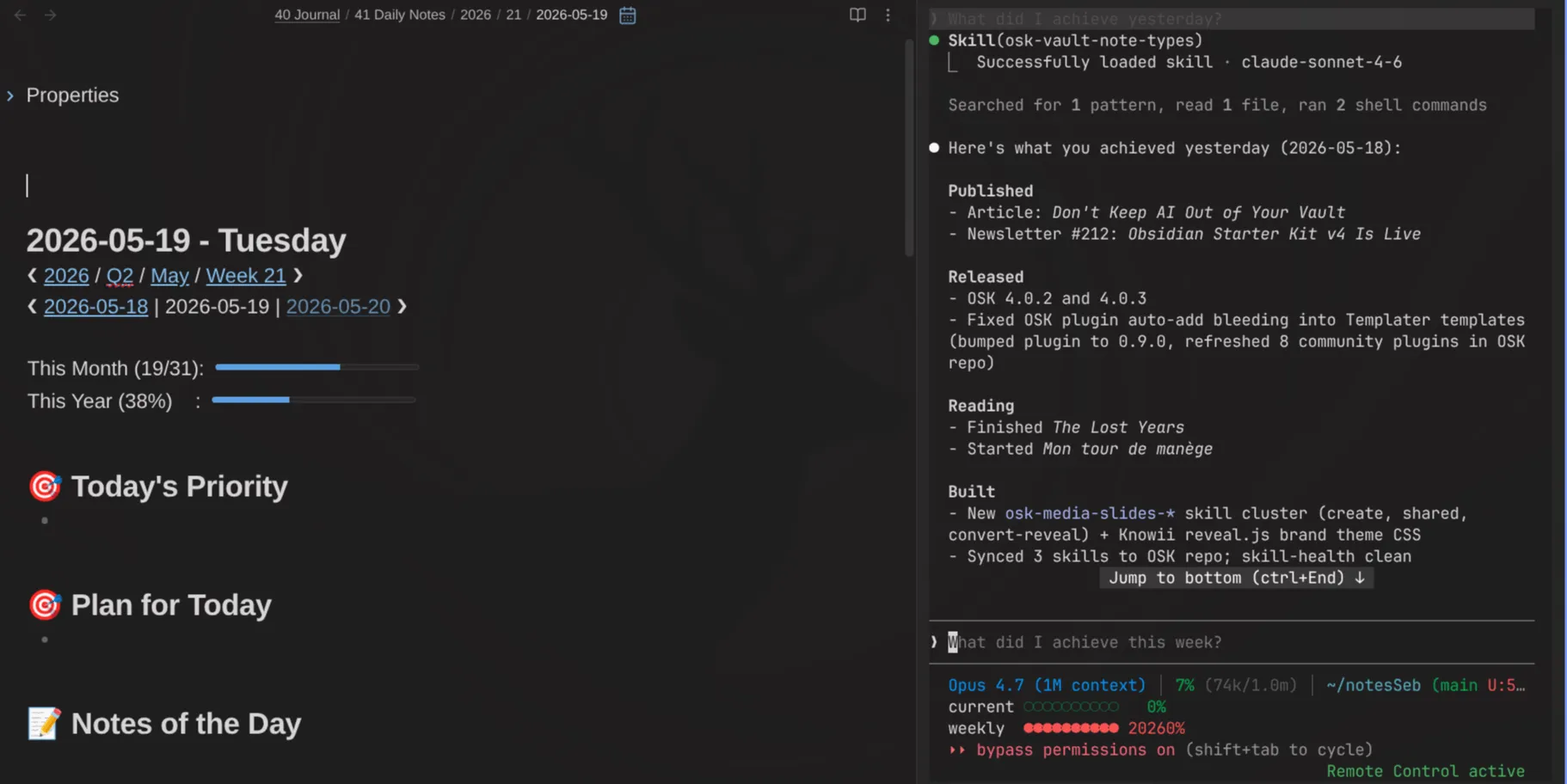
If you'd rather learn the foundations first, my Knowledge Management for Beginners course covers properties, queries and the practices that keep a knowledge base useful for decades.
 Olivier Larue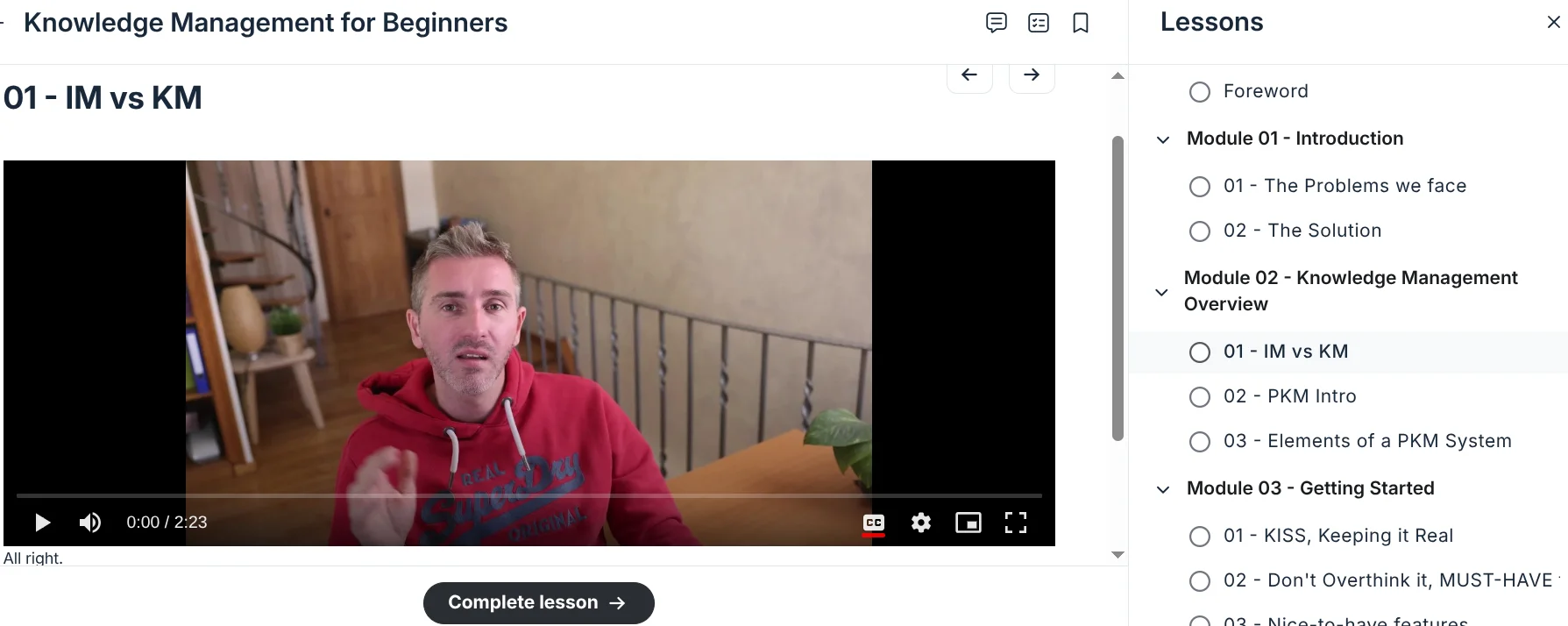
And if you want to talk this through with people building the same kind of systems, come join us in the Knowii community.
 Sofia
Sofia
For more like this, subscribe to my newsletter.
 By
By
That's it for today! ✨
References
- Dataview documentation: https://blacksmithgu.github.io/obsidian-dataview/
- Dataview source: https://github.com/blacksmithgu/obsidian-dataview
- Datacore: https://github.com/blacksmithgu/datacore
- Obsidian Bases documentation: https://help.obsidian.md/bases
- Bases syntax: https://help.obsidian.md/bases/syntax
- Bases functions: https://help.obsidian.md/bases/functions
- Obsidian CLI: https://help.obsidian.md/cli
- Dataview Serializer documentation: https://dsebastien.github.io/obsidian-dataview-serializer
- Community example vault: https://s-blu.github.io/obsidian_dataview_example_vault
- Dataview plugin for Obsidian
- Dataview Serializer plugin for Obsidian
- Datacore plugin for Obsidian
- Obsidian Bases
- The Complete Guide to Obsidian Properties (Article)
- The Complete Guide to Templates and Templater in Obsidian (Article)
- The Complete Guide to the Obsidian CLI - Everything You Can Do From the Terminal (Article)
- How I Turned 20,000 Notes Into Live Dashboards With Obsidian Bases (Article)
- Dataview Serializer 2.0 - Powerful Queries Without Sacrificing Data Portability (Article)
Related
- Obsidian
- Obsidian Properties
- Obsidian Starter Kit
- Templater plugin for Obsidian
- Michael Brenan
- Steph Ango
- qmd
- Markdown
- Knowledge Management for Beginners
Go further
This guide is part of my Obsidian deep dives series. Each piece stands on its own, but together they build one system. Here are the others:
 Sébastien Dubois
 Sébastien Dubois
 Sébastien Dubois
About Sébastien
Ready to get to the next level?
Found this valuable? Share it with someone who needs it.