
Design Your Ideal Week in Obsidian


In this article, I want to show you two new features I've added to the Kanban Action Planner plugin for Obsidian: a triage mode to decide what matters on a crowded board, and an ideal week mode to plan how you actually want to spend your time.
Introduction
I plan all my work inside Obsidian. My goals, projects, tasks and content pipeline live in notes, and the Kanban Action Planner turns those notes into boards, calendars and timelines. I explained the whole system in How I Turned My Obsidian Notes Into Kanban Boards.
That setup works. But after a few months of daily use, two problems kept coming back:
- My boards got overwhelming. When a column holds 40 cards, dragging them around one by one is tedious, and it's hard to see what really matters now
- My plans ignored my time. A board tells you what to do. It says nothing about when you'll actually have the hours to do it
So I built two features to fix that. I also recorded a short video walkthrough:
Triage mode: one card at a time
My board is organized across time. The columns are time horizons: this year, this quarter, this month, this week, in progress. Moving a card to the left means pushing it back. Moving it to the right means committing to it sooner.
Triage mode turns that into a quick decision loop. Click the triage button on any column, and the plugin shows you the cards of that column one at a time:
- Left: push the card back to the previous column
- Right: move it forward to the next column
- Down: keep it where it is
- Or click any status to jump the card directly there
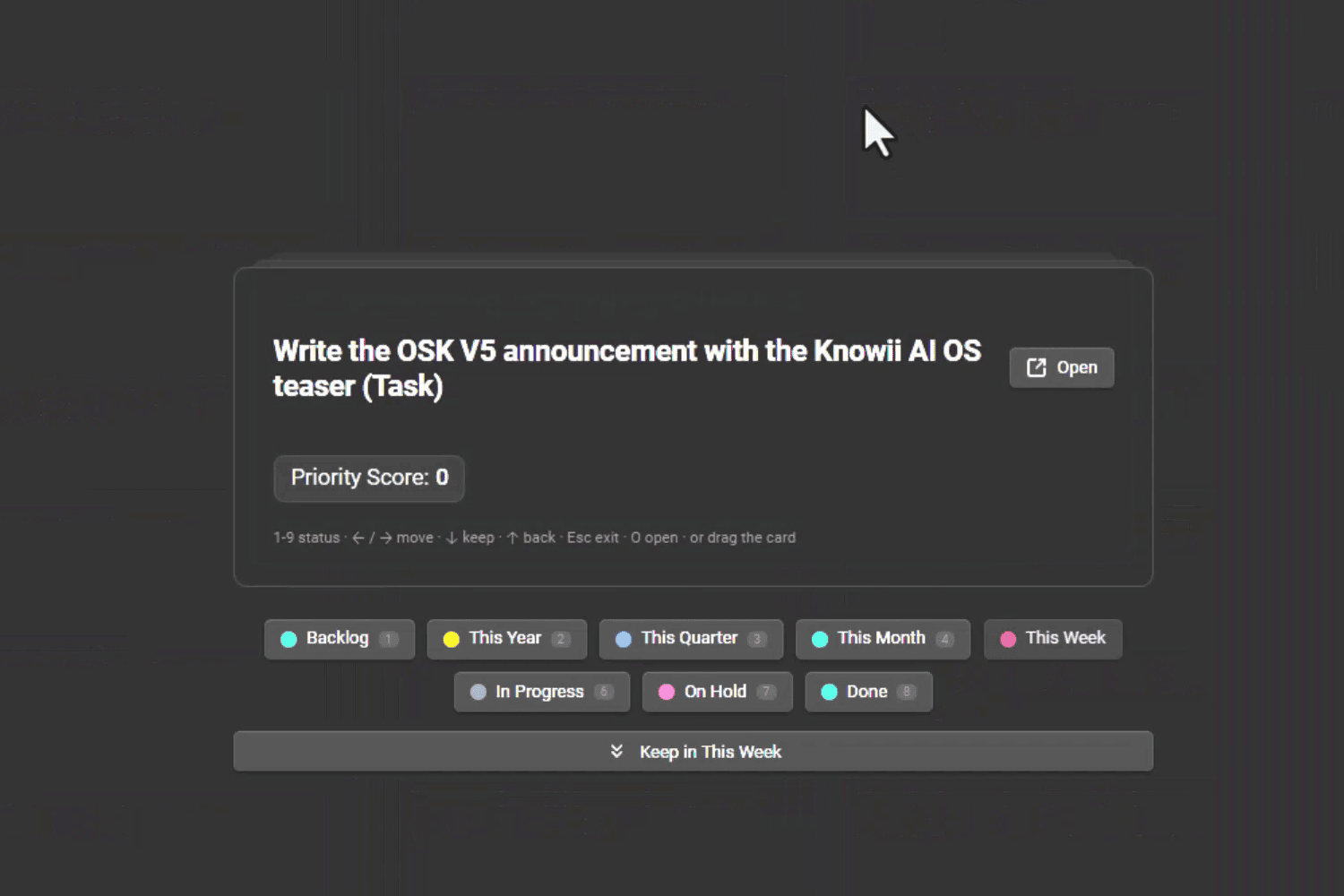
You can drag the card left or right, use the arrow buttons, or use the keyboard. Once you've gone through the whole column, you're back on the board, sorted the way you want.
It's a quality of life feature. But it changes how often I actually review my backlog, because it no longer feels like a chore. Going through my "This Month" column takes a couple of minutes instead of a messy drag-and-drop session.
Ideal week mode: plan how you want to spend your time
The second feature is bigger. The ideal week mode shows a weekly grid, Monday to Sunday, and lets you place your activities on it.
In my system, activities are the things I spend time on: my day job, writing articles, running, piano practice, reading, my YouTube channel, and so on. Each activity is linked to my goals and ongoing projects. So every block on the grid answers one question: what is this time actually for?
The list on the left shows the activities that don't have a slot yet. Select one, put it on the grid, and the time block is saved in the note. Let's say I want to practice piano on Tuesdays at 8 in the evening: I drop the card there, and it's done.
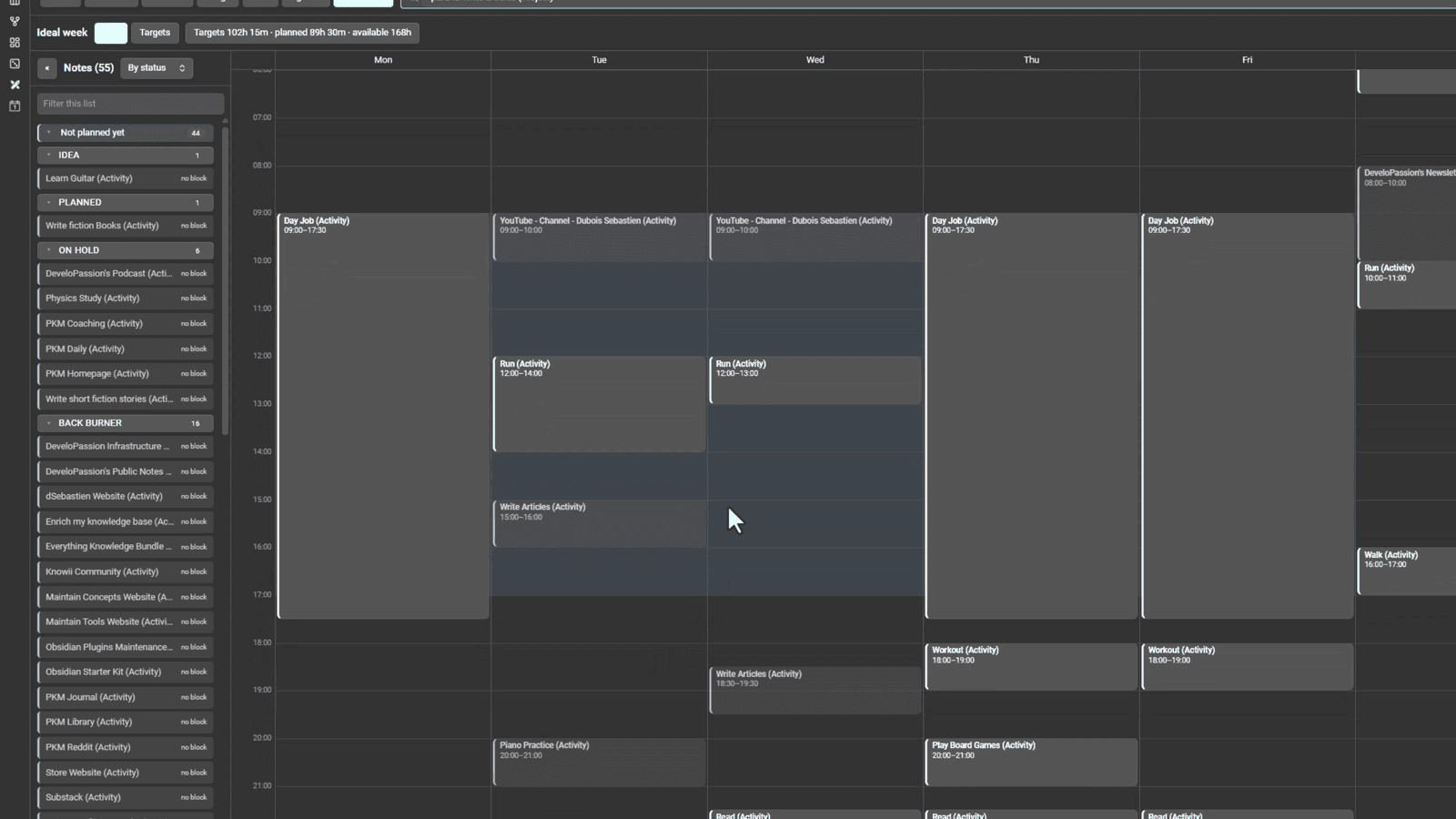
The header also compares what you want to spend on your activities with what you've planned, against the 168 hours a week actually has. That's usually where reality hits.
An ideal week is not a calendar
This might sound like a strange thing to say about a planning feature, but you are not supposed to follow your ideal week minute by minute.
I'd say that 80% of the time, the week won't go as planned. Things happen. That's fine, and it's not the end of the world.
The value is elsewhere:
- It forces you to think mindfully about your time, based on your current priorities, goals, projects and tasks
- It gives you a sense of direction. You know what a good week looks like for you
- It gives you a clear signal when you're really not doing what you should be doing
It's like Time blocking, but without the calendar. A vision of how you want to spend your time, not a schedule you have to obey. I strongly believe that this exercise alone is worth the 20 minutes it takes.
How to try it
The Kanban Action Planner is free and open source. Install it from the Obsidian community plugins by searching for "Kanban Action Planner". The documentation is here: https://dsebastien.github.io/obsidian-kanban-action-planner

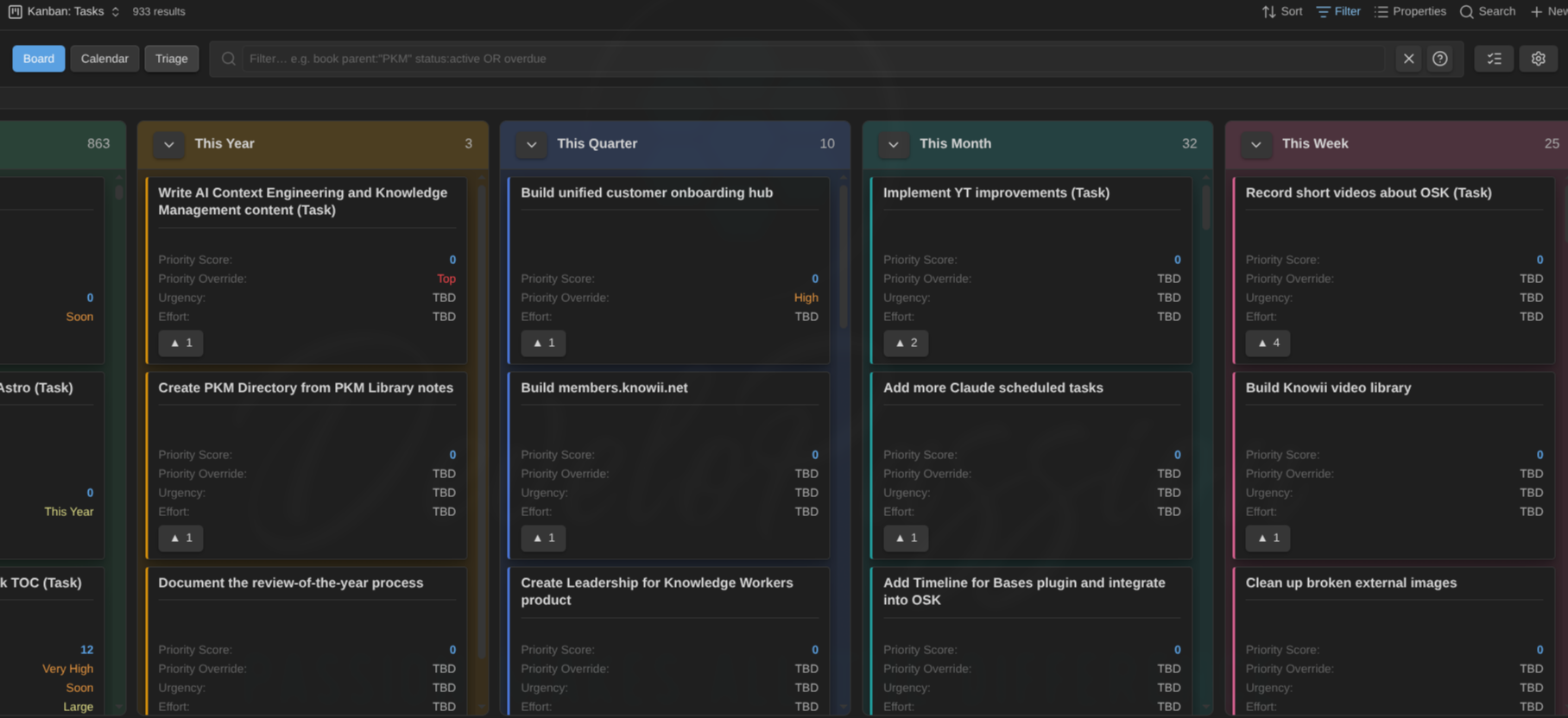
Both modes work on top of Obsidian Bases and your note properties. Triage changes the status property of your notes. The ideal week stores time blocks on your activity notes. Everything stays in plain Markdown files, readable by you and by any AI agent.
If you want the note types, boards, and activities pre-configured, that's exactly what the Obsidian Starter Kit gives you: https://obsidianstarterkit.com


Conclusion
A crowded board and an unrealistic plan have the same root problem: you never stop to decide. Triage mode makes deciding fast, one card at a time. The ideal week makes you decide how your time should be spent, even if the week has other plans.
Give it a try, design your own ideal week, and let me know how it goes.
That's it for today! ✨
Go Further
 Sébastien Dubois
About Sébastien
Ready to get to the next level?
Found this valuable? Share it with someone who needs it.