
How I Turned My Obsidian Notes Into Kanban Boards

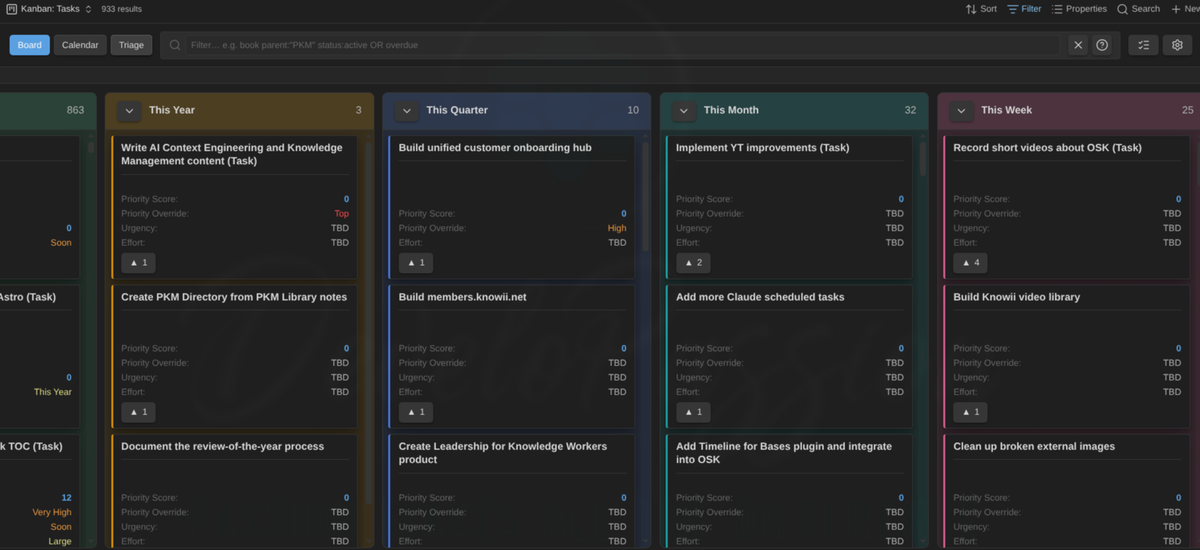
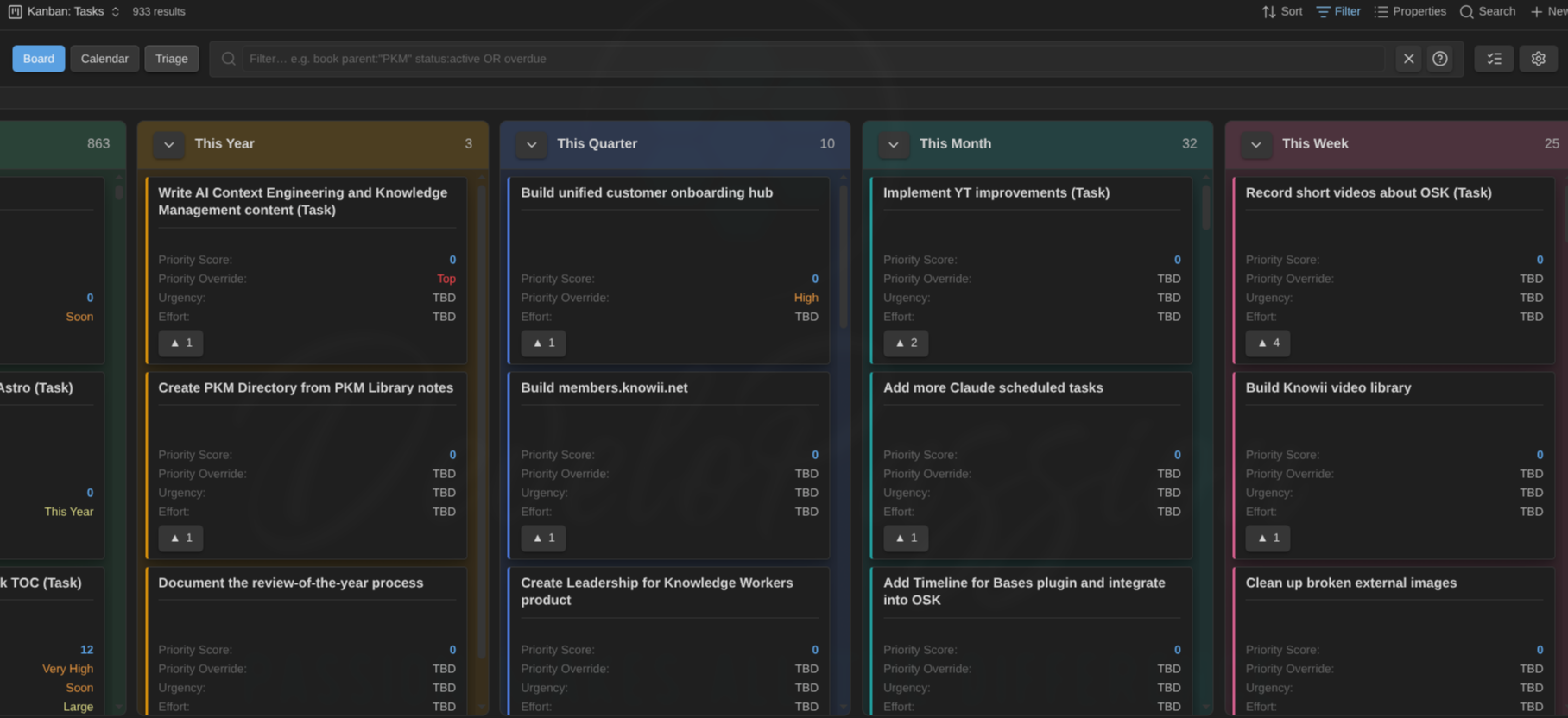
In this article, I want to show you how I plan my work inside Obsidian without ever leaving it: Kanban Boards that run directly on top of my own notes. No separate app, no copy-pasting between tools, no second source of truth to keep in sync.
Introduction
I've been managing all of my tasks in Obsidian for a few years now. Gone are the days where I needed separate task management apps.
About a year ago, I started using Obsidian Bases and created multiple ones for my Action System that combines Goals, Plans, Projects and Tasks. I included the whole system into my Obsidian Starter Kit so that others could benefit.
This approach serves me well, but the limitations have become really annoying. I wanted to go further and make my life easier.
This is why I've just built a new plugin: the Kanban Action Planner plugin for Obsidian.
 dsebastien
This new plugin builds on something I wrote about recently. If you haven't read how I turned 20,000 notes into live dashboards with Obsidian Bases, start there. This plugin builds upon Obsidian Bases to create a powerful space where you can manage everything you want to focus time and energy on.
The problem with flat lists
Here's the thing about managing work in a note-taking app: most of us end up with long, flat lists. A list of tasks. A list of projects. A list of article or video ideas that never seems to shrink. Lists are fine for capture, but they're terrible for organizing yourself and moving things forward. You can't see at a glance what's in progress, what's blocked, what's due this week, or what's been sitting half-done for two months.
Kanban boards solve exactly that. Columns show status. Cards move from one column to the next as the work progresses. You see your whole pipeline in one view.
Costly or limited alternatives
For many people, the obvious solution is using another app or SaaS solution. But the problem is that this creates a split brain situation. A part of your knowledge lives in one tool while the rest lives elsewhere. And trying to synchronize across applications is a maintenance nightmare. And don't get me started on the associated costs!
The problem, until now, was that getting a real Kanban board in Obsidian usually meant a separate plugin with its own storage, its own format, its own copy of your data, or severe limitations.
The first one I used was the Kanban plugin for Obsidian. I still use it from time to time, but that plugin cannot do much except convert a note with flat lists into a visual Kanban board. This works and scales well to a few hundreds tasks, but no further.
More recently, I started using the TaskNotes plugin for Obsidian, which I highly recommend. That plugin fully embraces the idea that each task should actually be a note in the system. And that's a highly valuable idea, because each "task note" can contain context about the task, link to related elements, external links, and of course useful metadata.
Unfortunately, I've stumbled upon certain limitations that were really problematic for me. Specifically, the TaskNotes plugin only supports one set of task statuses. But in practice, my own system contains different types of notes, and many of those have different workflows, requiring different sets of statuses. So, even if TaskNotes is great and provides a Kanban Board out of the box, that one can only support one part of my system: Tasks. But that doesn't cut it for me. I need to prioritize and track my work at different abstraction levels; from goals down to tasks. And not just for fun; because I need clarity on the work that actually deserves my attention and focus.
What the Kanban Action Planner is
The plugin adds a powerful Kanban board view to Obsidian Bases. You point an Obsidian Base at any set of notes (tasks, projects, articles, videos, goals, whatever you keep as notes) and you get a board. A status property you define becomes the columns. You drag a card from one column to another, and the new status gets written straight back into that note's frontmatter. Reorder a card, change a date, add a relationship: all of it lands in your Markdown. Nothing lives in a hidden database.
That's the core idea. Your notes stay the source of truth. The board is just a lens that lets you rearrange them. But it's way more powerful than that...
Three modes: board, calendar, triage
The plugin actually gives you multiple ways to interact with the same set of notes.
The board
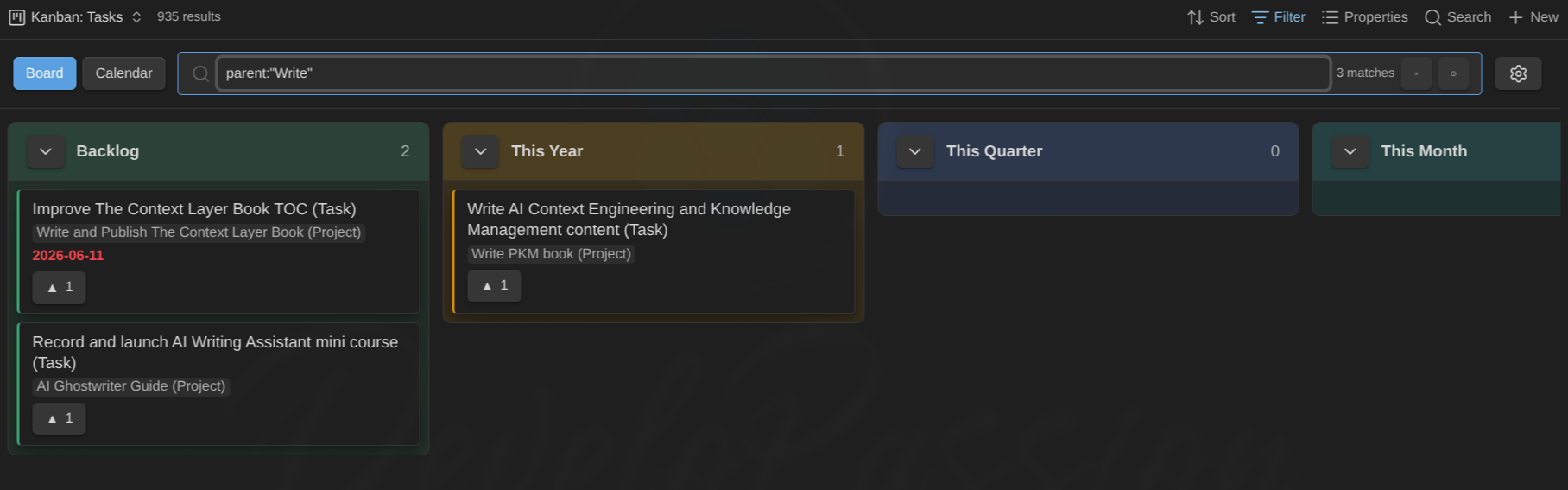
This is the heart of the plugin. Drag cards across columns to change their status. Reorder within a column. Auto-sort by any property, or even by a Base formula like a priority_score. It scales too: collapse the columns you're not working on to keep a large backlog out of the way.
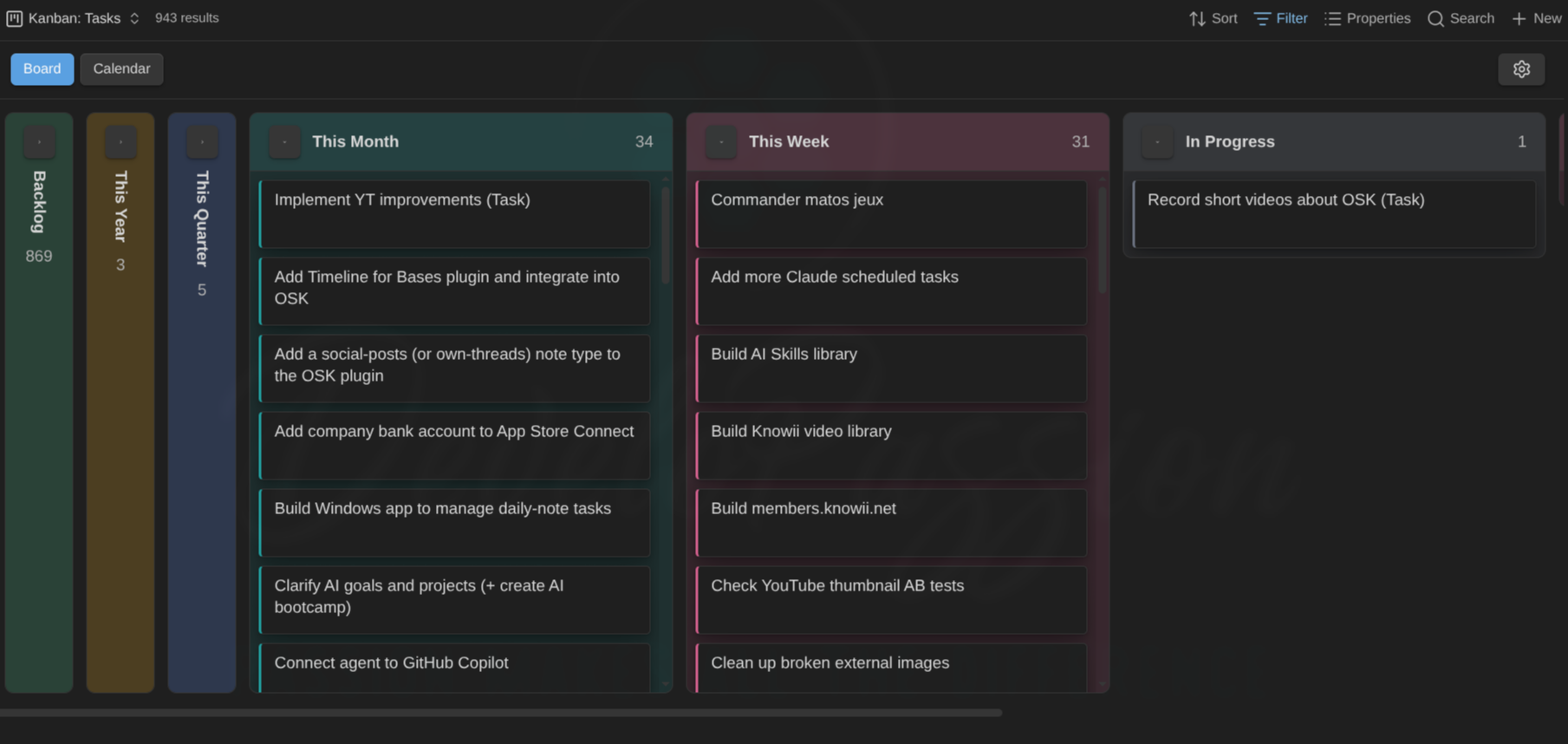
Split the board into multiple swimlanes by note type or any property, so you can see your projects grouped by area, or your tasks grouped by priority.
Filter as you type with a compact search feature (e.g., status:active OR due:overdue), and visualize the relationships. In the example below, we list all elements whose parent includes "White", and the buttons on the cards make it easy to open the parent(s):
The calendar
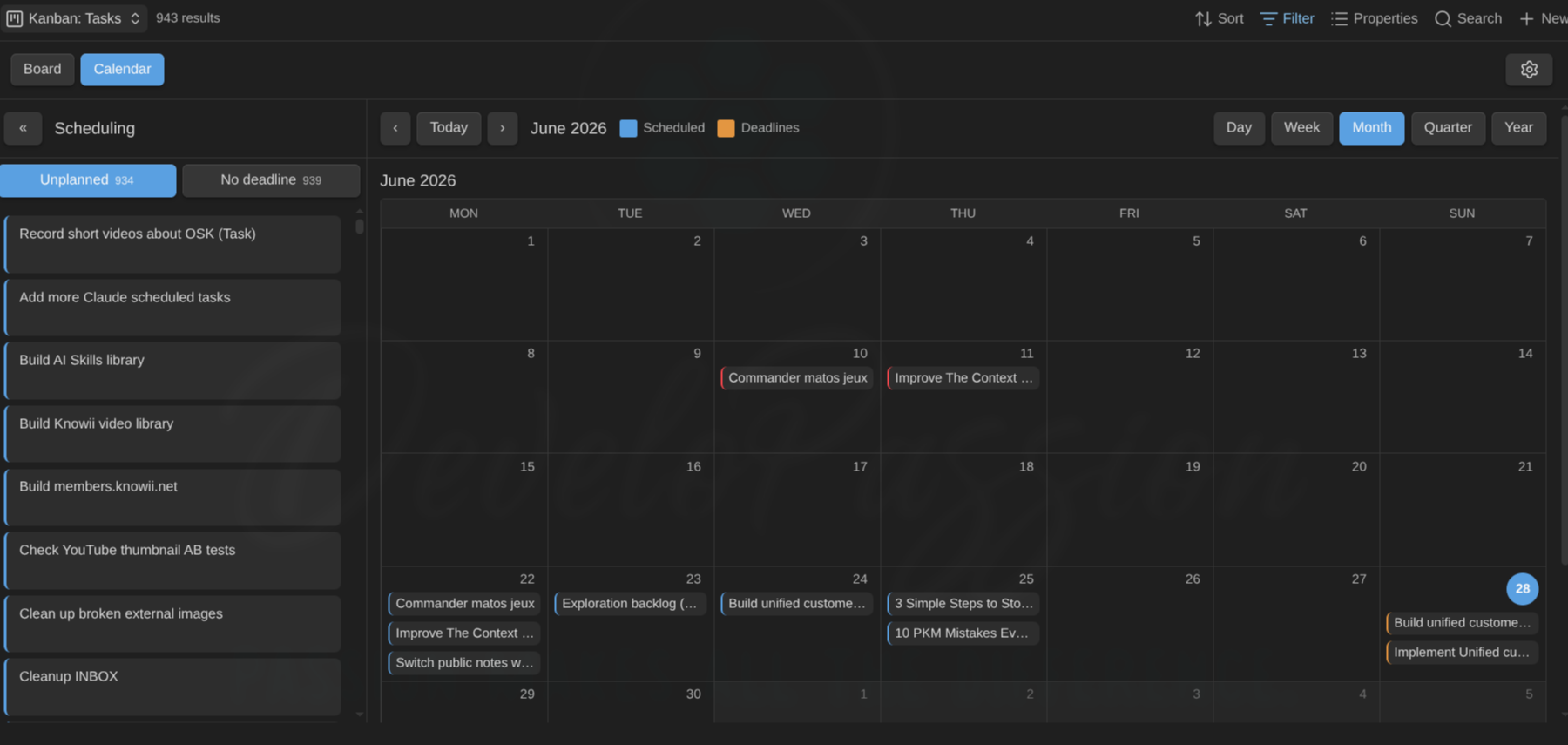
Now flip that exact board into a calendar. Same notes, same filters, but plotted across days, weeks, months, even quarters and years. Drag a card onto a day to set its scheduled date or its deadline. This is where planning stops being abstract. You're not just deciding what matters, you're deciding when it happens, and writing that decision back into your notes as you go.
Triage and prioritization
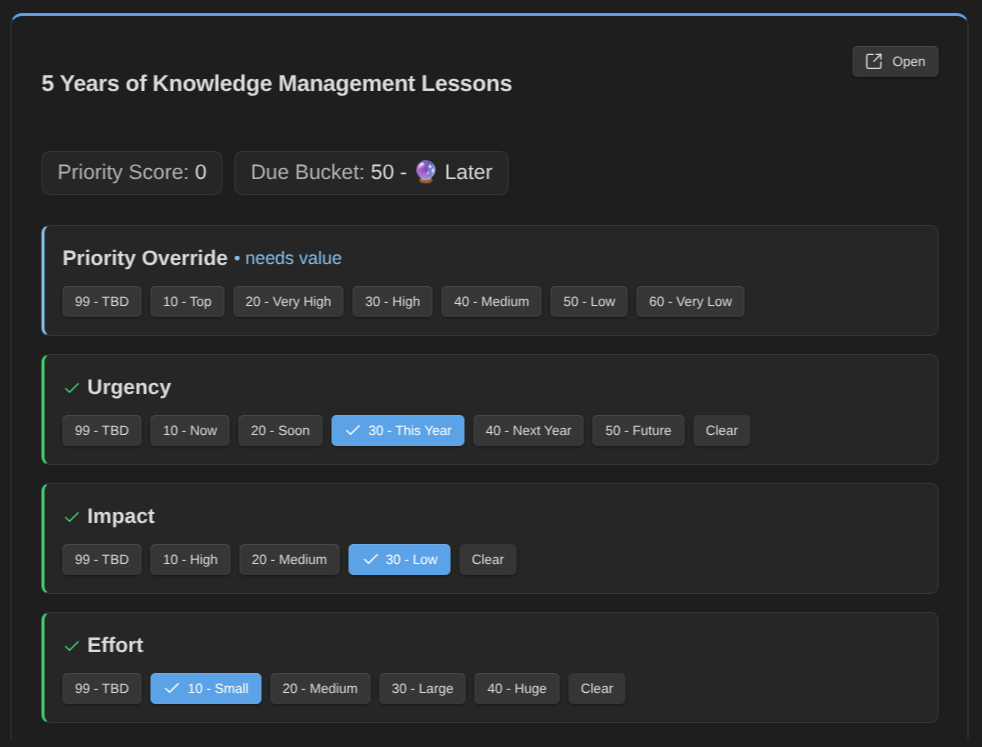
That mode is super useful when your backlog gets out of hand. Triage walks you through your notes one card at a time, so you can clearly define priorities. It doubles as a review queue, which means you can use it to quickly identify elements with stale metadata or content.
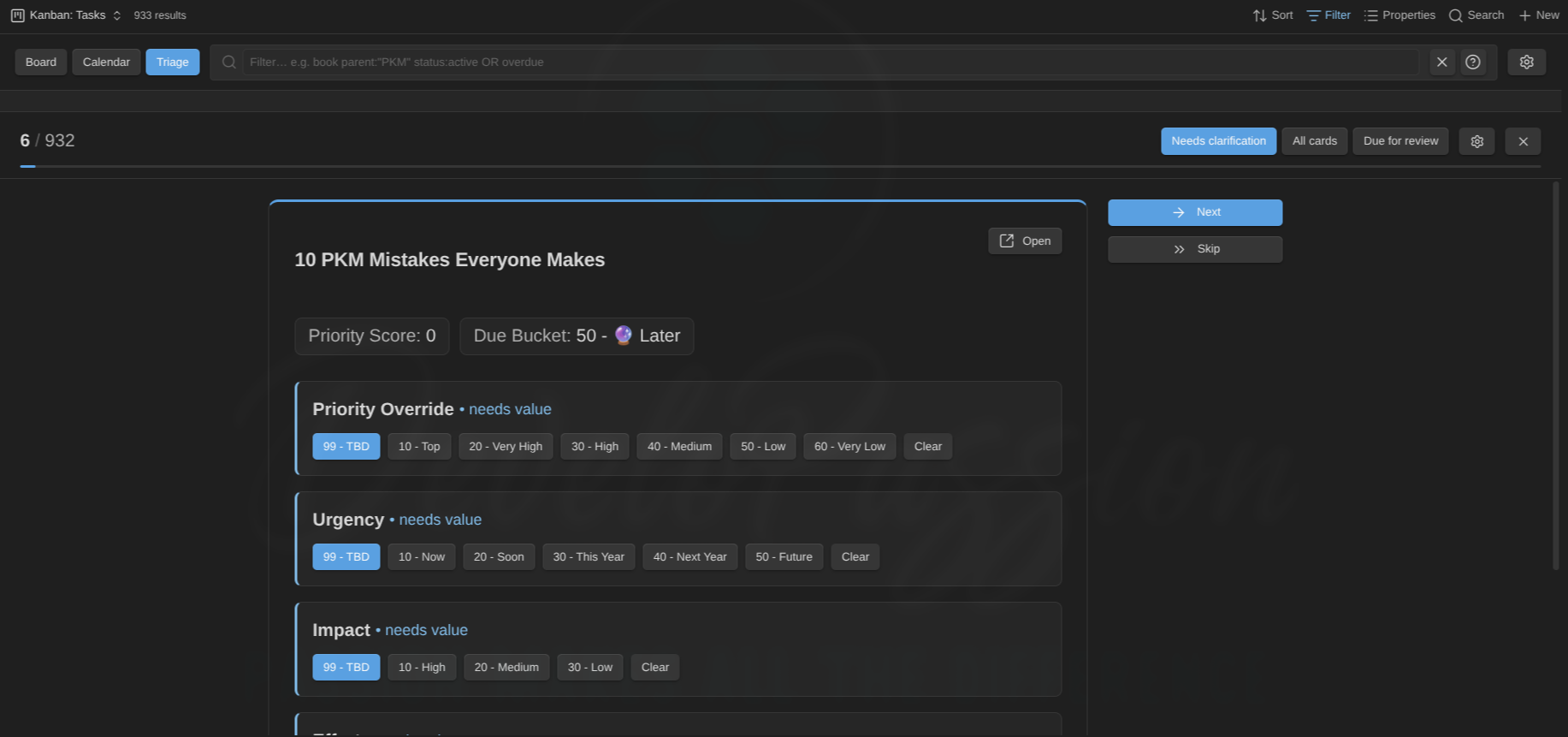
In the settings, you just have to configure the key fields that need to be defined, and the triage mode lists all the notes that don't respect the rules, then let's you easily update those:
It's only as good as your note types
I strongly believe that note types are critical to build solid knowledge systems. I've put those at the core of my own practice, and at the center of many things I've built; in particular, my Obsidian Starter Kit.
Each note type has a set of properties that are either mandatory or optional, uses specific tags, etc. Each property has a type, a default value, a set of valid values, ...
I have to stress this, because it's the difference between a Kanban board that helps and a board that's a mess. The board columns are your statuses. If half your notes say reading and the other half say in progress, you'll get two columns where you wanted one. If your statuses are vague, your board will be vague.
So the boring work pays off here, exactly like it does with Bases: design your note types, decide a small set of clear statuses per type, and stick to those. This is the same lesson from the Bases article.
That's why this plugin enables configuring note types and associating a specific status property with columns on the board. This is the key feature that enables the plugin to truly understand your notes and to process those correctly.
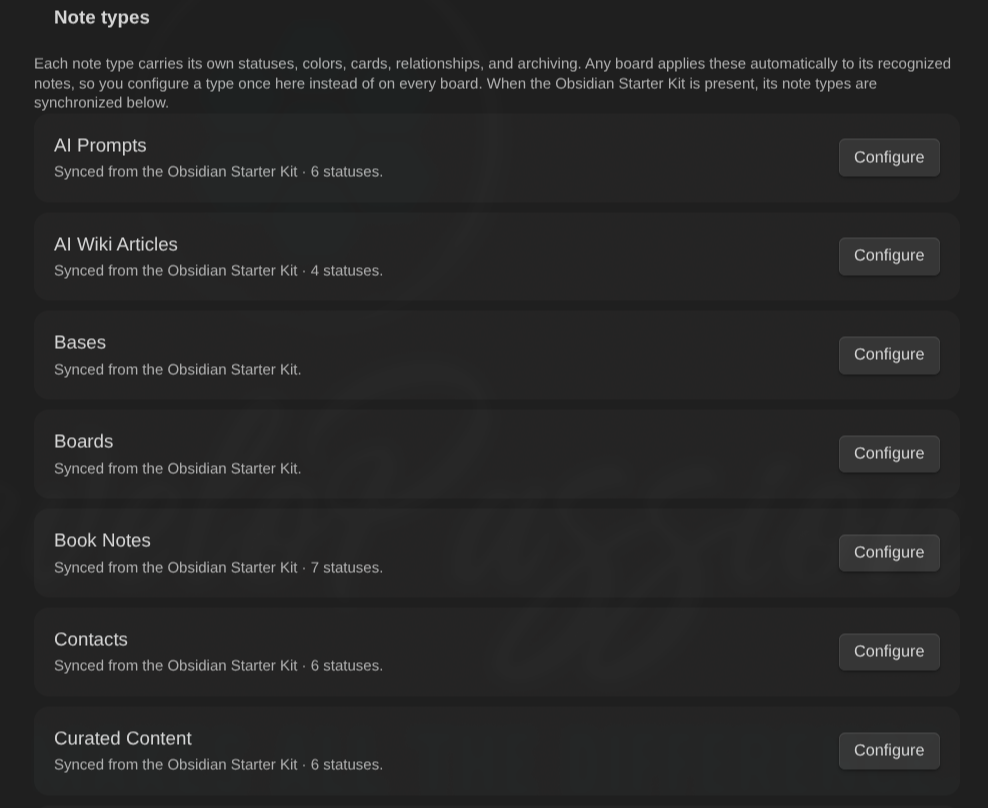
Thanks to this, you can define boards for any note type, or even boards that combine multiple types, knowing that each note will be recognized and fully supported.
If you use the Obsidian Starter Kit (OSK), you get a real shortcut here. The plugin fully supports the Starter Kit and every note type it includes. No repeating setup, no redefining statuses you've defined once. Point a board at any of your notes and you instantly get a Kanban board for it, with sensible statuses, colors, ... And of course, this plugin WILL be part of the next release; it'll be pre-configured so you can directly leverage it.
Why it respects file over app
This matters to me more than any single feature. Everything I build around Obsidian respects the File over app principle. Your data stays in plain Markdown files you fully own, today and in ten years. If you stop using this plugin, then you will not lose any data.
The Kanban Action Planner doesn't bend that rule. There's no hidden database and no lock-in. The board reads and writes your notes' frontmatter, and nothing else. Take the plugin away tomorrow and your work, statuses and all, is still sitting right there in your files, perfectly readable.
Built for knowledge workers and content creators
I built this as part of a bigger effort: helping knowledge workers and content creators do great work inside Obsidian, and growing the ecosystem around it rather than just my own corner of it.
A content creation pipeline is really just a set of "tasks" flowing through different stages. For instance: idea, draft, editing, published. Put a board over your content creation tasks/notes and Obsidian becomes a proper content cockpit. I plan my own articles and videos this way now. The piece you're reading moved across a board to get here.
And the same applies to other types of work (eg video editing, reading, project management, ...). You just have to define what type of information you're dealing with and its lifecycle, then you can manage it through Kanban boards.
Where this is going
I'm just getting started with this one. The direction I'm most excited about is turning these boards into proper state machines with automation rules, so your notes don't only move when you drag them, but move/change when the right conditions line up. A task whose last blocker just got archived could unblock itself. A draft that's been edited could advance on its own. That's the plan.
I have many other ideas, but that'll be for another day ;-)
Going further
The plugin is free and fully open source (MIT License). Contributions, bug reports, and feature requests are all more than welcome.
- Documentation: https://dsebastien.github.io/obsidian-kanban-action-planner/
- Community plugin: https://community.obsidian.md/plugins/kanban-action-planner
- Source code: https://github.com/dsebastien/obsidian-kanban-action-planner
And if you want note types with clean statuses set up for you out of the box (so your boards work from day one), that's exactly what I've built into the Obsidian Starter Kit.
 Dwayne Appleby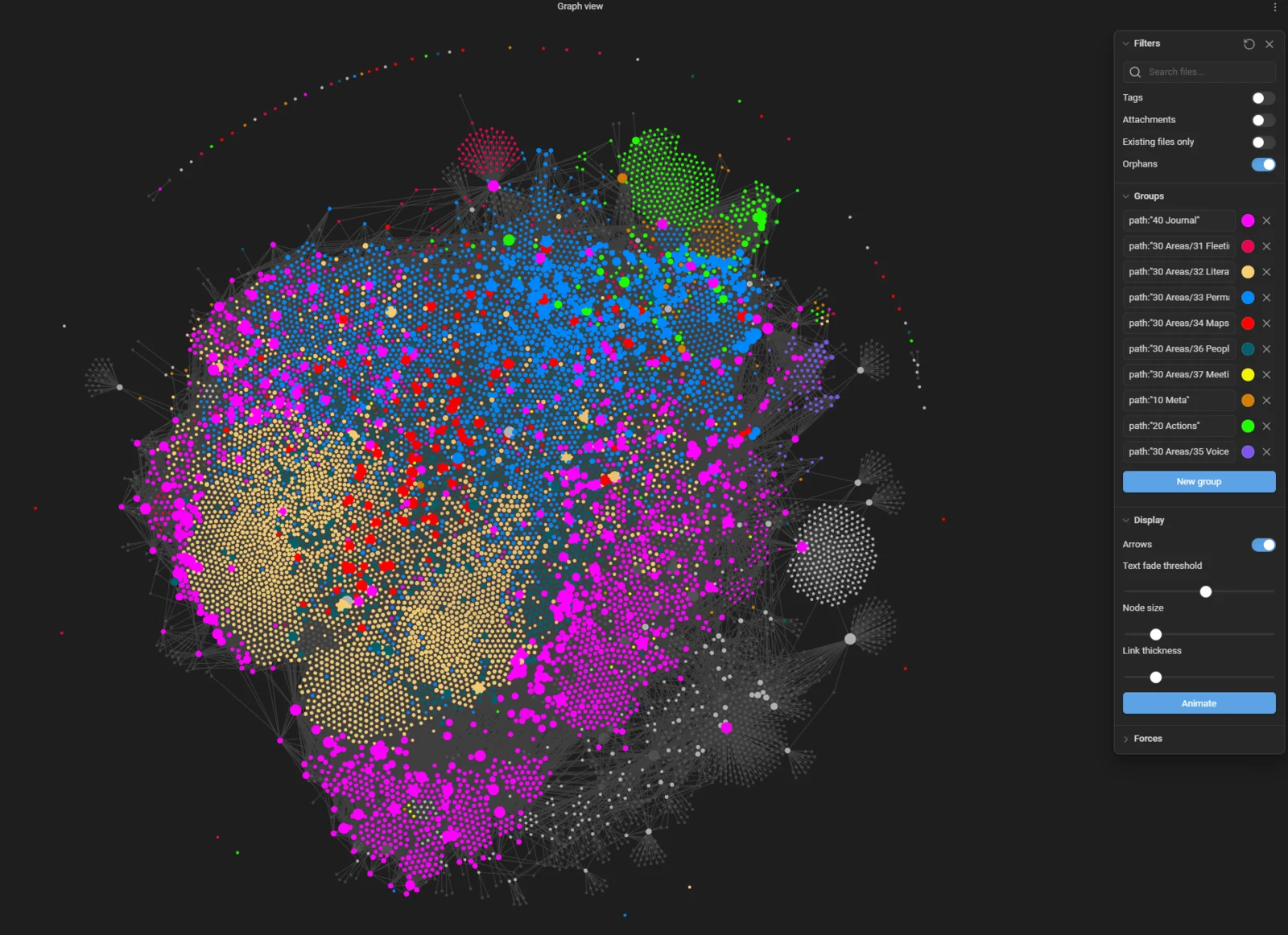
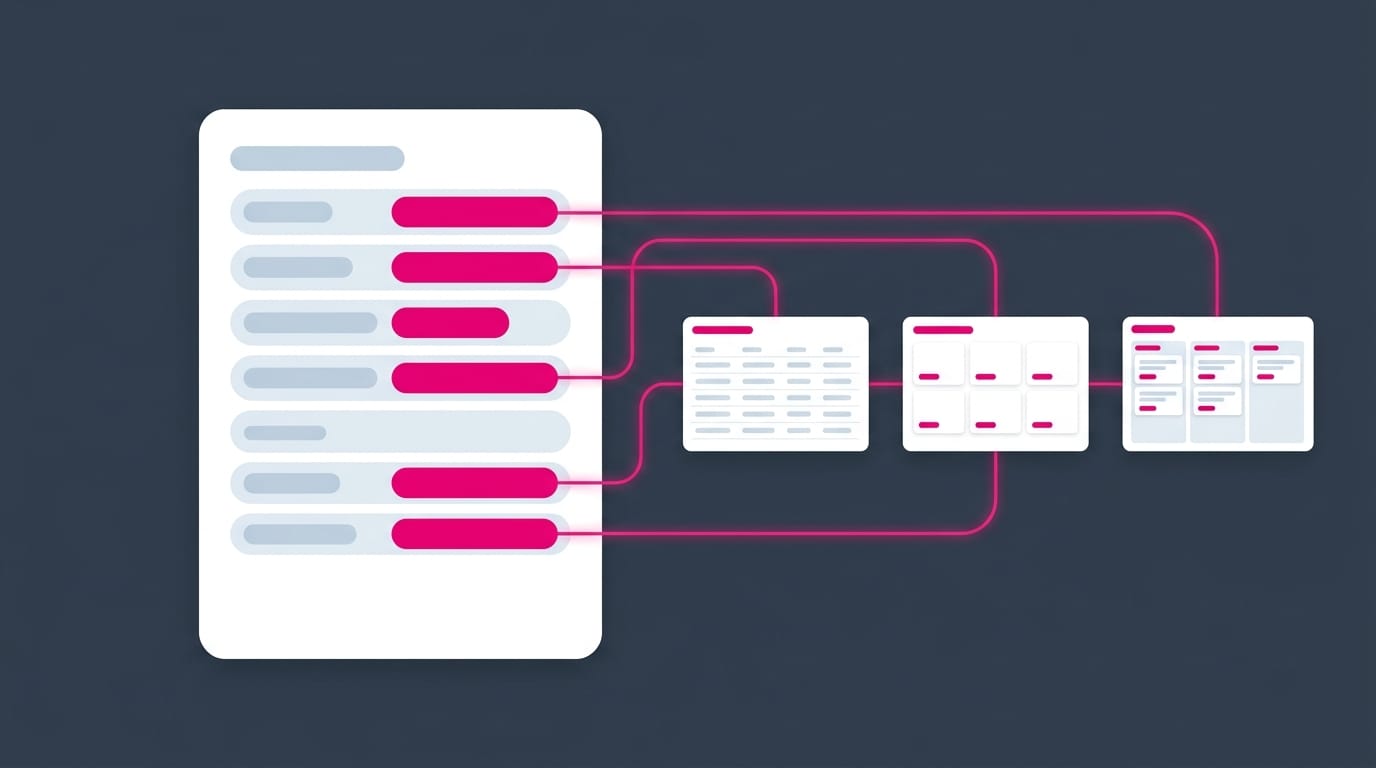
Everything above rests on one foundation: clean note properties. I wrote a complete guide covering exactly that, from your first field to a full schema:
Conclusion
Kanban boards aren't a new idea. Kanban boards that live inside your notes, write back to your own Markdown, and never hold your data hostage, that's the part worth caring about. Point one Base at your work, define a handful of clear statuses, and start dragging. The notes stay yours. The board just helps you move them.
That's it for today! ✨
About Sébastien
Ready to get to the next level?
Found this valuable? Share it with someone who needs it.